Setup guide · Firestick & Android TV
TiviMate Setup: Install, Log In and Watch
The short answer
In the Downloader app, type the code 272483 (or tivimate.com/apk), install TiviMate, then choose Add playlist → Xtream Codes and enter the server address, username and password from your IPTV email. Keep TV playlist selected and press Done. The free app plays live TV with the TV guide; movies and series need TiviMate Premium.
Official download · About 21 MB · About 10 minutes
TiviMate Downloader code
Type either one into Downloader's address box, then press Go
272483ortivimate.com/apk
Watch: TiviMate setup on a Firestick
The whole install and login on a real Fire TV Stick. Tap a chapter to jump to a step.
How to install TiviMate on a Firestick, step by step
Every screen from the video, in order. Tap a screen to see it full size.
- Before you start
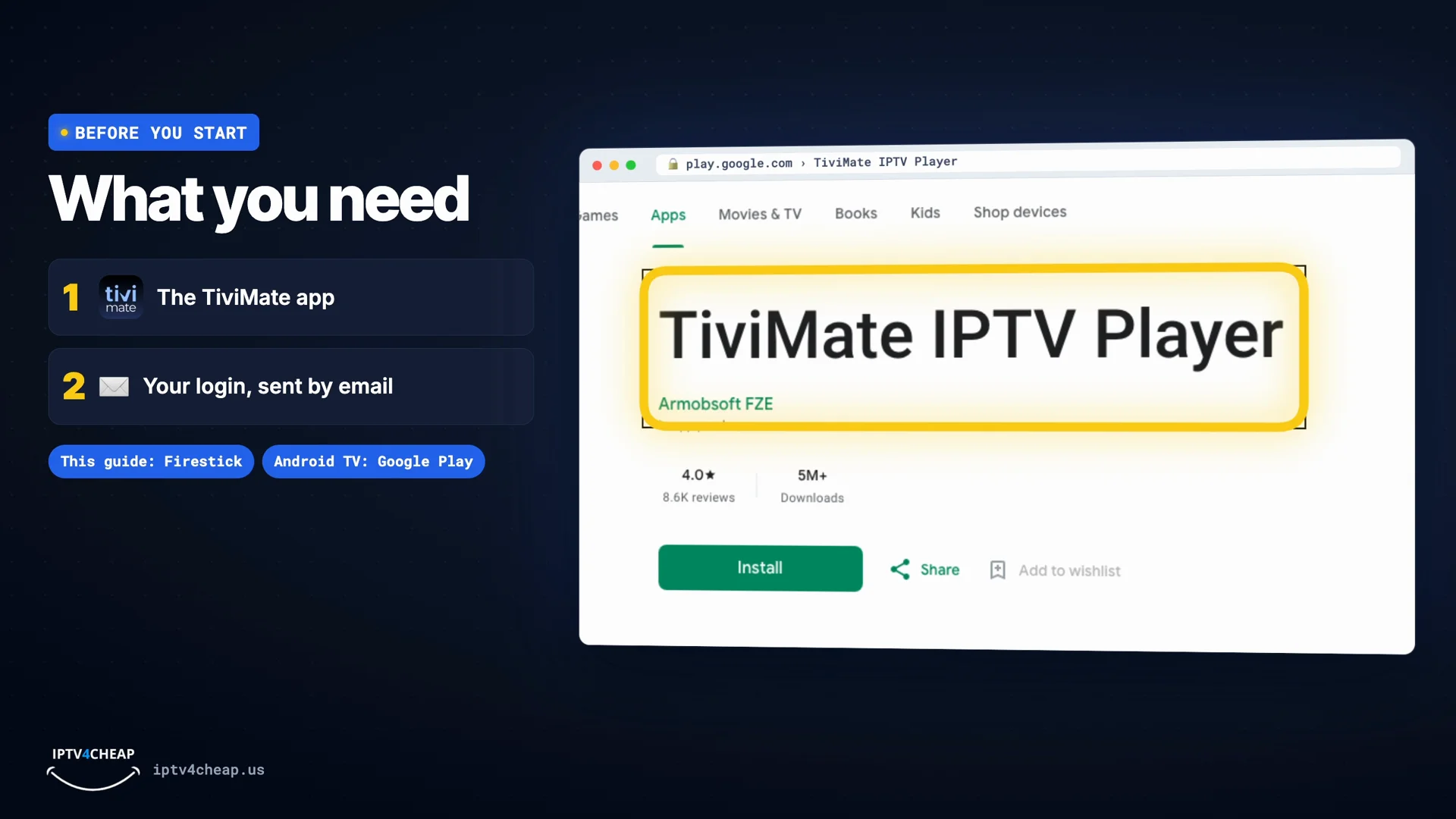
What you need
Two things: the free TiviMate app, and your login details. Your login arrives by email after you order, or after you start a free trial on iptv4cheap.us. It has three parts:
- Server URL, for example
http://server-address:8080 - Username
- Password
TiviMate is made for TV devices with a remote: every Fire TV that runs Fire OS (Fire TV Stick, Lite, 4K, 4K Max, Cube) and Android TV or Google TV boxes. It does not install on the Fire TV Stick 4K Select, which runs Vega OS. On an Android TV, install TiviMate from Google Play and go straight to step 5.
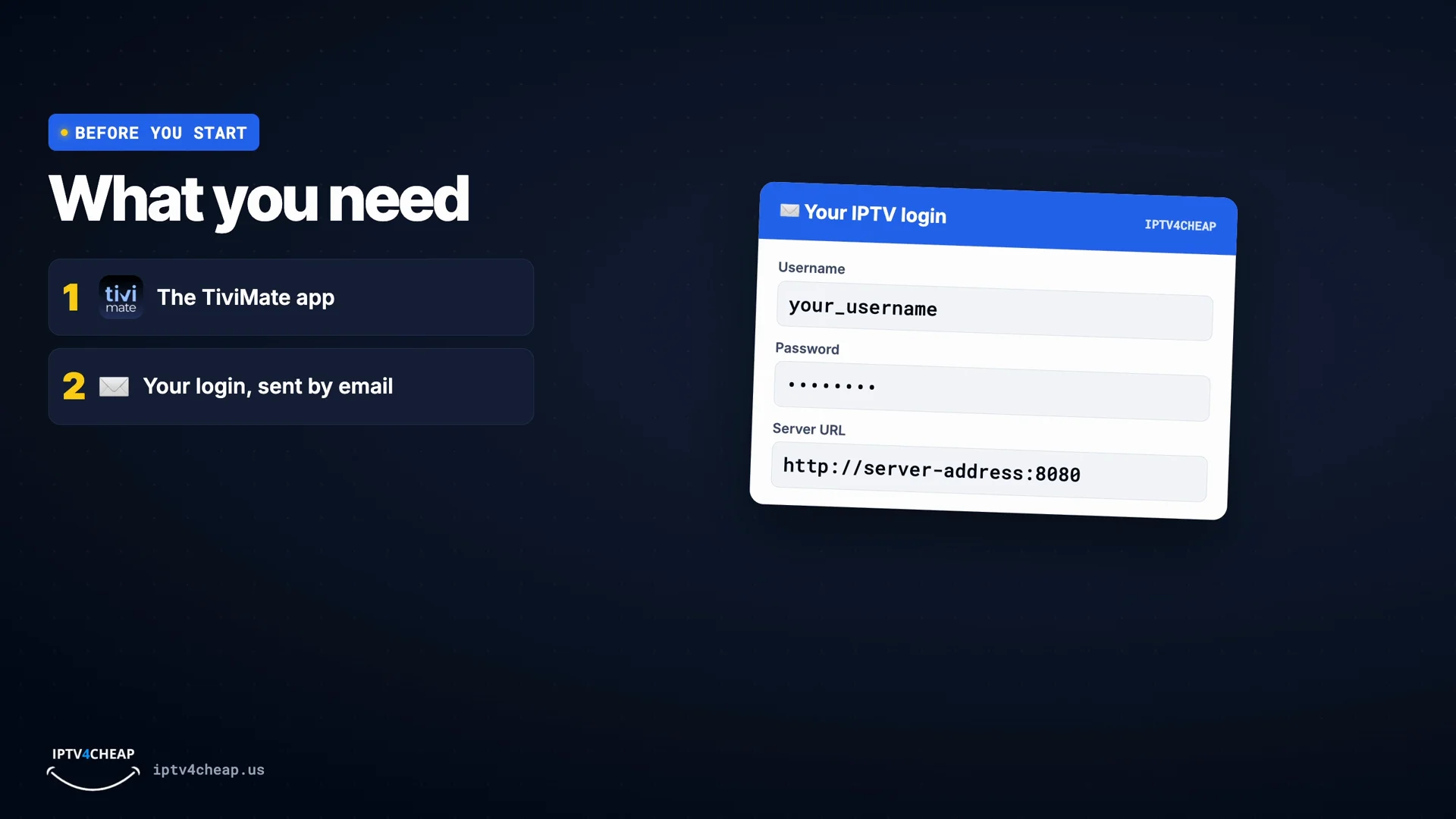
Your login has three parts: server URL, username and password. 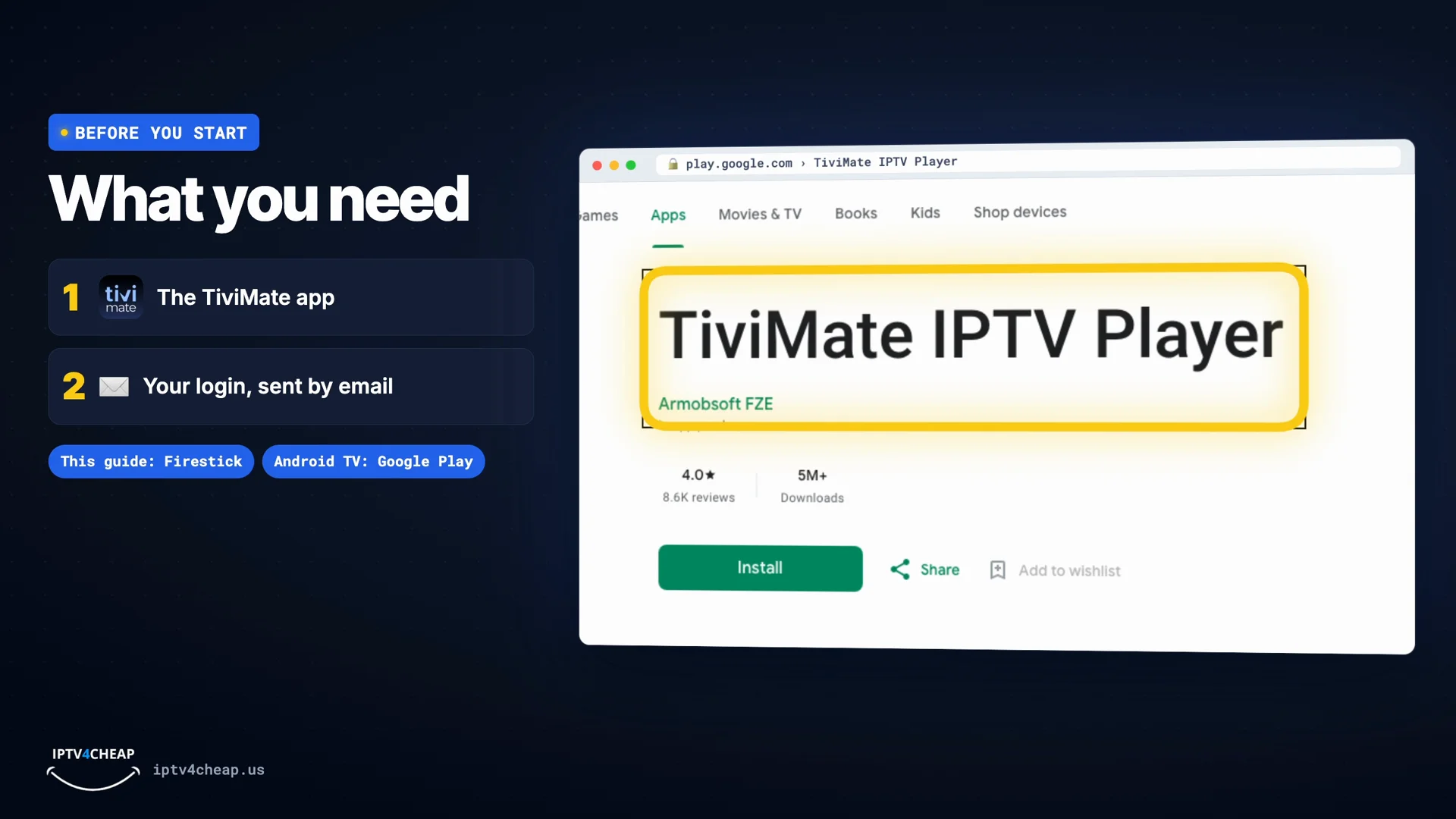
On Android TV and Google TV, TiviMate is in Google Play. - Server URL, for example
- Step 1
Install the Downloader app
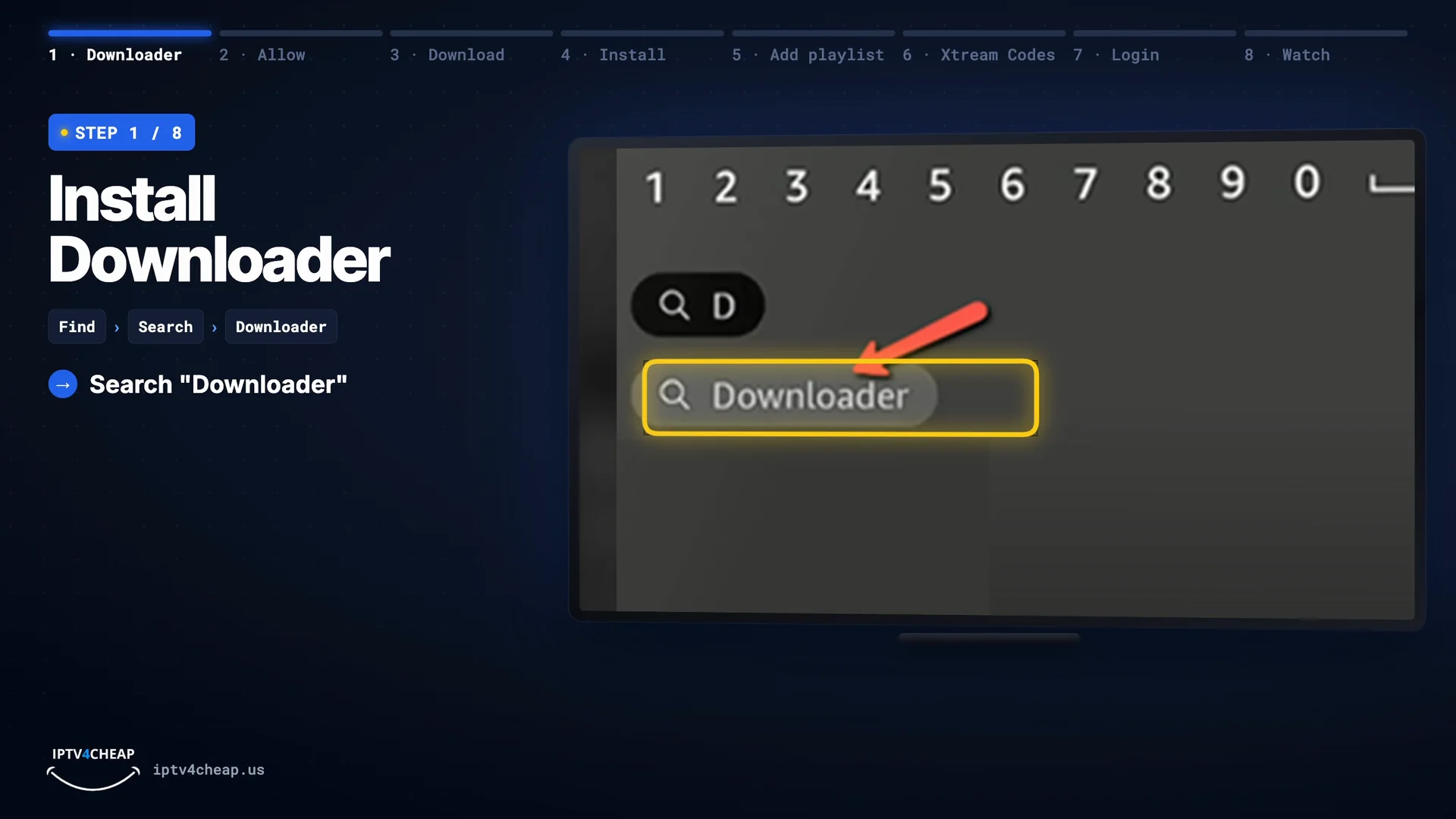
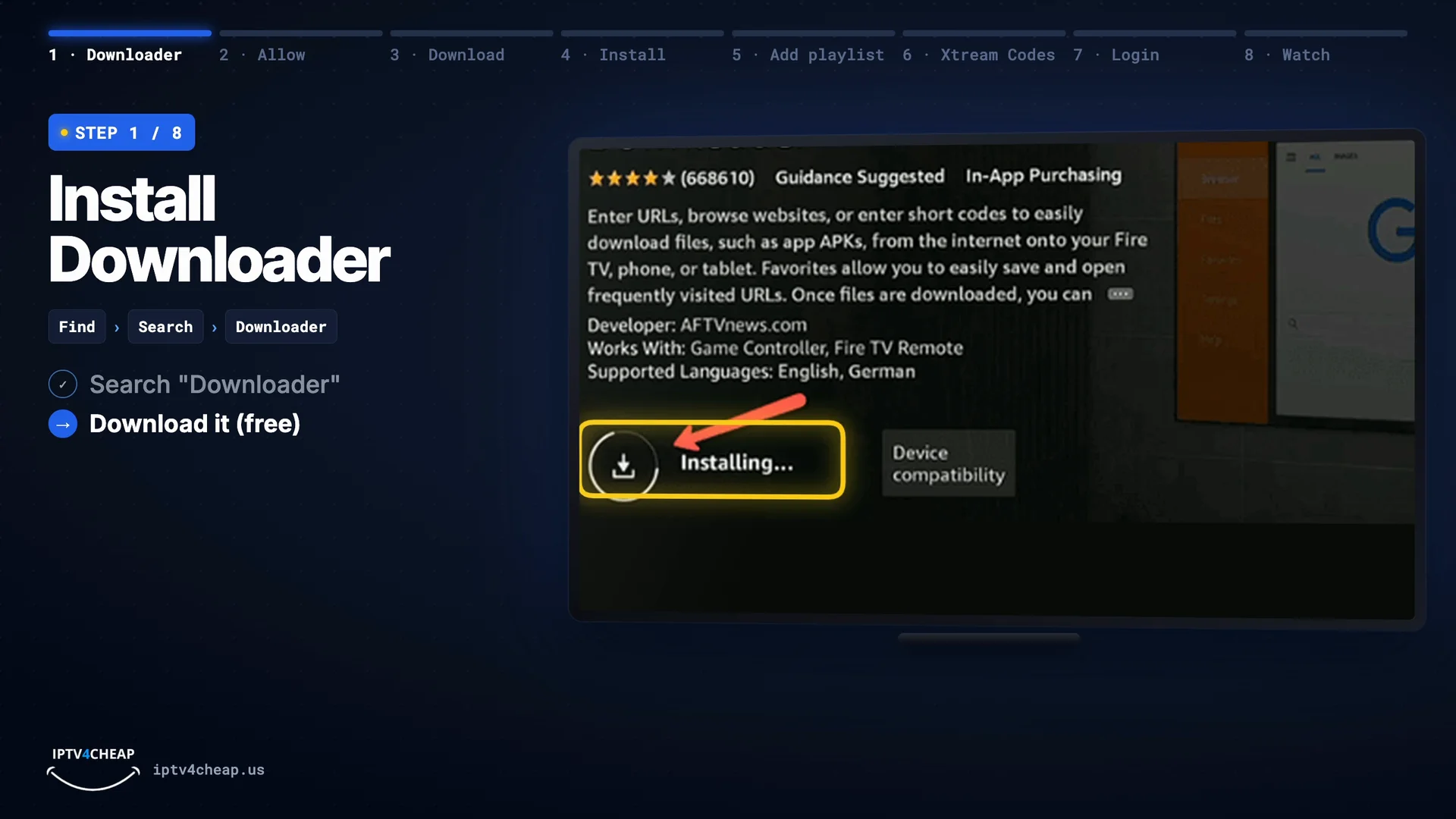
On the Fire TV home screen, go to Find › Search and type Downloader. Pick the orange Downloader app and press Download (or Get). It is free. Already installed it for IPTV Smarters? Skip to step 3.
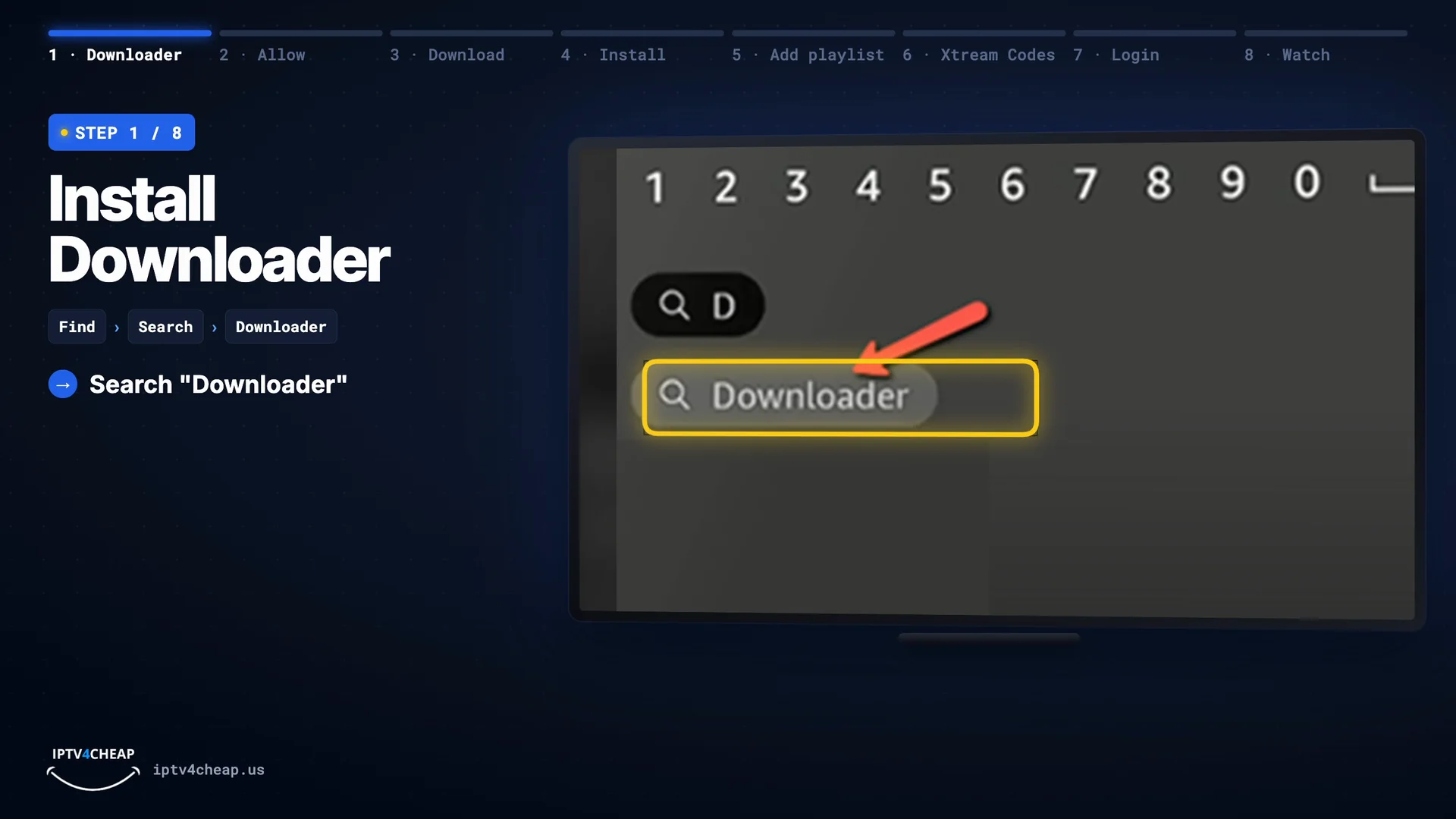
Find › Search, then type Downloader. 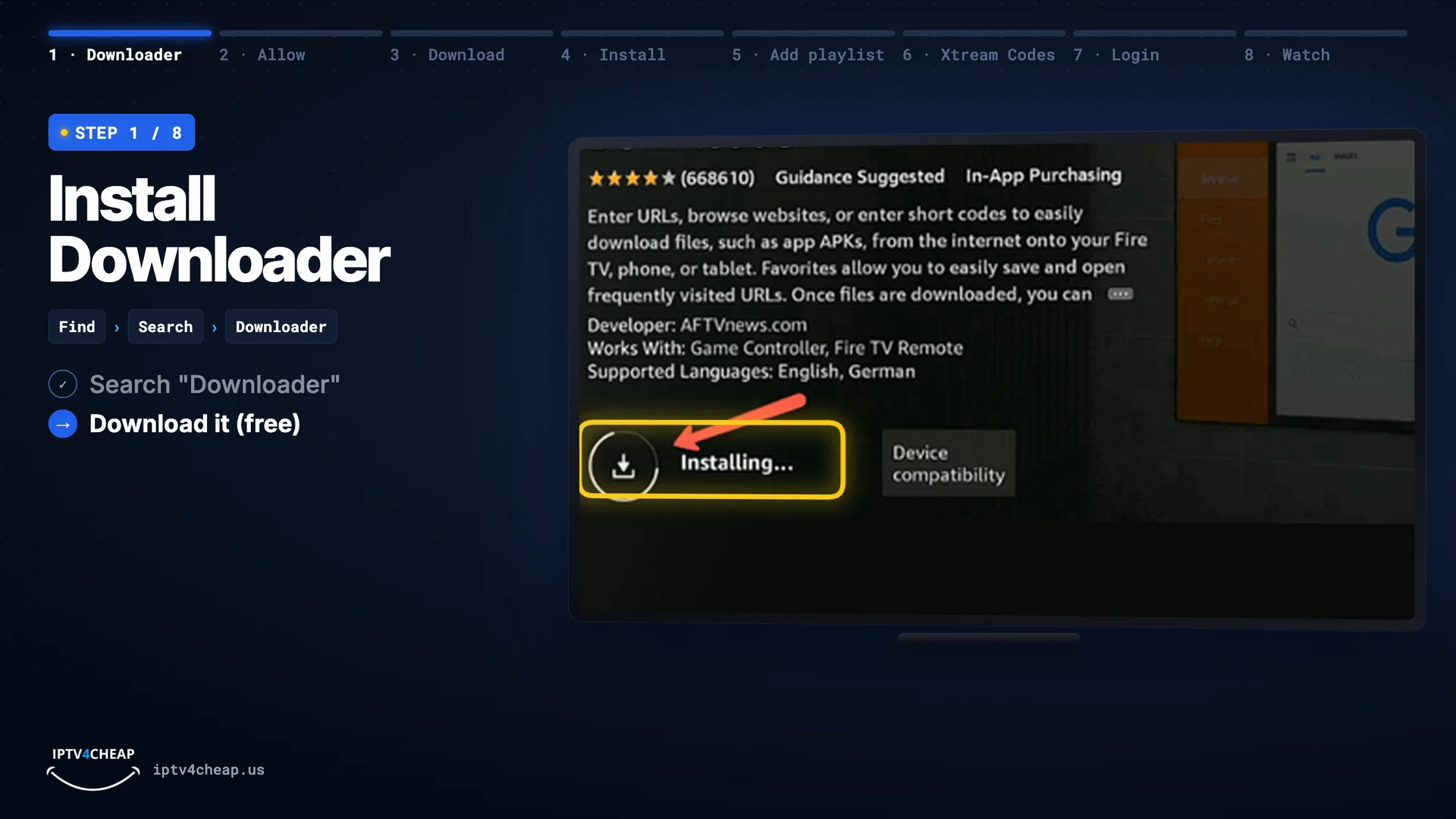
Press Download (or Get) on the Downloader page. - Step 2
Allow Downloader to install apps
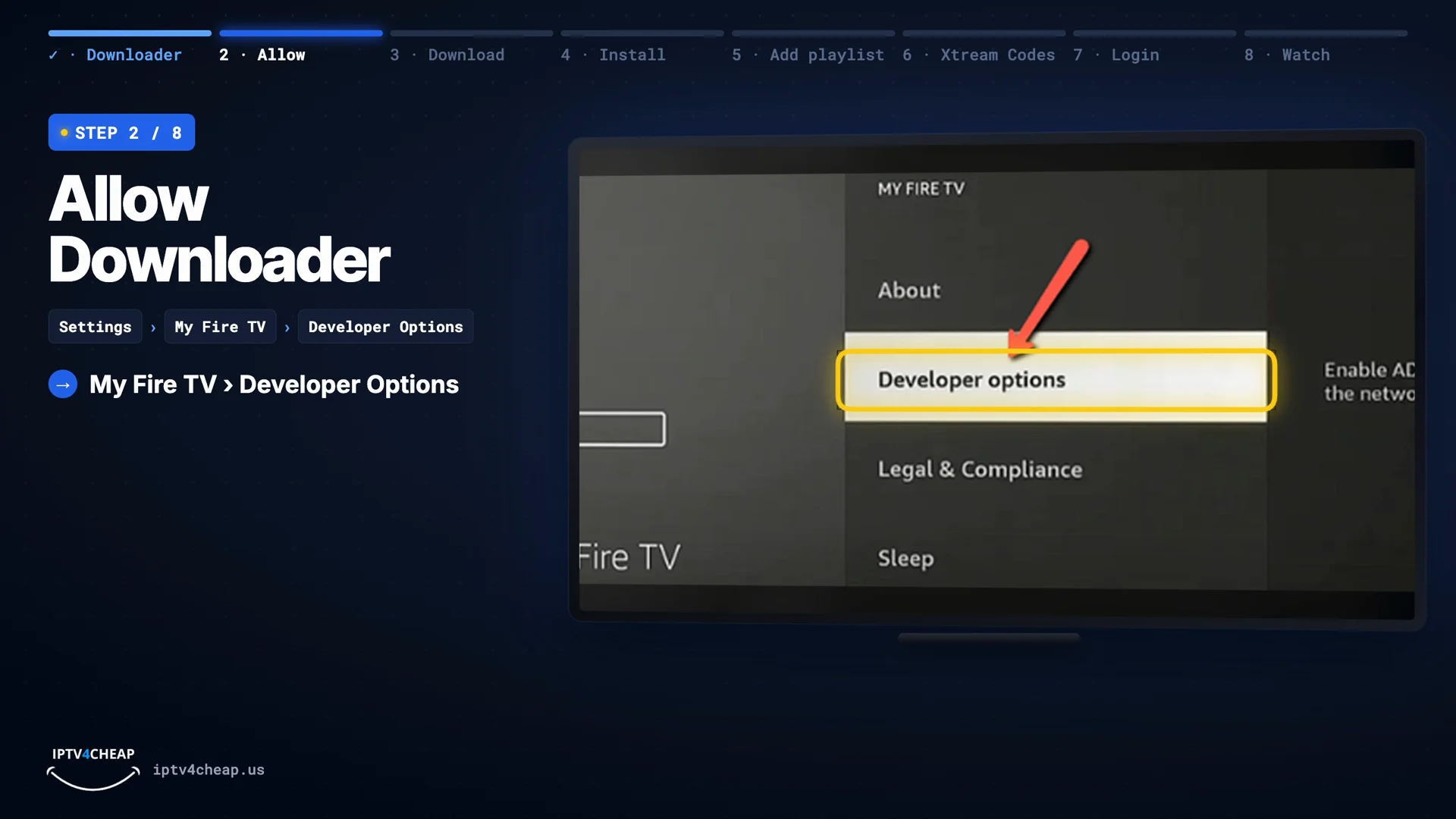
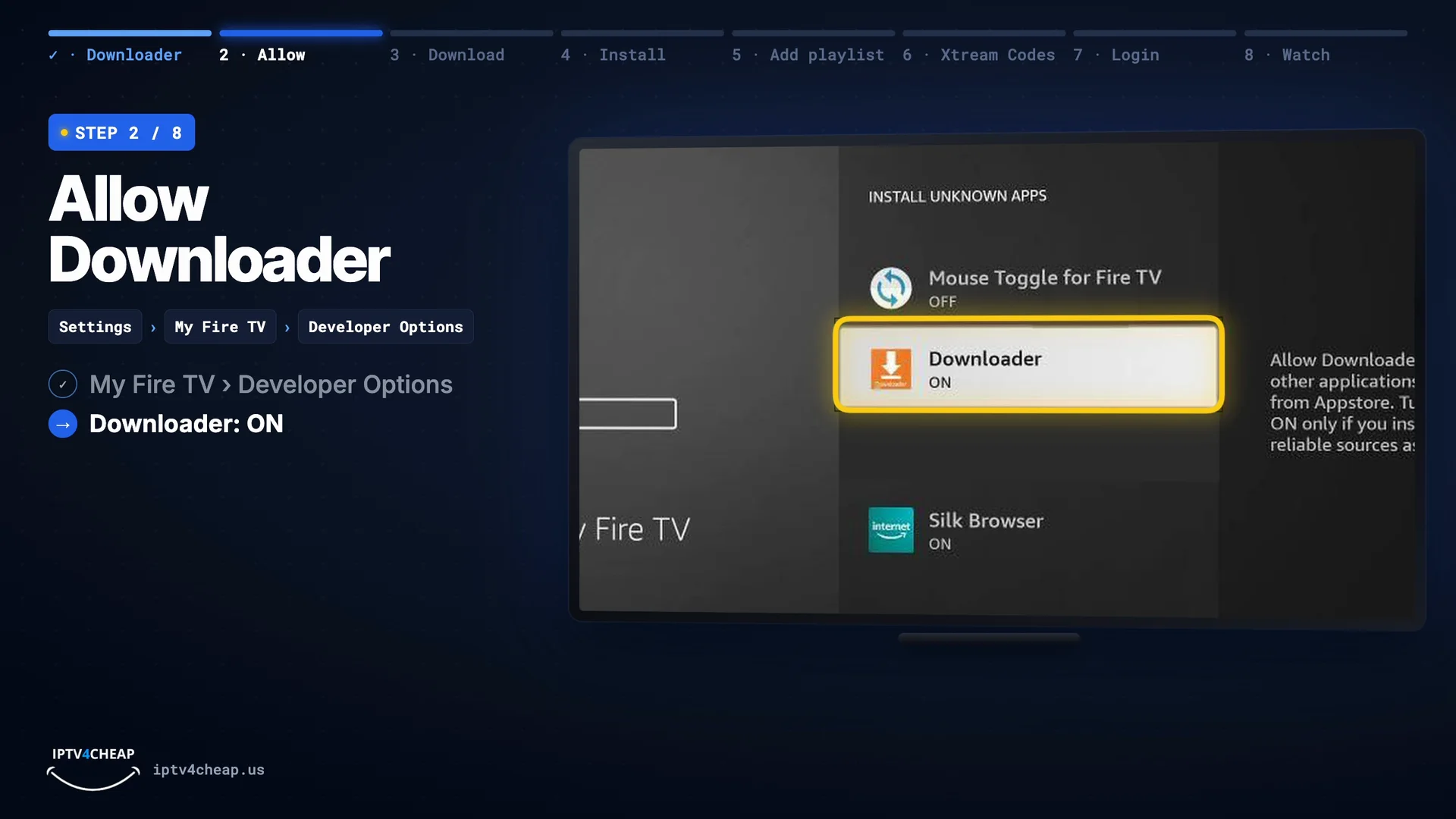
Open Settings › My Fire TV › Developer Options, choose Install unknown apps and switch Downloader to ON. This only lets Downloader install files; nothing else on the Fire TV changes. Older models show one switch called Apps from Unknown Sources instead: turn it on.
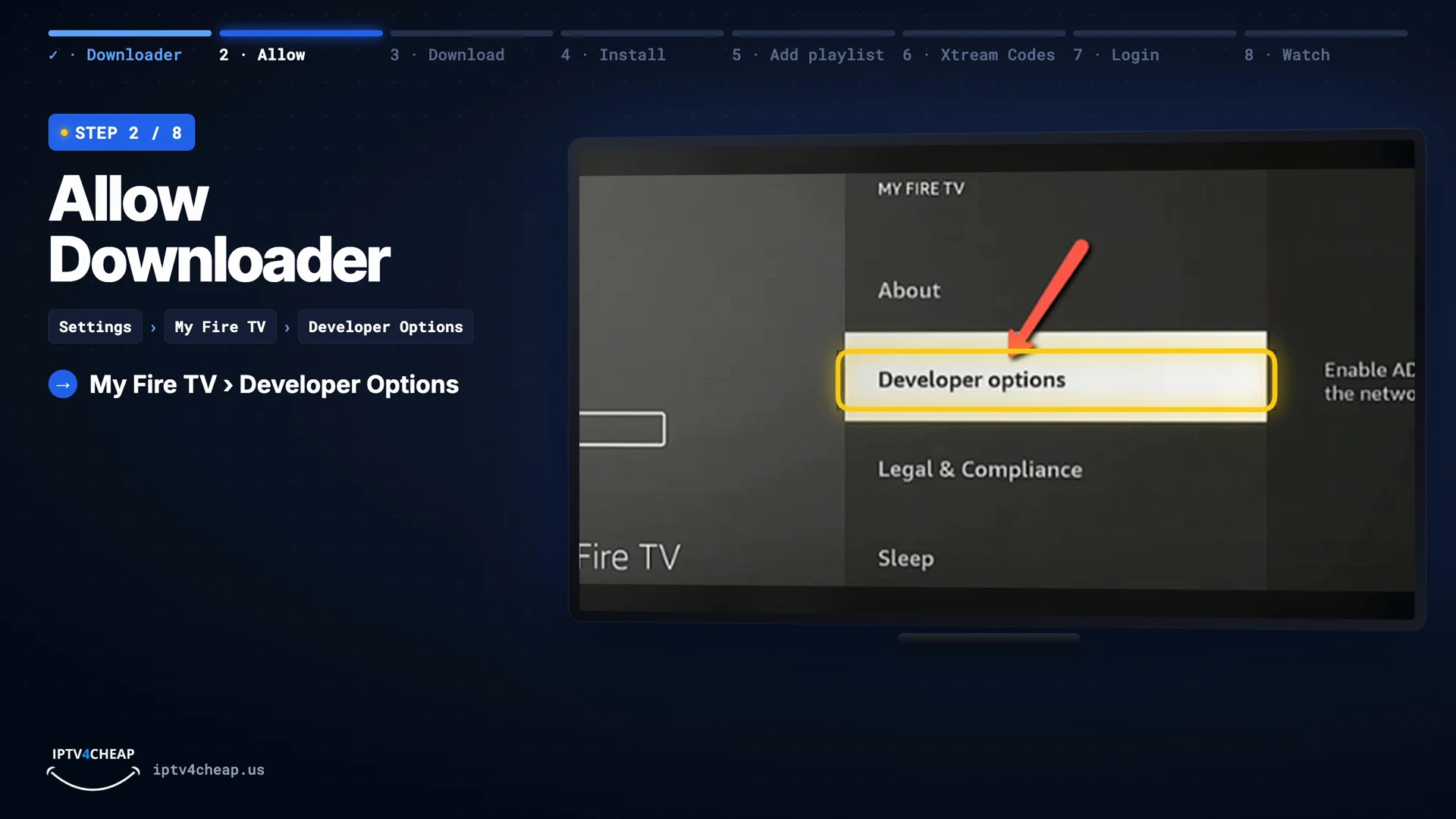
Settings › My Fire TV › Developer Options. 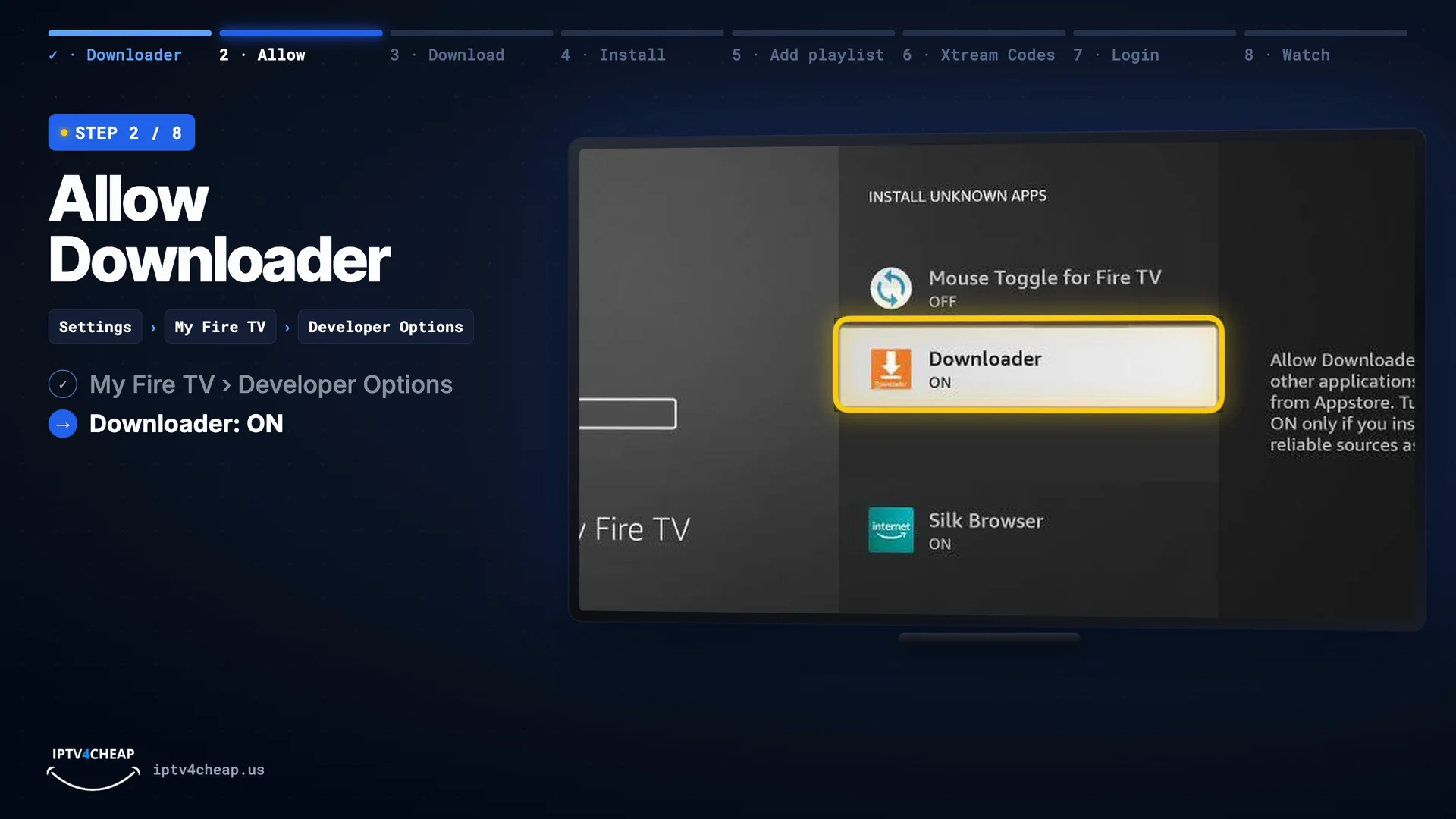
Install unknown apps: Downloader ON. Tip: No Developer Options? Go to Settings › My Fire TV › About, highlight your Fire TV's name and press Select seven times. A message says you are now a developer, and the menu appears.
- Step 3
Download TiviMate with code 272483
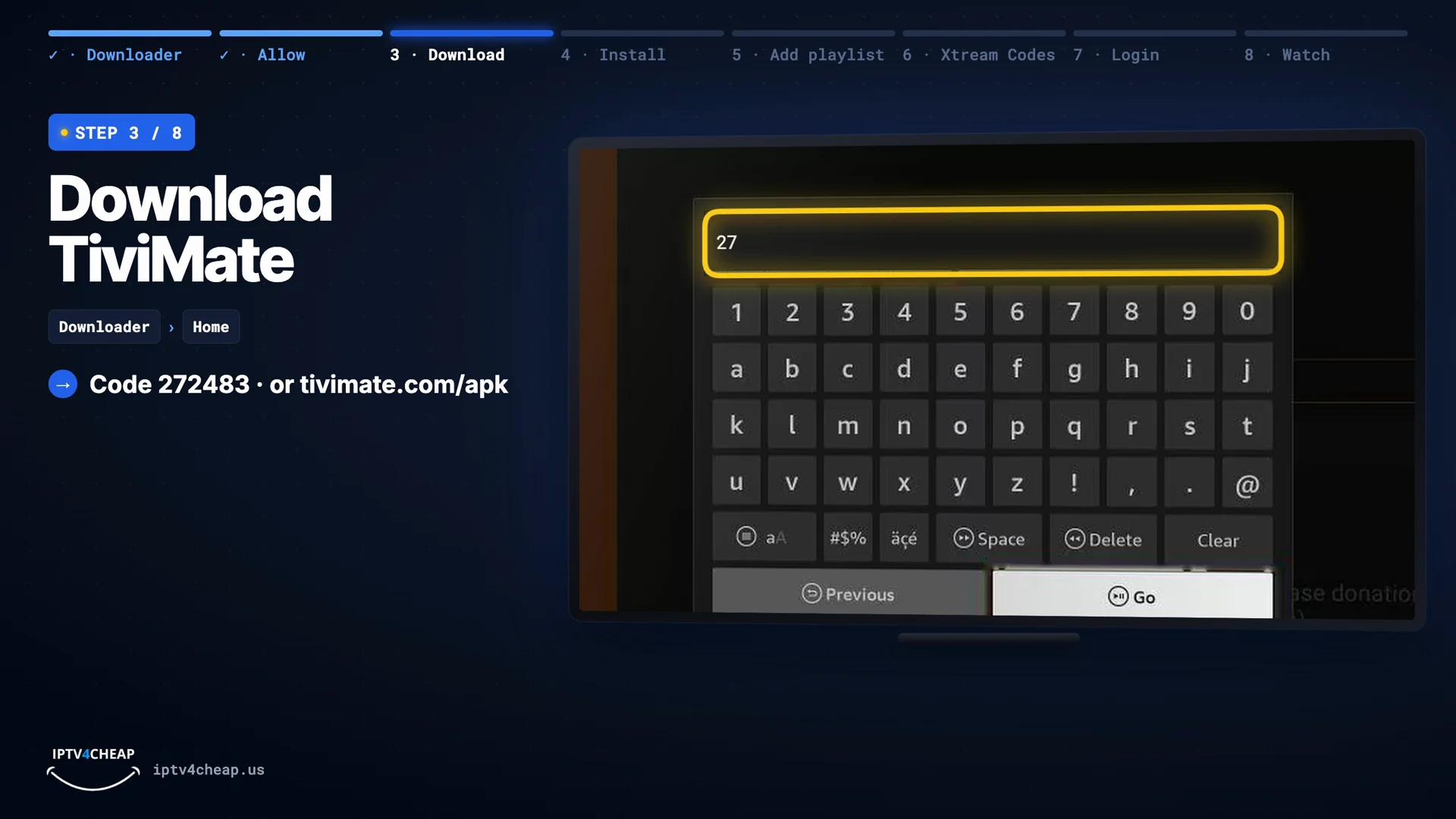
Open Downloader, select the address box and type the code
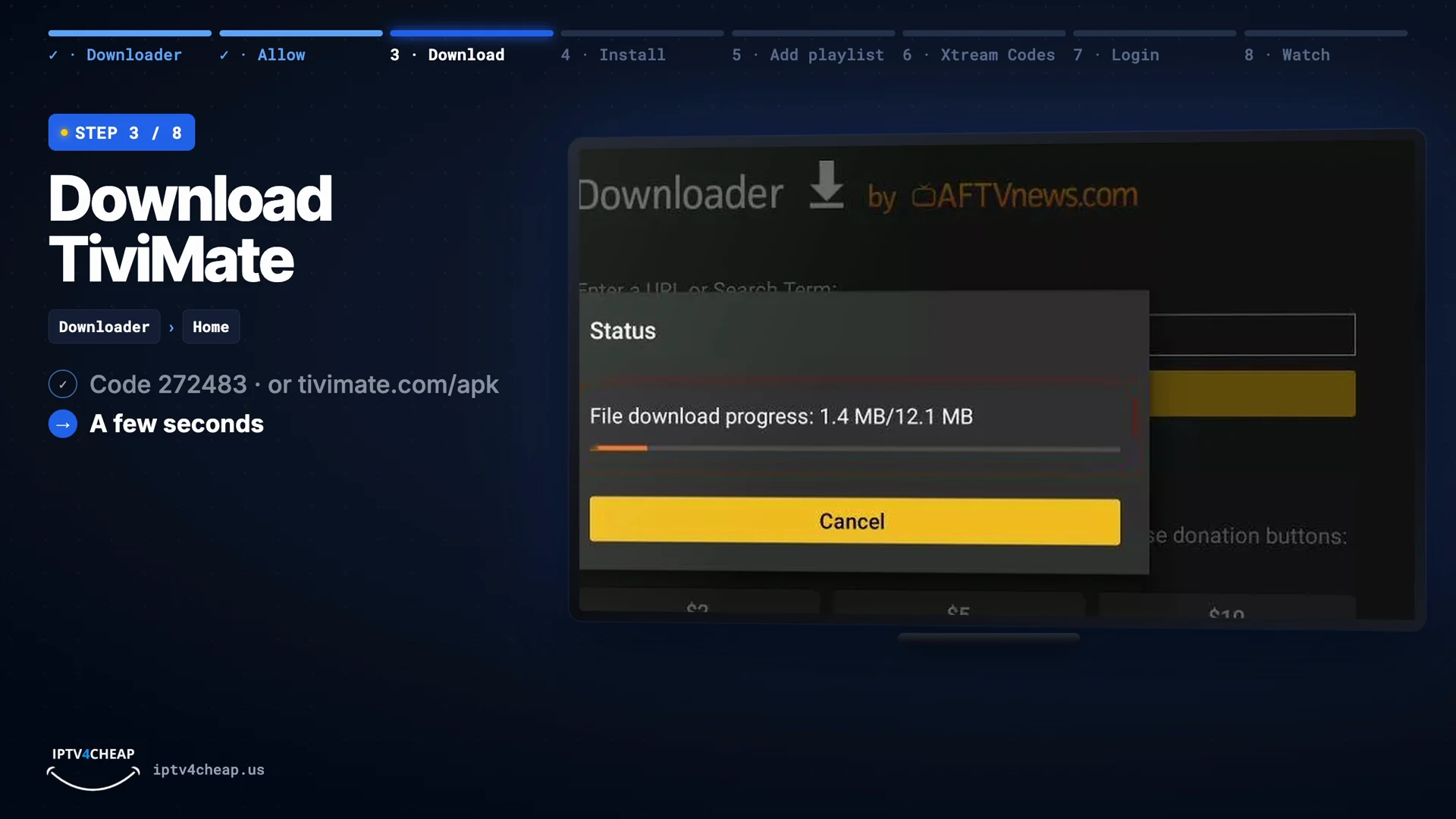
272483, or TiviMate's own addresstivimate.com/apk. Press Go. Both download the official TiviMate app straight from its developer. The file is small, about 21 MB, so it takes a few seconds.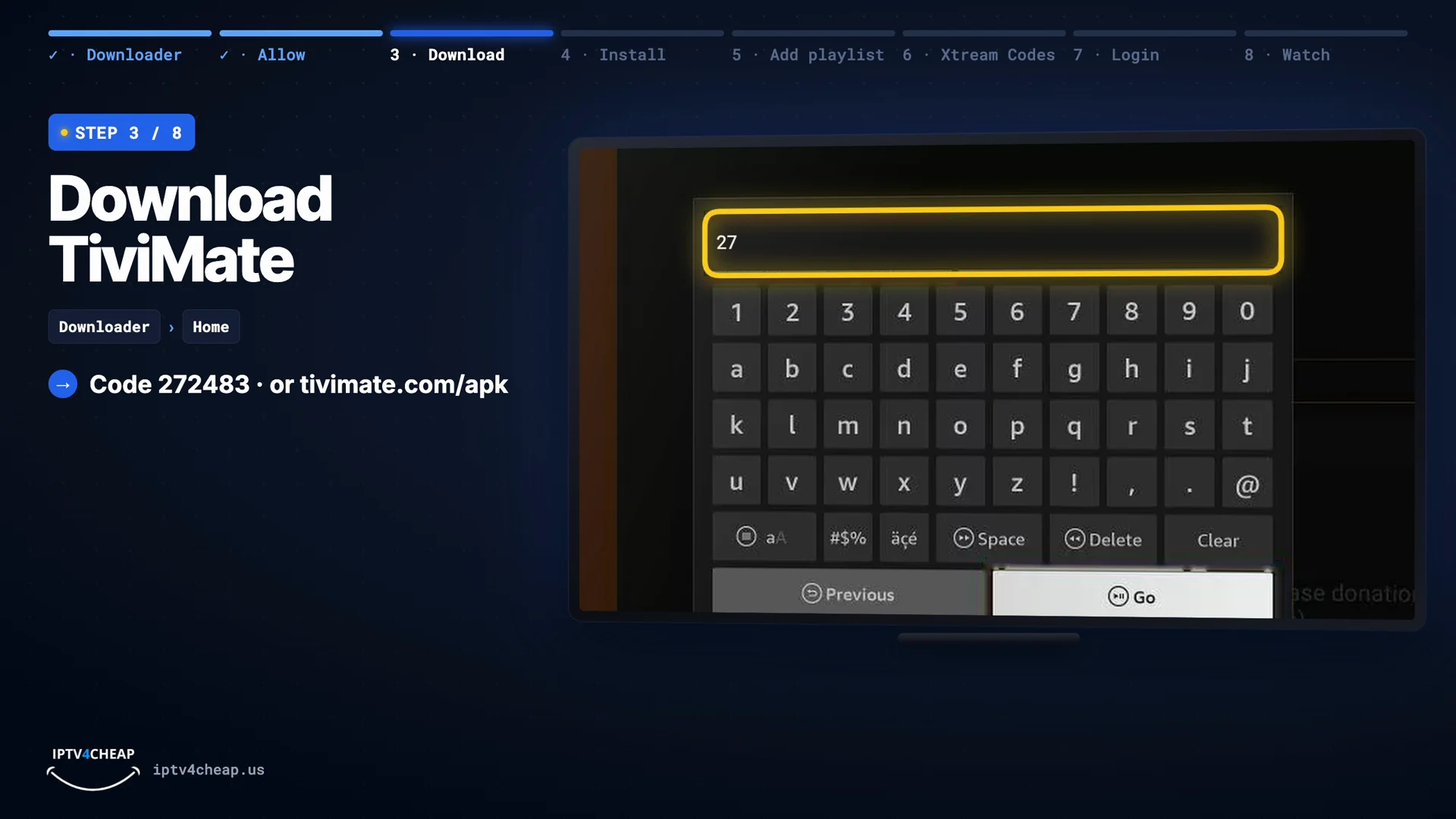
Type 272483 (or tivimate.com/apk), then Go. 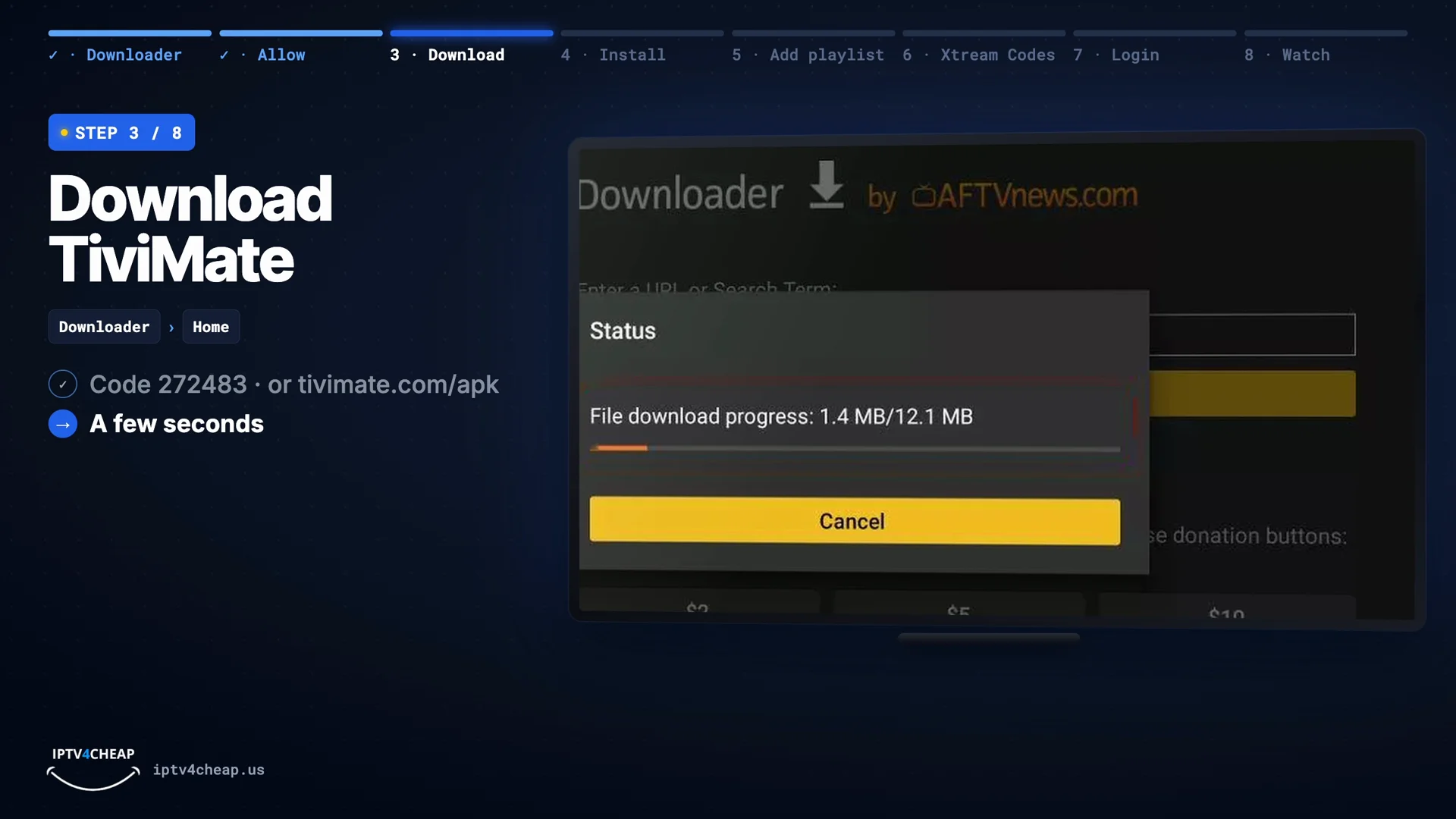
The download takes a few seconds. Tip: If the code does nothing, update Downloader or type
tivimate.com/apkinstead. - Step 4
Install TiviMate, then delete the installer
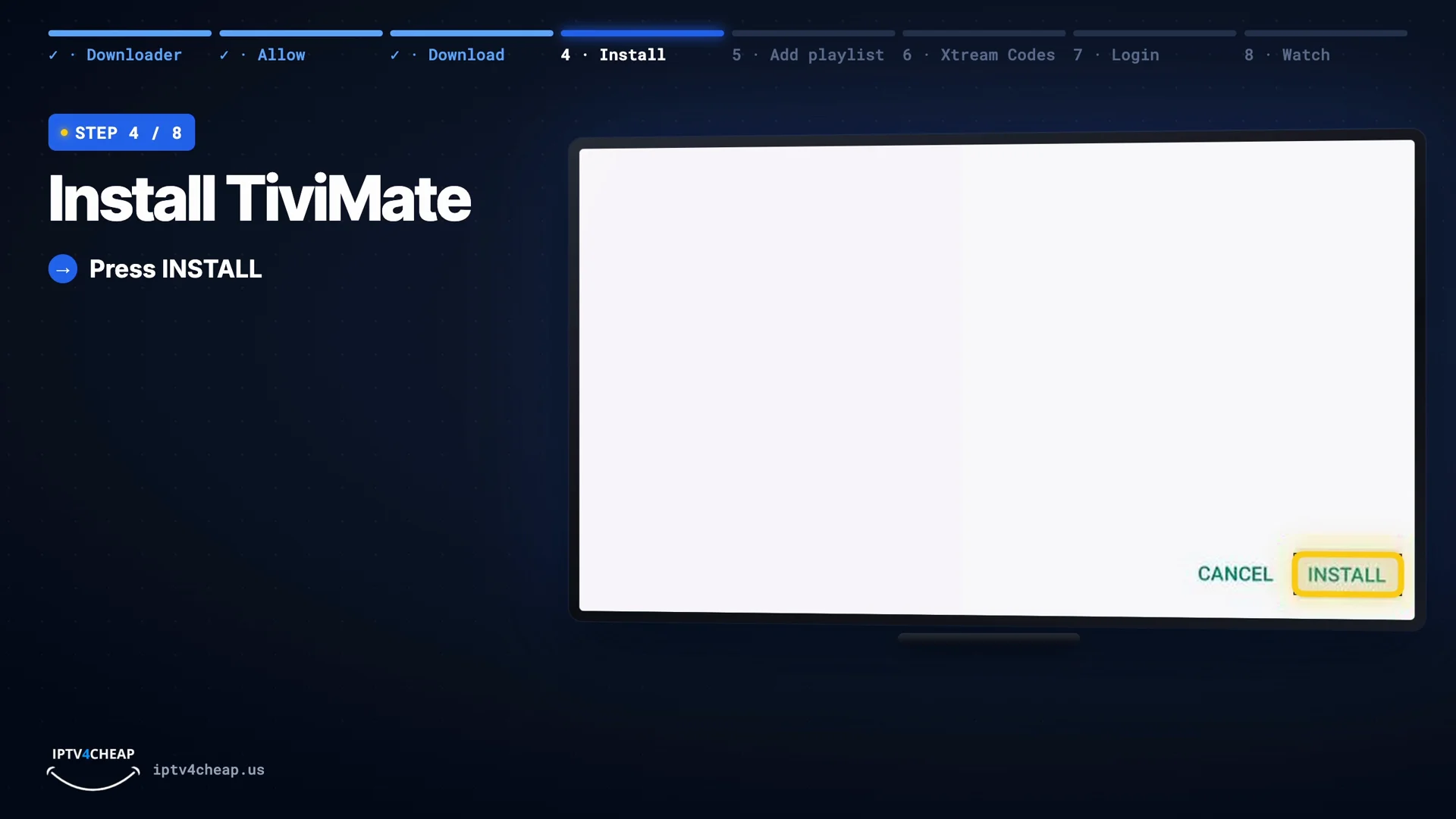
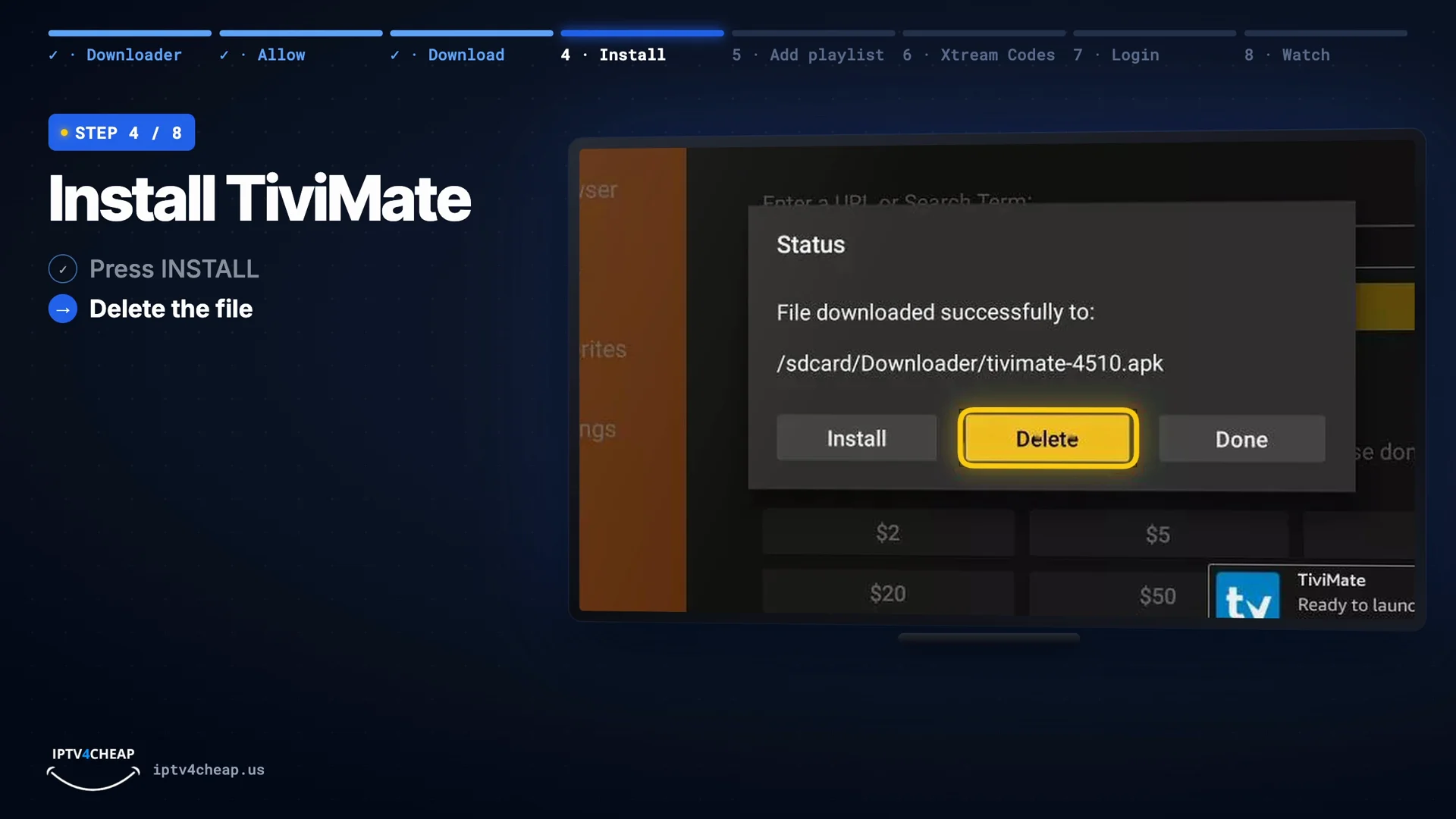
When the installer opens, press Install. Back in Downloader, press Delete and confirm. The installer file is not needed anymore, and your Firestick keeps its storage space.
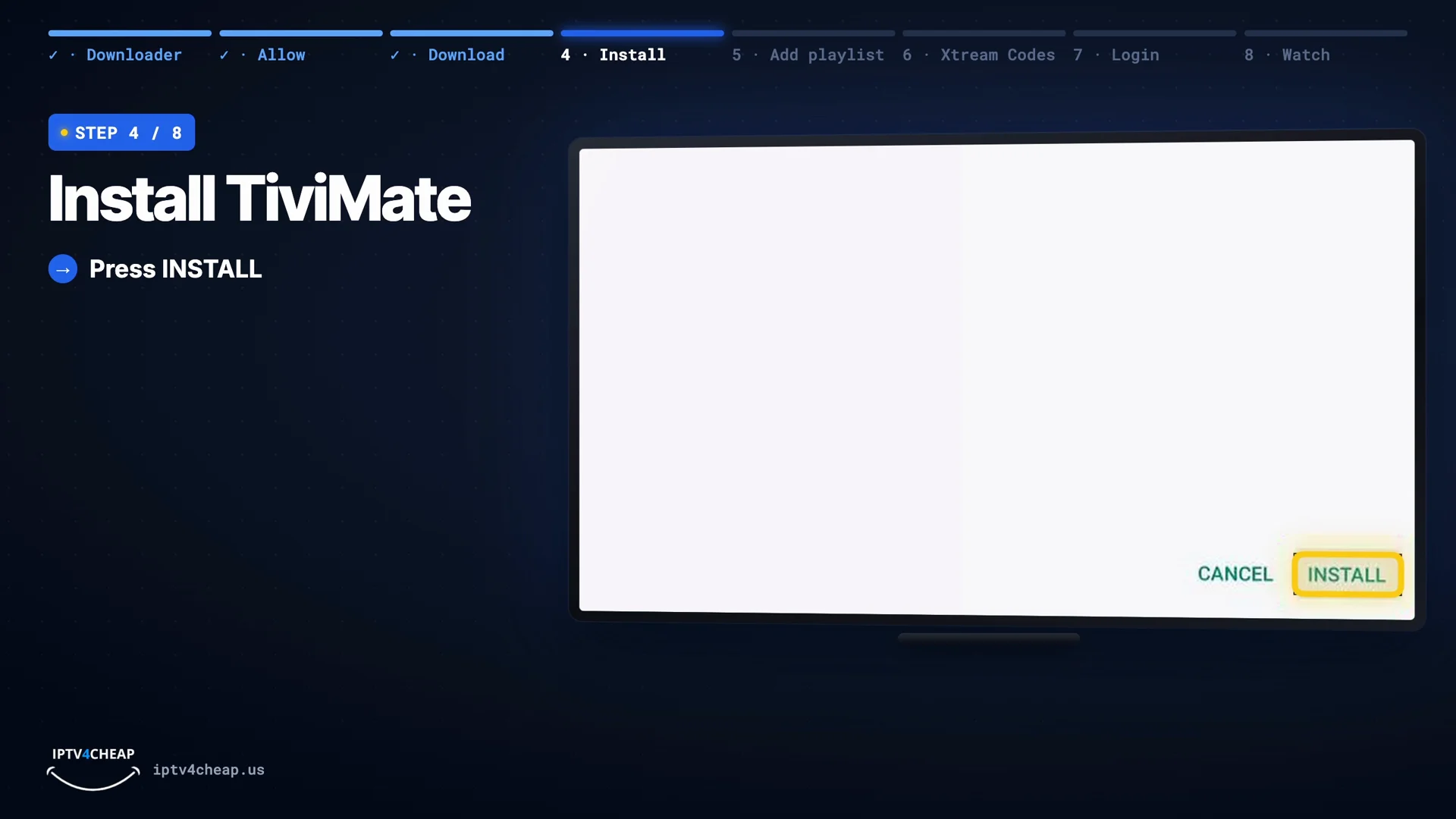
Press Install. 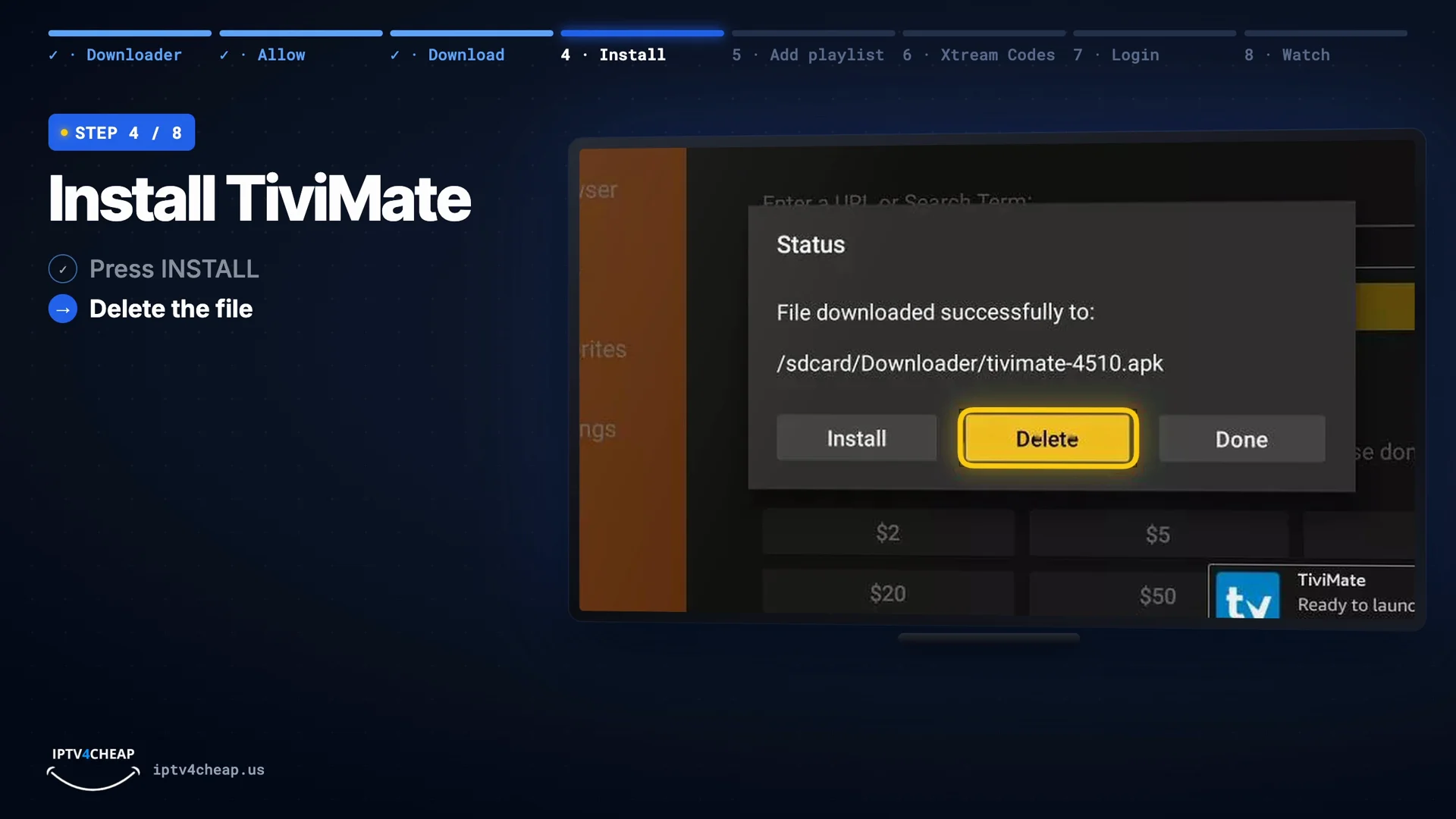
Then Delete the file in Downloader. - Step 5
Open TiviMate and add a playlist
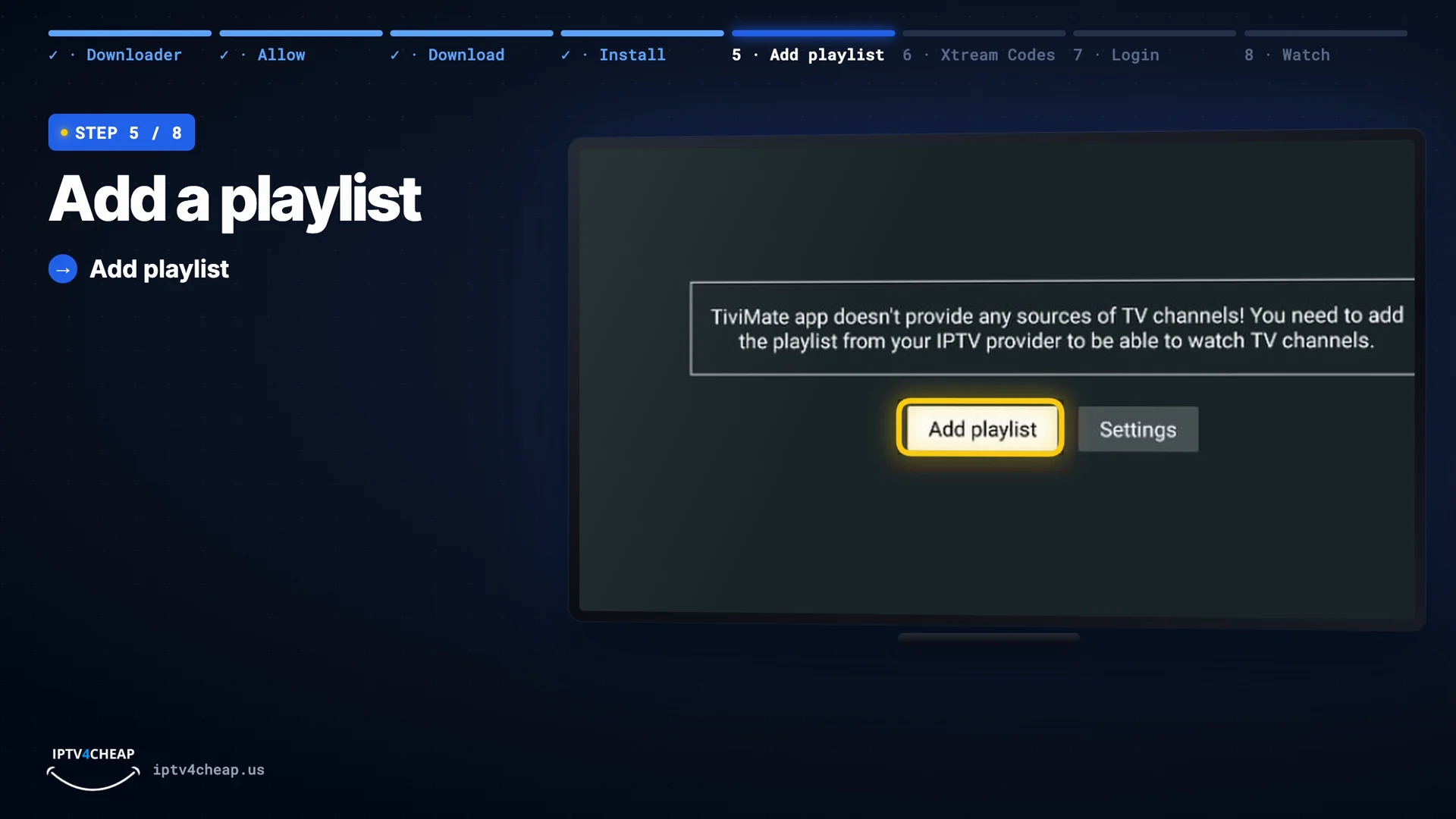
Open TiviMate from Your Apps & Games. It is only a player with no channels of its own, so the first screen asks you to press Add playlist.
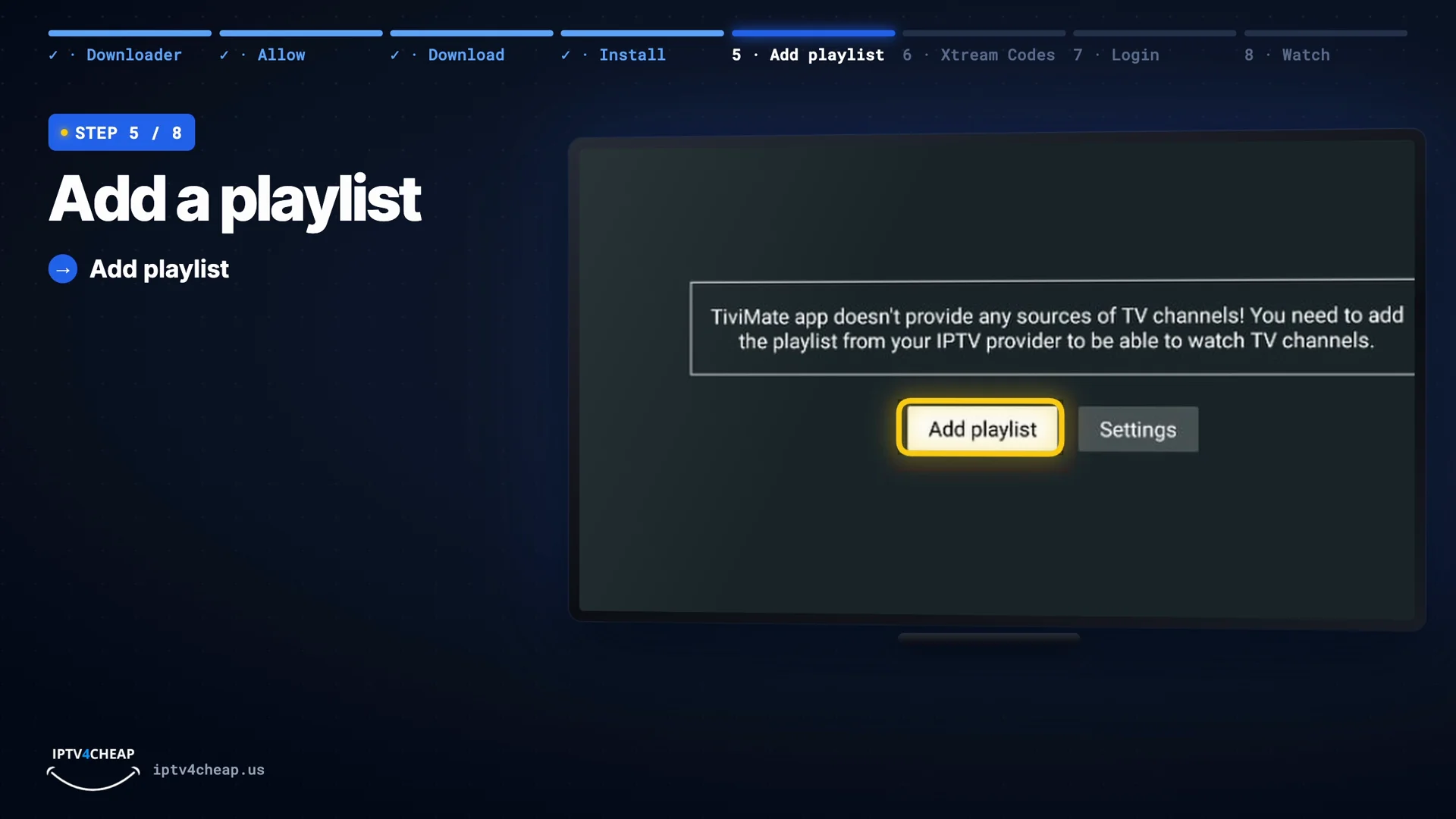
First start: press Add playlist. - Step 6
Choose Xtream Codes
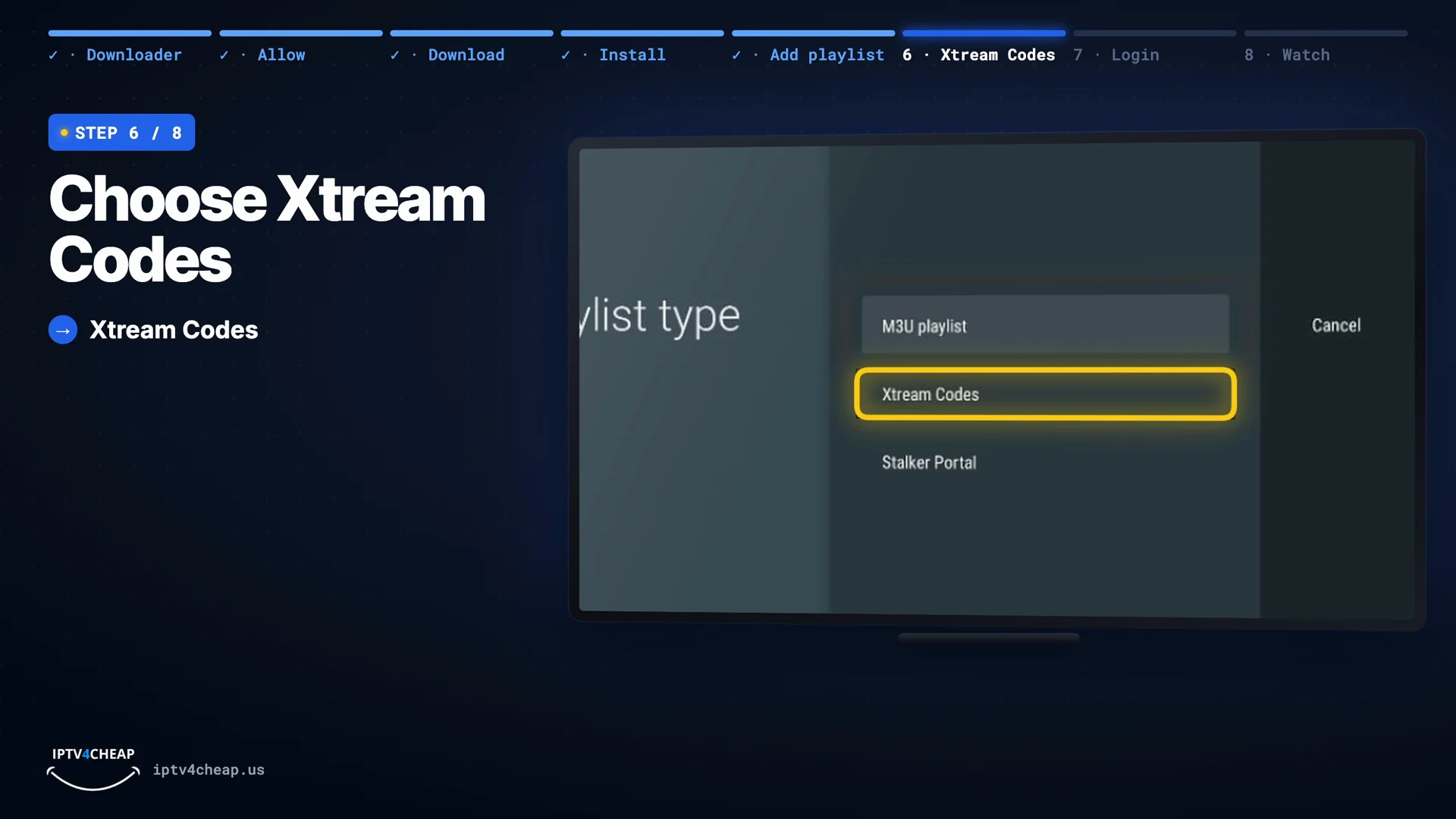
Choose Xtream Codes. It brings in your channels and the TV guide in one go. Only use M3U playlist if you were given a single playlist link instead of a username and password.
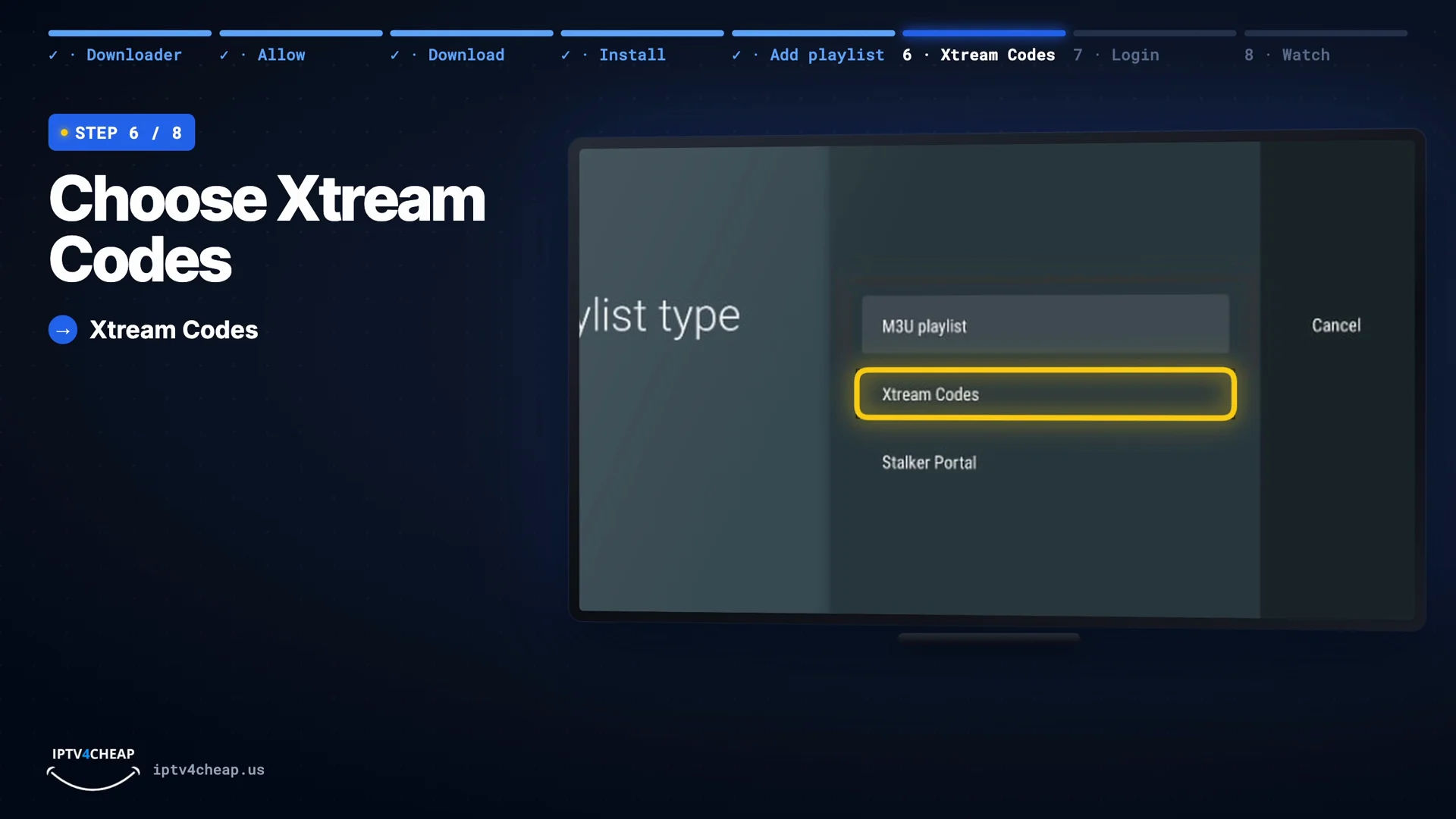
Playlist type: Xtream Codes. - Step 7
Enter your login
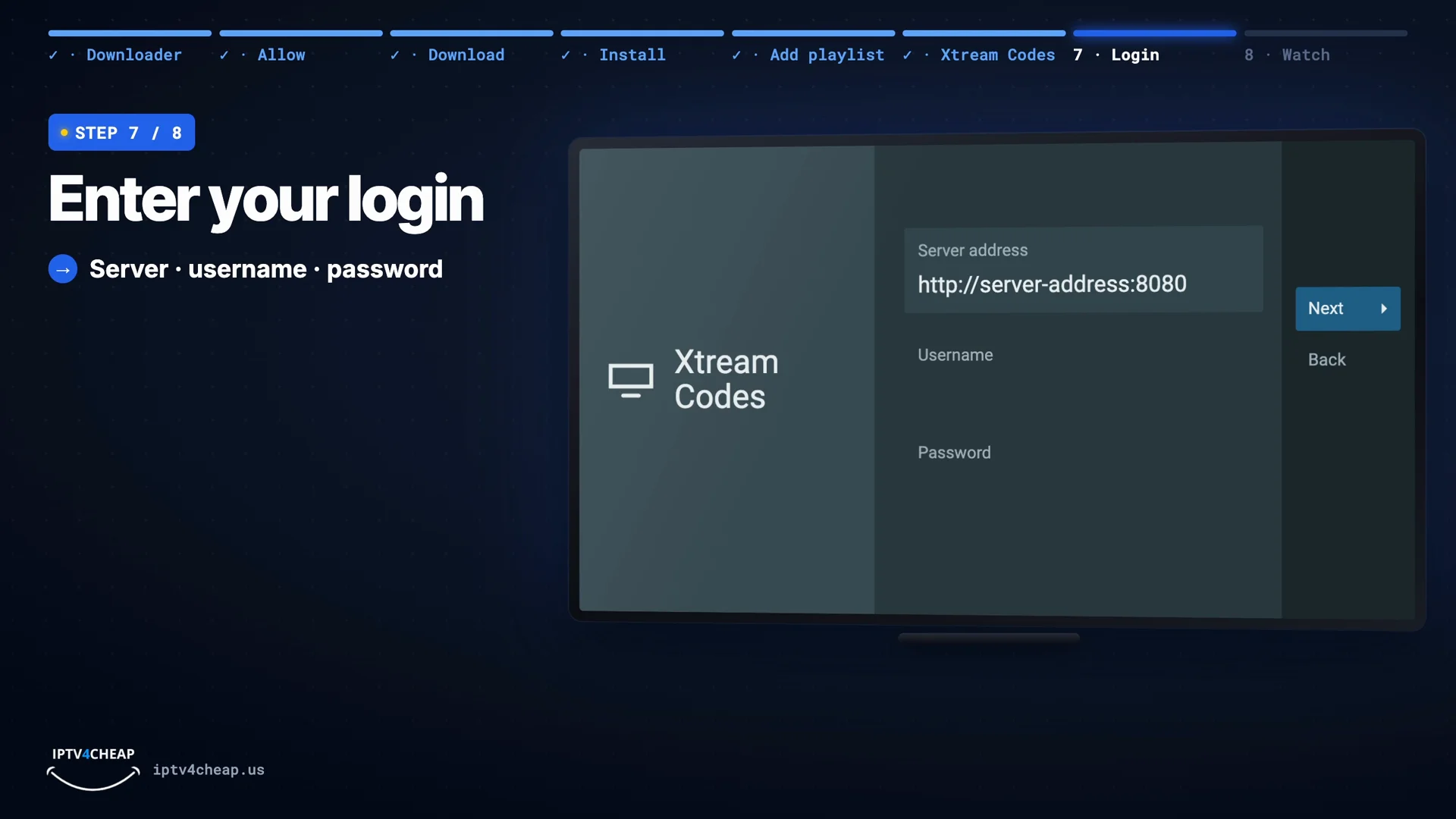
In Server address, type the server URL from your email exactly, with http:// and the :port at the end. Then your Username and Password, with the same capital letters, and press Next.
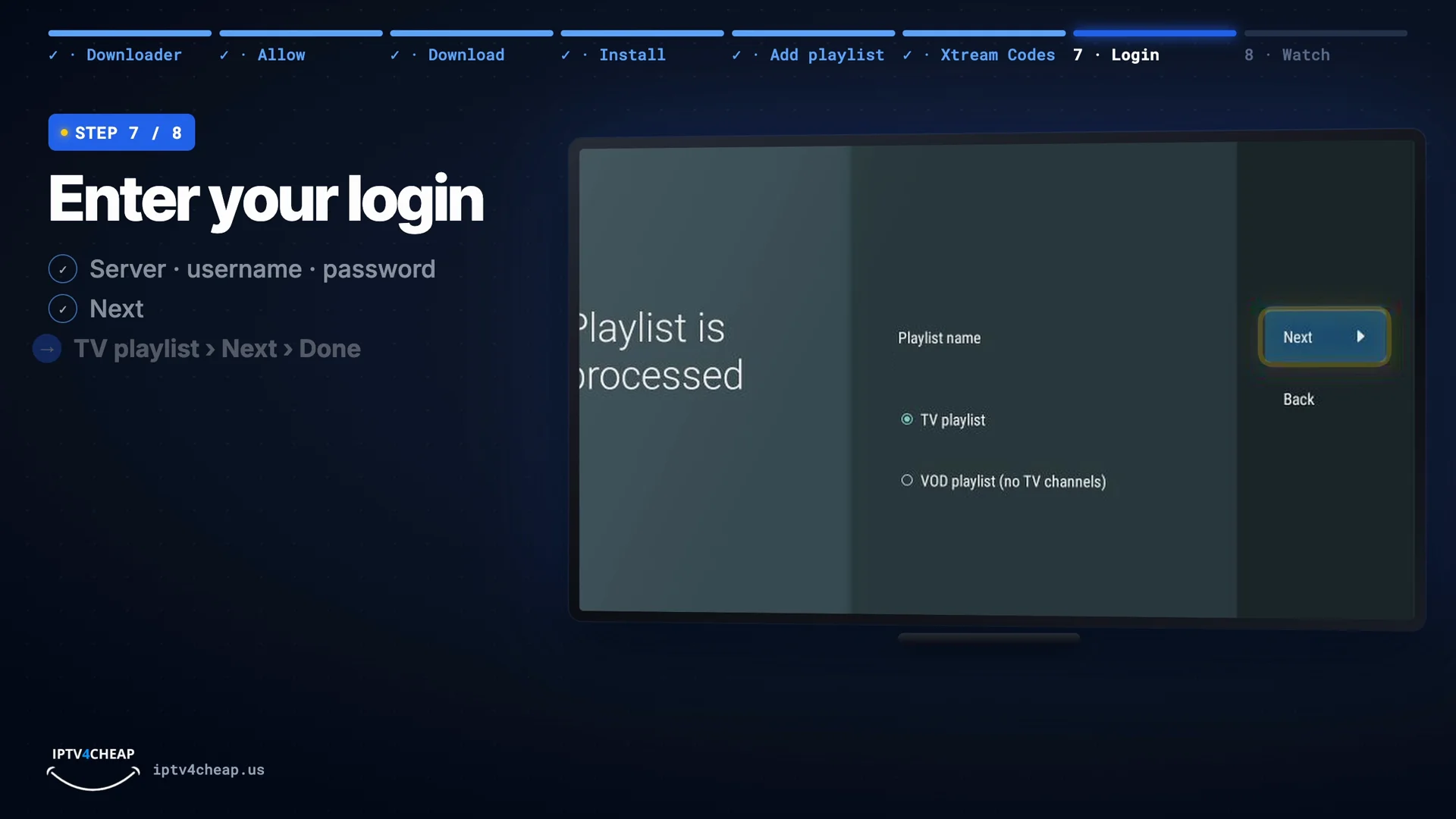
TiviMate checks your login and shows how many channels and movies it found. Keep TV playlist selected, press Next, then Done.
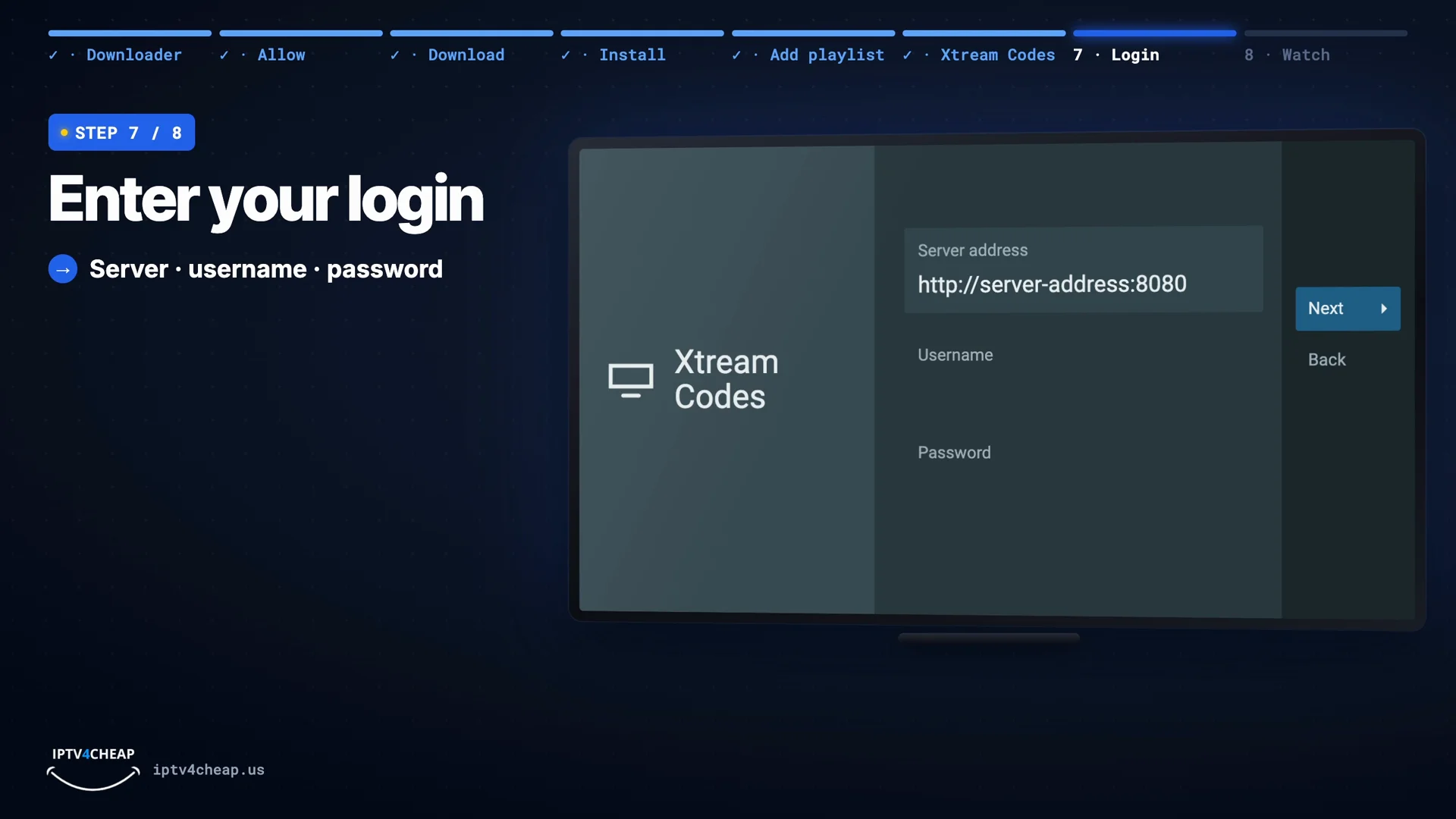
Server address, username, password, then Next. 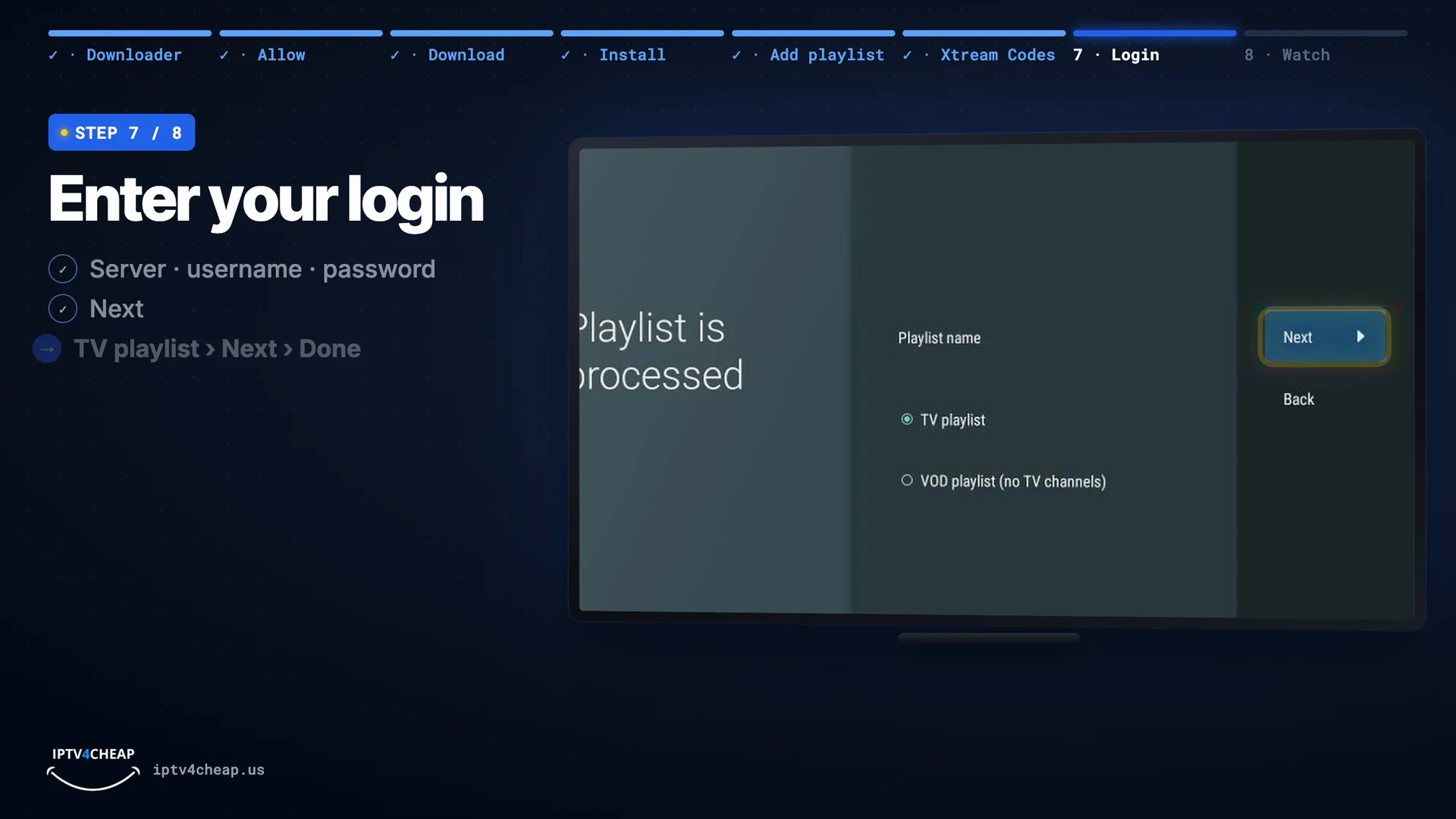
Playlist is processed: keep TV playlist, Next, Done. Tip: Copying from a phone email often adds a space at the end of the username or password. If TiviMate says the login is wrong, check for that first.
- Step 8
Watch with the TV guide
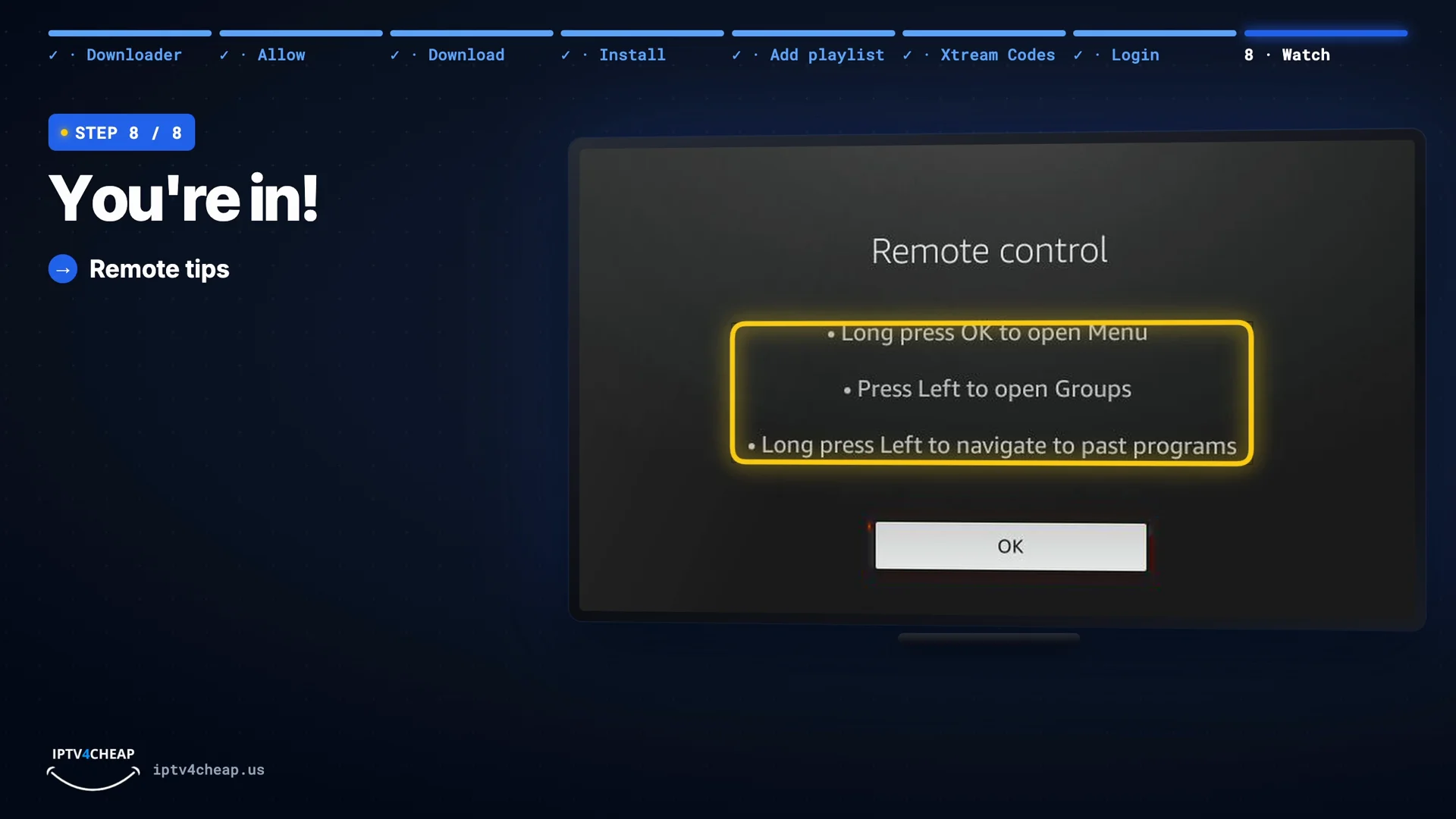
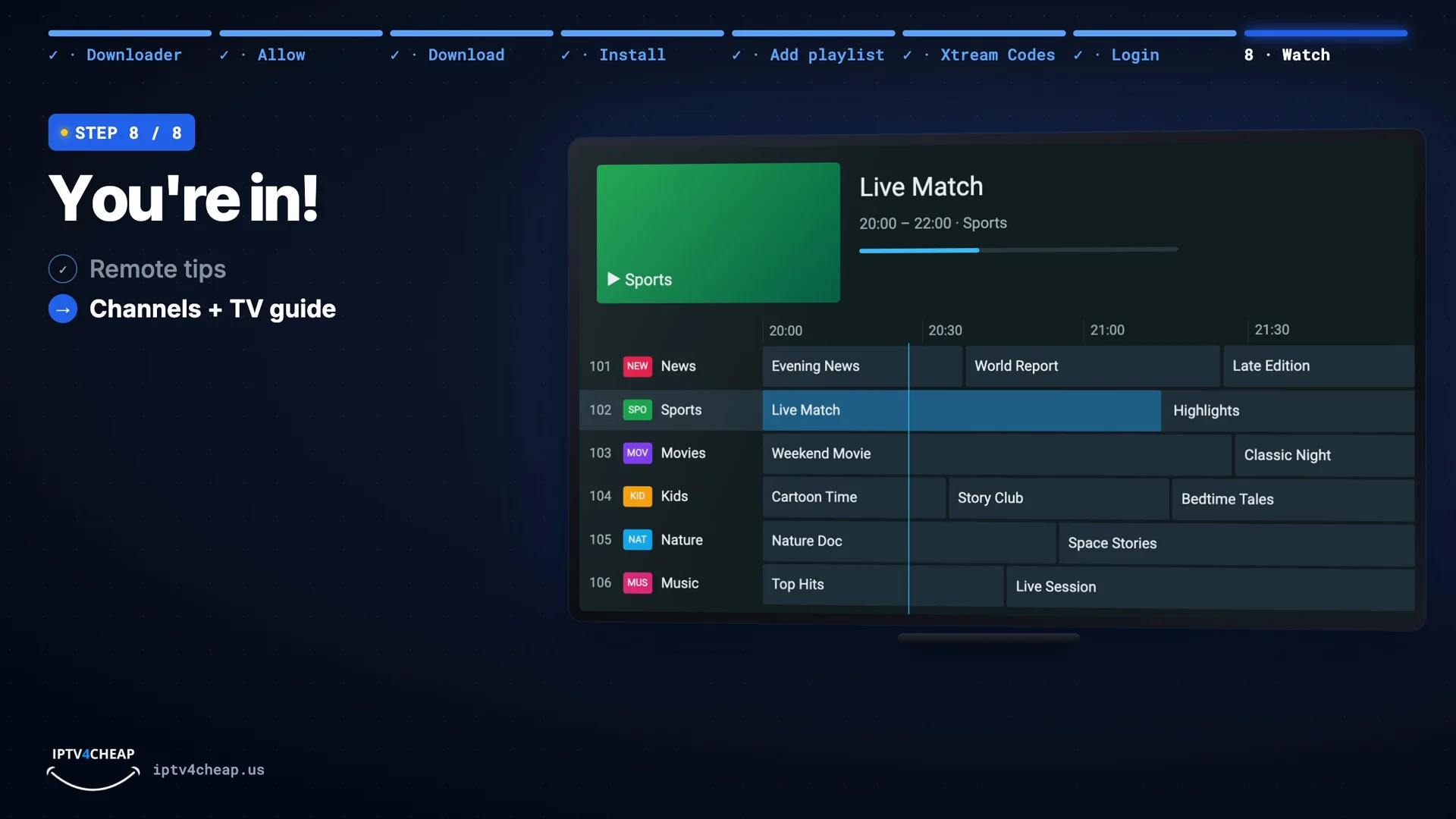
That is it: TiviMate opens with your channels and the full TV guide. Three remote tips to remember:
- Long-press OK opens the menu.
- Press Left shows the channel groups (news, sports, movies and so on).
- Long-press Left goes back to past programs on channels with catch-up.
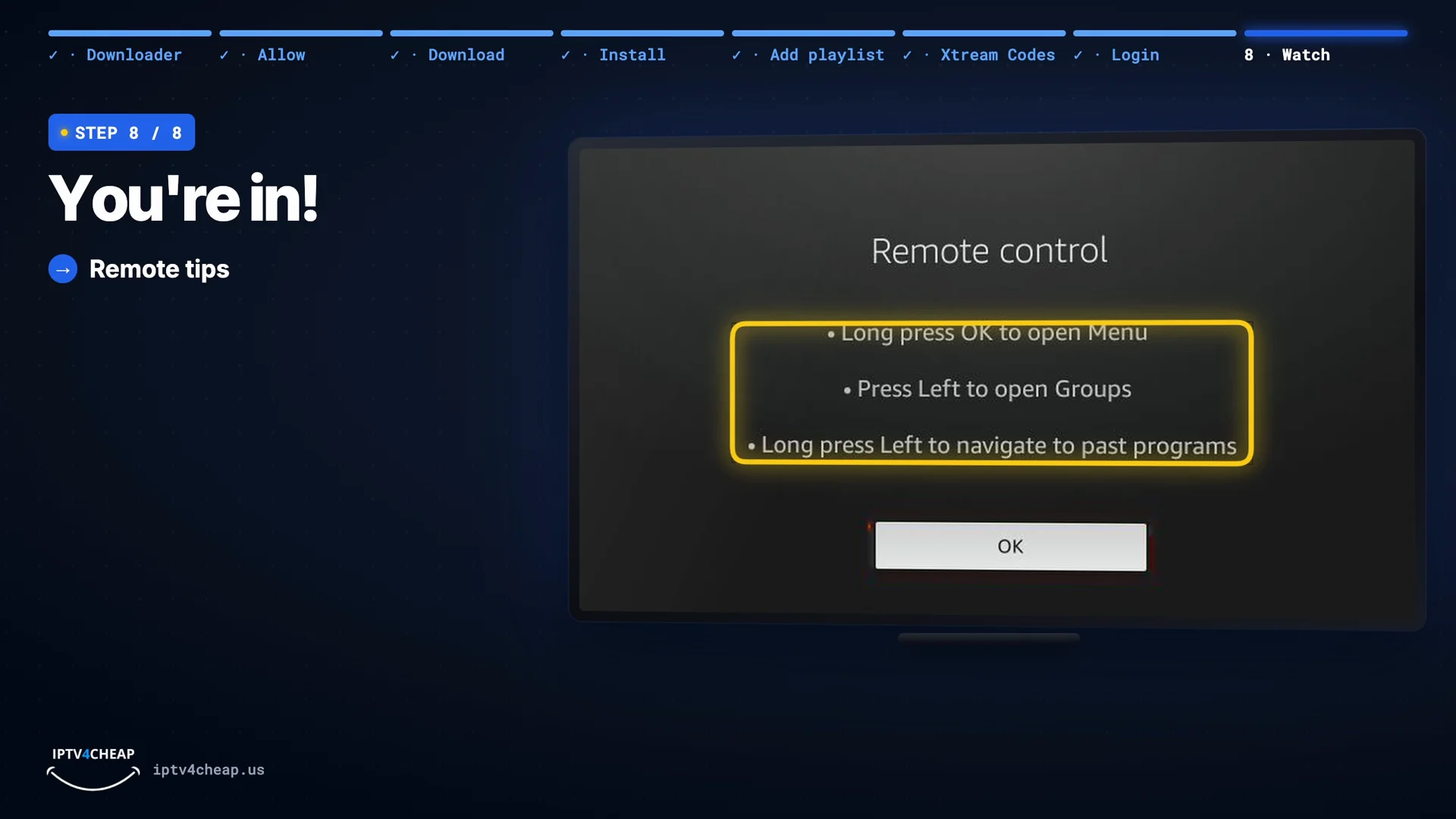
Remote tips: long-press OK, Left, long-press Left. 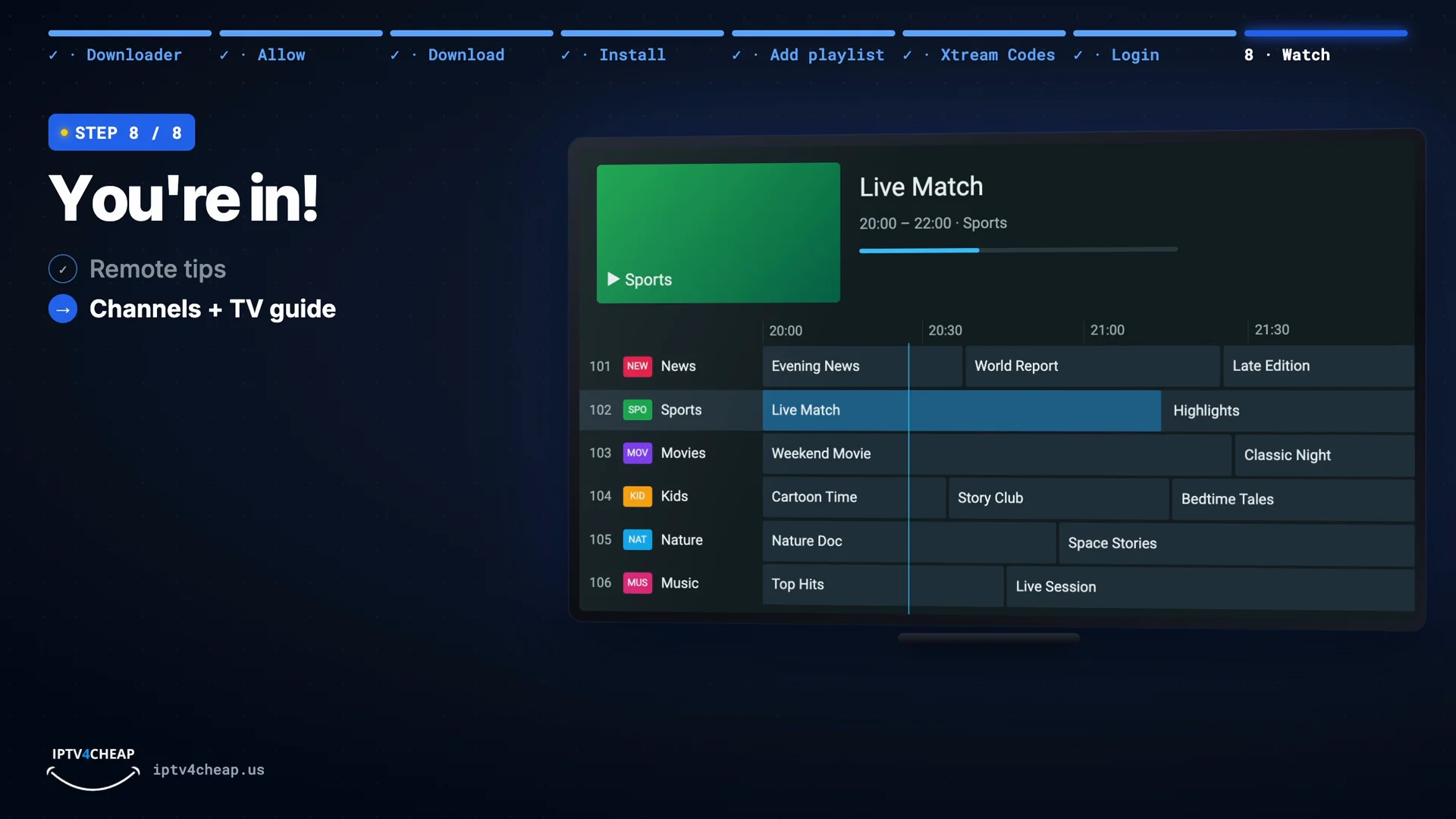
Your channels with the full TV guide. - If it doesn't work
Three things to check
- The server address: exactly as in the email, with http:// and the port, and no slash at the end.
- Your login: the right capital letters, and no space at the end.
- Restart TiviMate and your Firestick (hold Select and Play for five seconds), then try again.
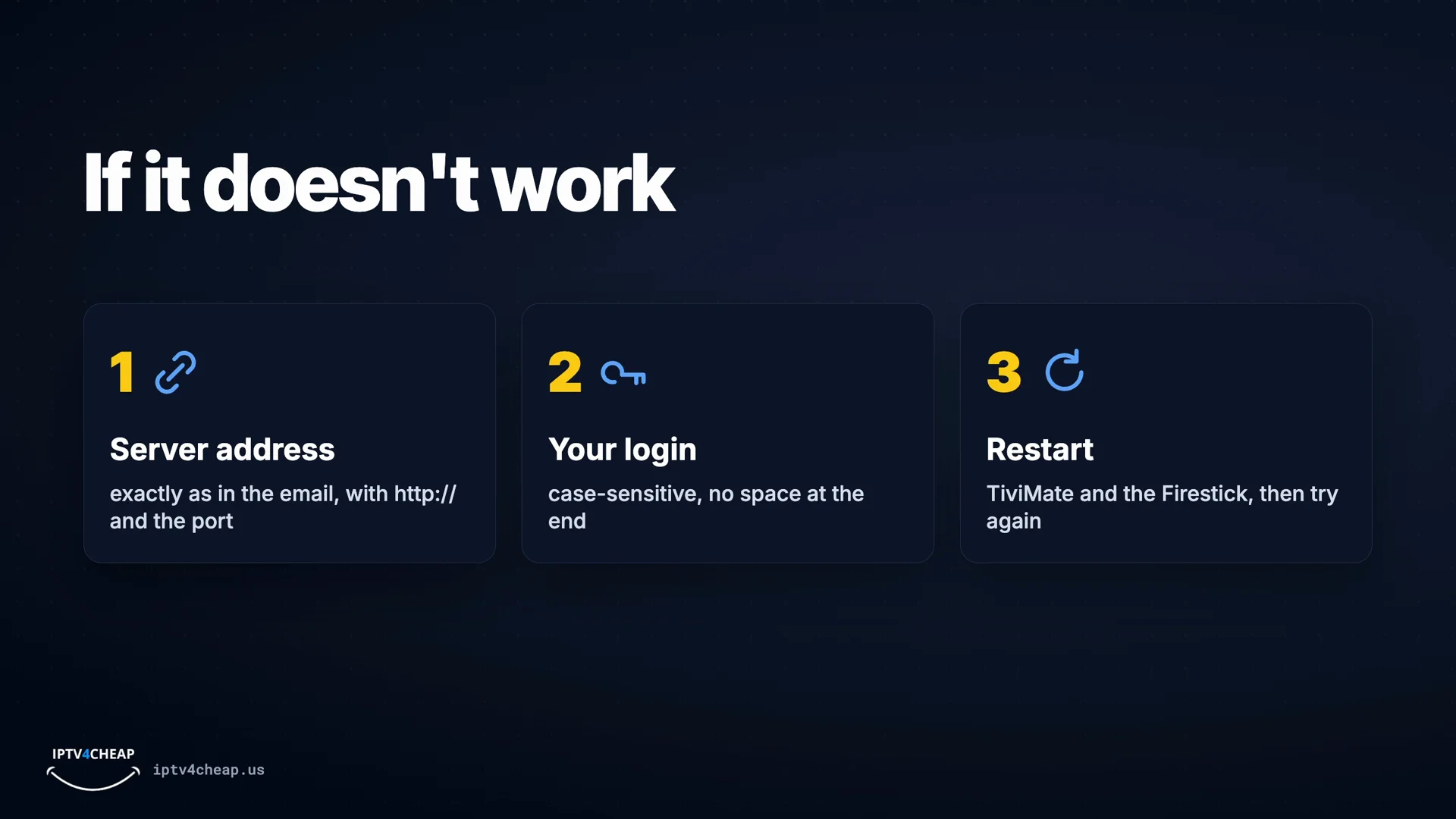
The three checks.


TiviMate free vs TiviMate Premium
Premium is optional, sold by TiviMate, and has nothing to do with your IPTV plan.
| TiviMate free | TiviMate Premium | |
|---|---|---|
| Live TV with the TV guide | Yes | Yes |
| Number of playlists | One | Several |
| Movies and series (VOD) | No | Yes |
| Edit favorites and channel groups | Locked | Yes |
| Extra features such as recording and multi-view | No | Yes |
| Devices | Any number | Up to 5 per Premium account |
| Sold by | Free | TiviMate, through its Companion app |
Is Premium worth it? If you mostly watch live channels from the TV guide, the free app is enough. If you also want our movies and series inside TiviMate, or several playlists, Premium unlocks them. Or install the free IPTV Smarters Pro next to TiviMate: it shows movies and series at no cost, and your login works in both.
Premium is bought in the TiviMate Companion app on an Android phone (Google Play), then you sign in to the same account in TiviMate on the TV. The Companion app does not run on a Firestick. Check the current price in the Companion app; it is set by TiviMate, not by us.
Getting the most from TiviMate
Favorites
Favorites and your own channel groups are Premium features. In the free app, the guide's categories get you to news, sports or movies quickly.
The TV guide
If some channels show no programme info, open Settings → EPG and update the guide. It fills in over a minute or two.
Same login, two apps
Install IPTV Smarters Pro as well and sign in with the same login for free movies and series. Only screens playing at the same moment count toward your plan.
Smooth playback
Use 5 GHz Wi-Fi or a USB Ethernet adapter, and restart the stick now and then (hold Select and Play for five seconds).
TiviMate problems and fixes
Code 272483 does nothing
Update Downloader, check you typed the six digits correctly, or type tivimate.com/apk instead.
Playlist error after entering the login
The server address is usually missing its http:// or :port. Copy it exactly from the email, with no space at the end, and check capital letters in the username and password.
Channels but no TV guide
Settings → EPG → update. Leave TiviMate open for a minute while it loads.
Movies and series are missing
That is TiviMate's free version: it loads live TV only. Use Premium, or open IPTV Smarters Pro with the same login.
Still stuck? Message support with a photo of the screen and we will help.
Which devices TiviMate runs on
TiviMate is built for TV devices with Android underneath: every Fire OS Fire TV (Stick Lite, Stick, 4K, 4K Max and Cube, and TVs with Fire TV built in), and Android TV or Google TV boxes and TVs. It is not available for iPhone, iPad, Samsung or LG TVs, and it cannot be installed on the Fire TV Stick 4K Select, which runs Vega OS.
On those devices use IPTV Smarters Pro; the setup guide covers each one. Not sure which app suits you? Read our IPTV player comparison, and see IPTV for Firestick for which Fire TV models work best.
TiviMate: questions people ask
What is the Downloader code for TiviMate?
272483. Type it into Downloader's address box and press Go. If a code ever stops working, type tivimate.com/apk instead; it downloads the same official app.
Is TiviMate free?
Yes, TiviMate is free to install and use with one playlist for live TV and the TV guide. TiviMate Premium, sold by the app's developer, adds movies and series, more playlists and extra features.
Do I need TiviMate Premium to watch IPTV4CHEAP?
No. Live TV and the TV guide work in the free app. You only need Premium if you want our movies and series inside TiviMate. IPTV Smarters Pro shows live TV, movies and series for free, and you can use the same login in both apps.
How do I buy TiviMate Premium?
Through the TiviMate Companion app on an Android phone, from Google Play. Create an account and buy there, then sign in to that account in TiviMate on your TV. The Companion app does not run on a Firestick. One Premium account covers up to 5 devices. We do not sell Premium and its price is set by TiviMate.
Is TiviMate in the Amazon Appstore?
No. On a Firestick you install it with the Downloader app from TiviMate's own site, using code 272483. On Android TV and Google TV devices it is in Google Play.
Does TiviMate work on iPhone, Samsung or LG TVs?
No. TiviMate is made for Android-based TV devices: Fire TV and Android TV or Google TV boxes and TVs. On iPhone, iPad, Samsung and LG, use IPTV Smarters Pro.
Does TiviMate work on the Fire TV Stick 4K Select?
No. That model runs Amazon's Vega OS, which cannot install apps from outside the Appstore. Every Fire OS model works: Fire TV Stick Lite, Stick, 4K, 4K Max and Cube.
Should I choose Xtream Codes or M3U playlist in TiviMate?
Xtream Codes. You type the server address, username and password once, and TiviMate brings in the channels and the TV guide together. Use M3U only if you were given a single playlist link.
Need a login for TiviMate?
Name and email only, no card. The login arrives by email in minutes and works in TiviMate and IPTV Smarters Pro.