IPTV apps compared · 2026
Best IPTV Player: Smarters Pro vs TiviMate
The short answer
IPTV Smarters Pro is the best IPTV player for most people: free, on almost every device, and it shows live TV, movies and series in one app. TiviMate is the best for live TV on a Fire TV or Android TV, with a guide that feels like cable, but its movies and series need Premium. Both use the same login, so you can install both and keep the one you like.
Watch: Smarters Pro vs TiviMate in under 2 minutes
The two apps side by side, and our pick for each device.
The comparison, screen by screen
One login, both apps
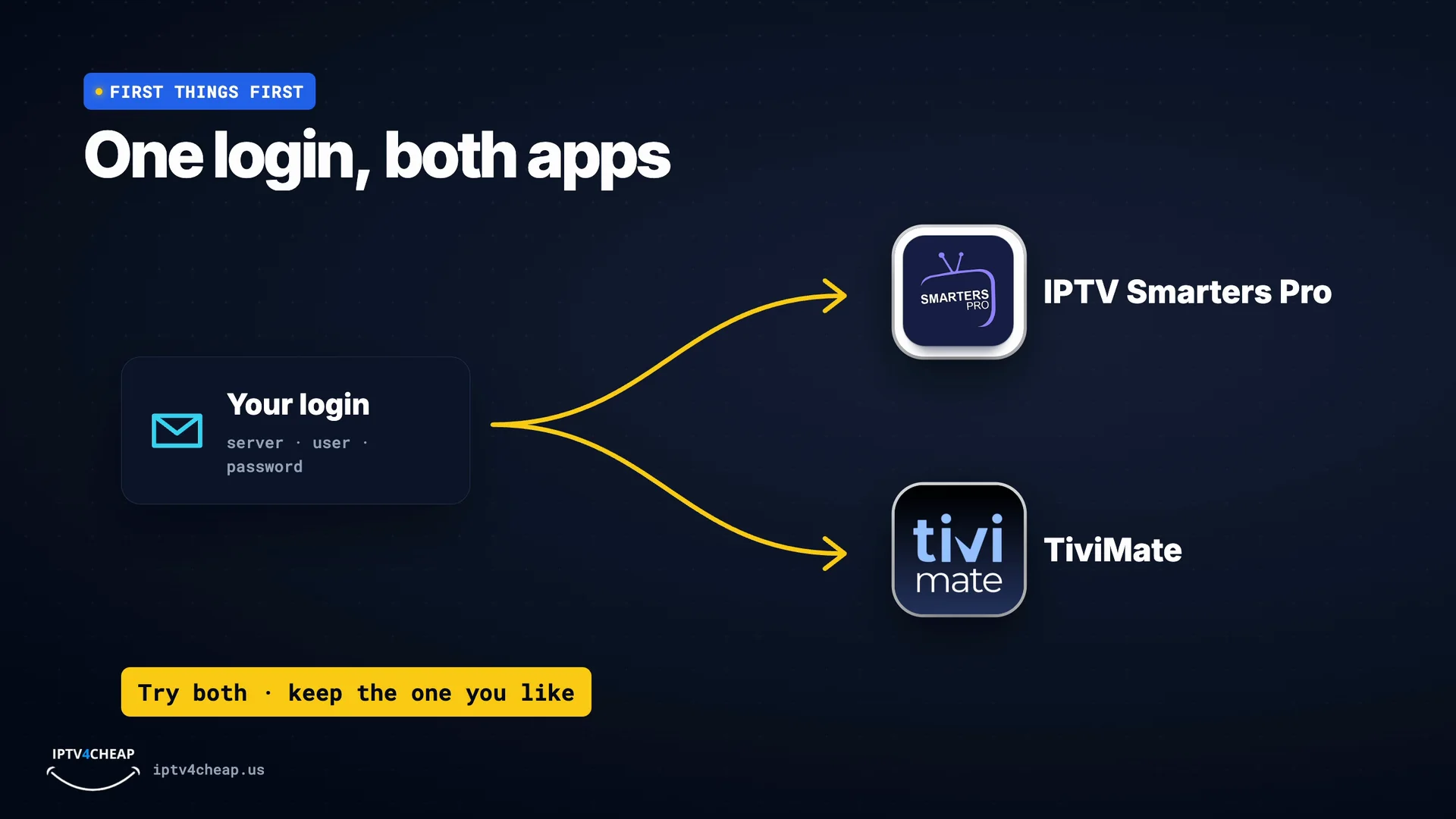
First: your IPTV login works in both apps. The app is only the player; your channels come from your subscription. So you can try both, and keep the one you like.
Smarters vs TiviMate
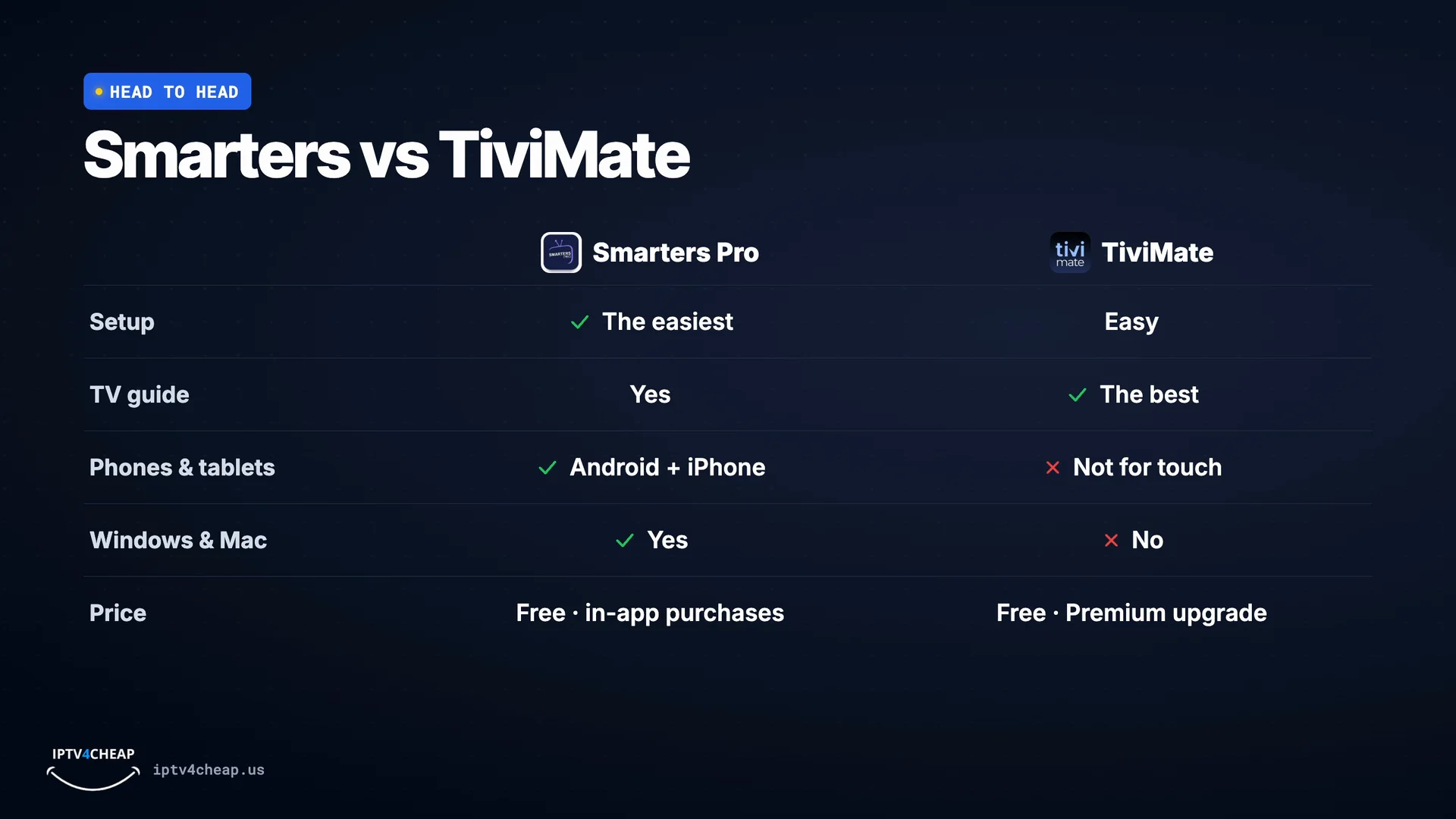
Setup: Smarters is the easiest. Sign in once, and live TV, movies and series are right on the home screen. The TV guide: TiviMate wins. Its guide is fast, clear, and made for a remote. Phones and tablets: Smarters runs on Android and iPhone. TiviMate is made for TV devices, not touch screens. Computers: Smarters also runs on Windows and Mac. TiviMate does not. Price: both are free to install. Smarters has in-app purchases, and TiviMate has a paid Premium upgrade from its developer.
Which app for your device?
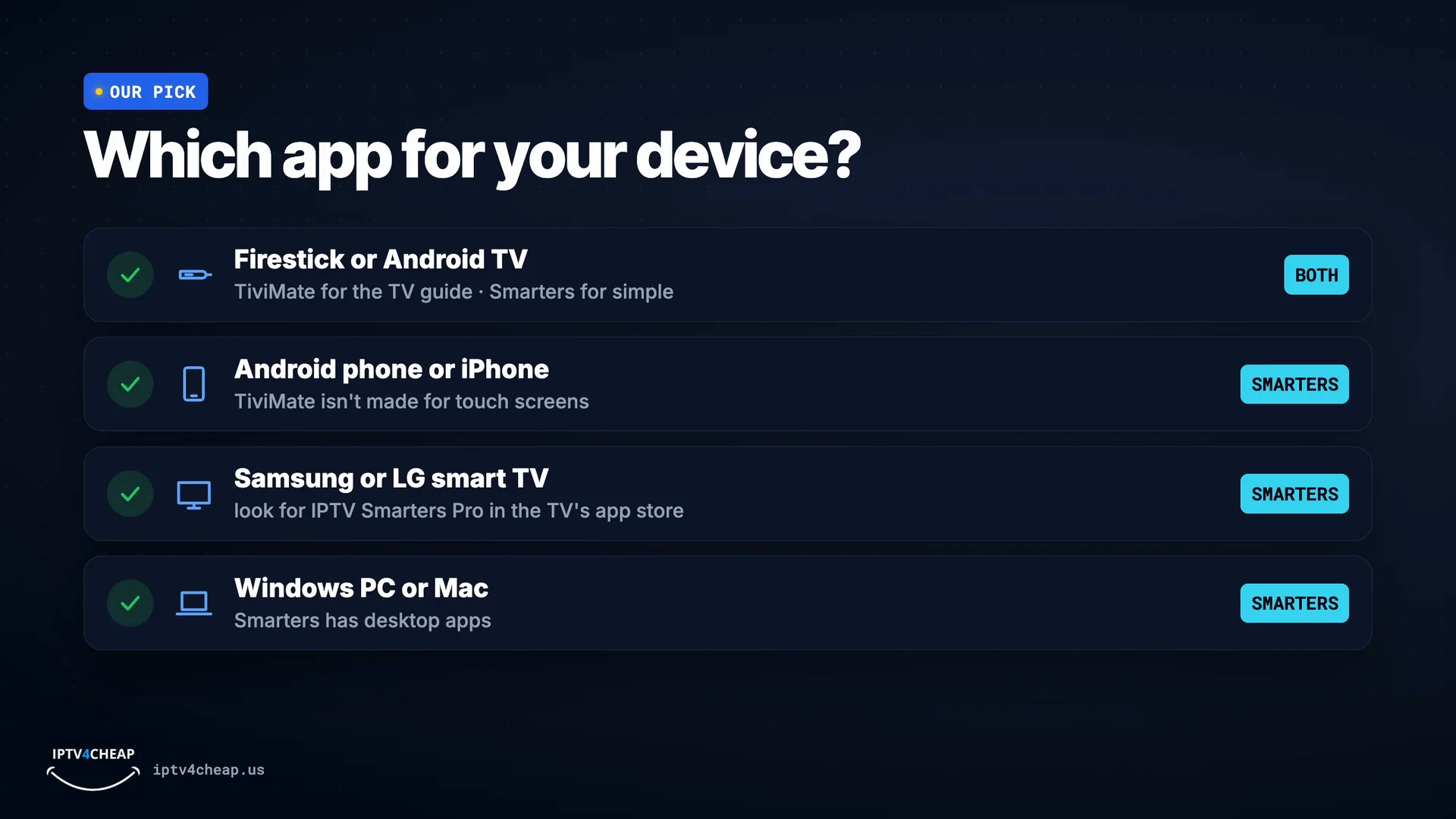
So, our pick. On a Firestick or an Android TV, both work great: TiviMate if you live in the TV guide, Smarters if you want it simple. On an Android phone or an iPhone: Smarters Pro. On a Samsung or LG smart TV, look for IPTV Smarters Pro in your TV's app store. TiviMate isn't available there. And on a Windows PC or a Mac: Smarters, too.
IPTV Smarters Pro vs TiviMate, side by side
| IPTV Smarters Pro | TiviMate | |
|---|---|---|
| Price | Free | Free, Premium sold by TiviMate |
| Live TV and TV guide | Yes | Yes, the best guide |
| Movies and series | Yes, free | Premium only |
| Setup | Easiest: one login screen | Easy: add playlist, then Xtream Codes |
| Fire TV and Android TV | Yes | Yes |
| iPhone and iPad | Yes (Smarters Player Lite) | No |
| Samsung and LG TVs | Yes, from the TV's app store | No |
| Windows and Mac | Yes, desktop apps | No |
| Several playlists | Yes | Premium only |
| Firestick download | About 84 MB | About 21 MB |
The best IPTV app for each device
Our first choice, a good second choice, and where the steps are.
| Device | Best app | Also good | How to set it up |
|---|---|---|---|
| Fire TV Stick, Lite, 4K, 4K Max, Cube | IPTV Smarters Pro | TiviMate | IPTV for Firestick |
| Android TV and Google TV | TiviMate | IPTV Smarters Pro | TiviMate setup |
| Samsung and LG smart TVs | IPTV Smarters Pro | A Fire TV Stick on the TV | Smart TV setup |
| iPhone and iPad | Smarters Player Lite | GSE Smart IPTV | Setup guide |
| Android phone or tablet | IPTV Smarters Pro | - | Android setup |
| Windows PC or Mac | IPTV Smarters (desktop app) | VLC with your M3U link | Setup guide |
How to install your pick, step by step
Screens from our own tutorial videos. Tap one to see it full size.
- Step 1
IPTV Smarters Pro on a Firestick
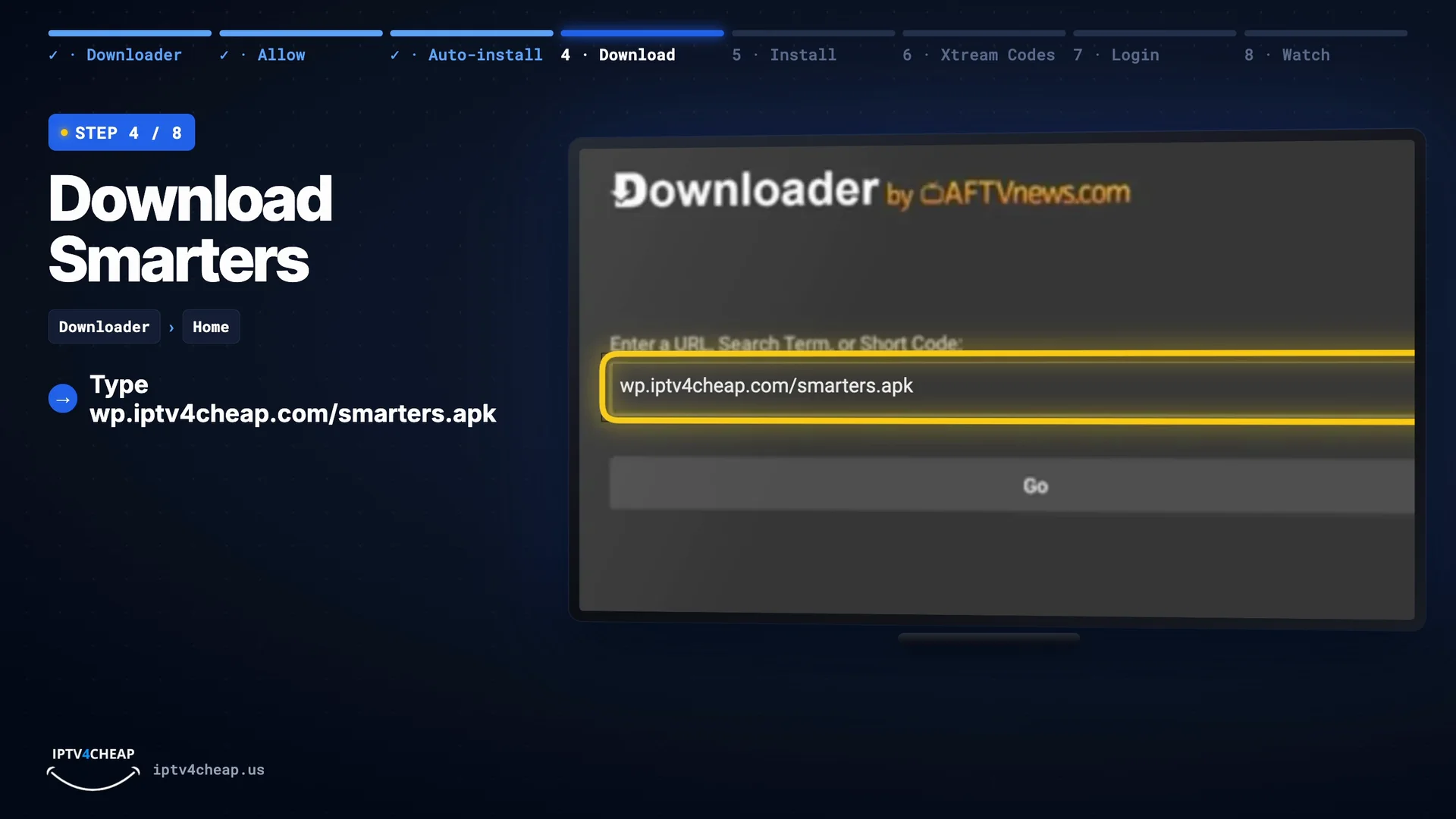
Install the free Downloader app and allow it to install apps, then type
wp.iptv4cheap.com/smarters.apkand press Go. Install, open IPTV Smarters Pro, choose Login with Xtream Codes API and enter your details. Every screen: IPTV for Firestick.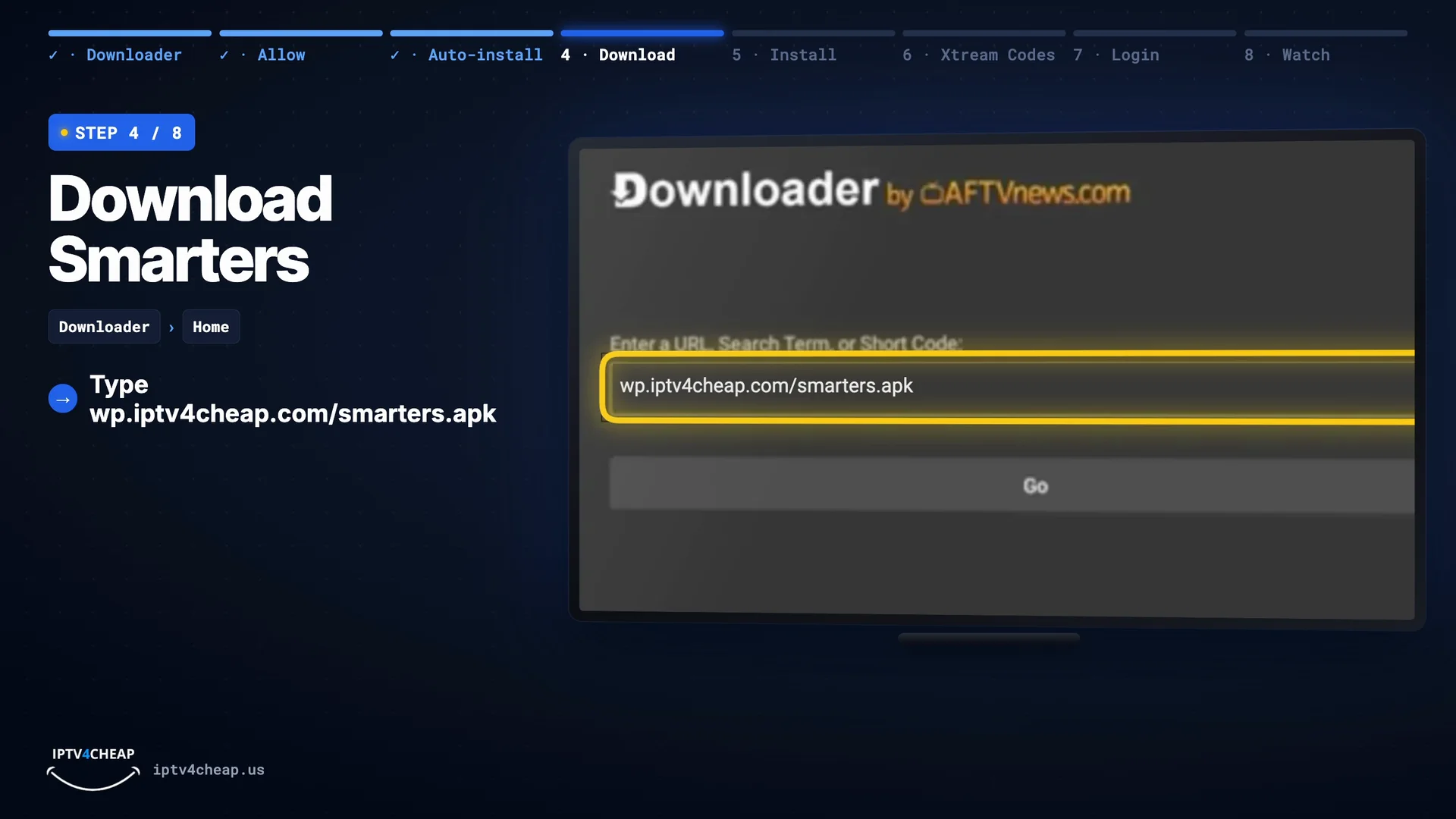
Downloader: type the Smarters address, then Go. 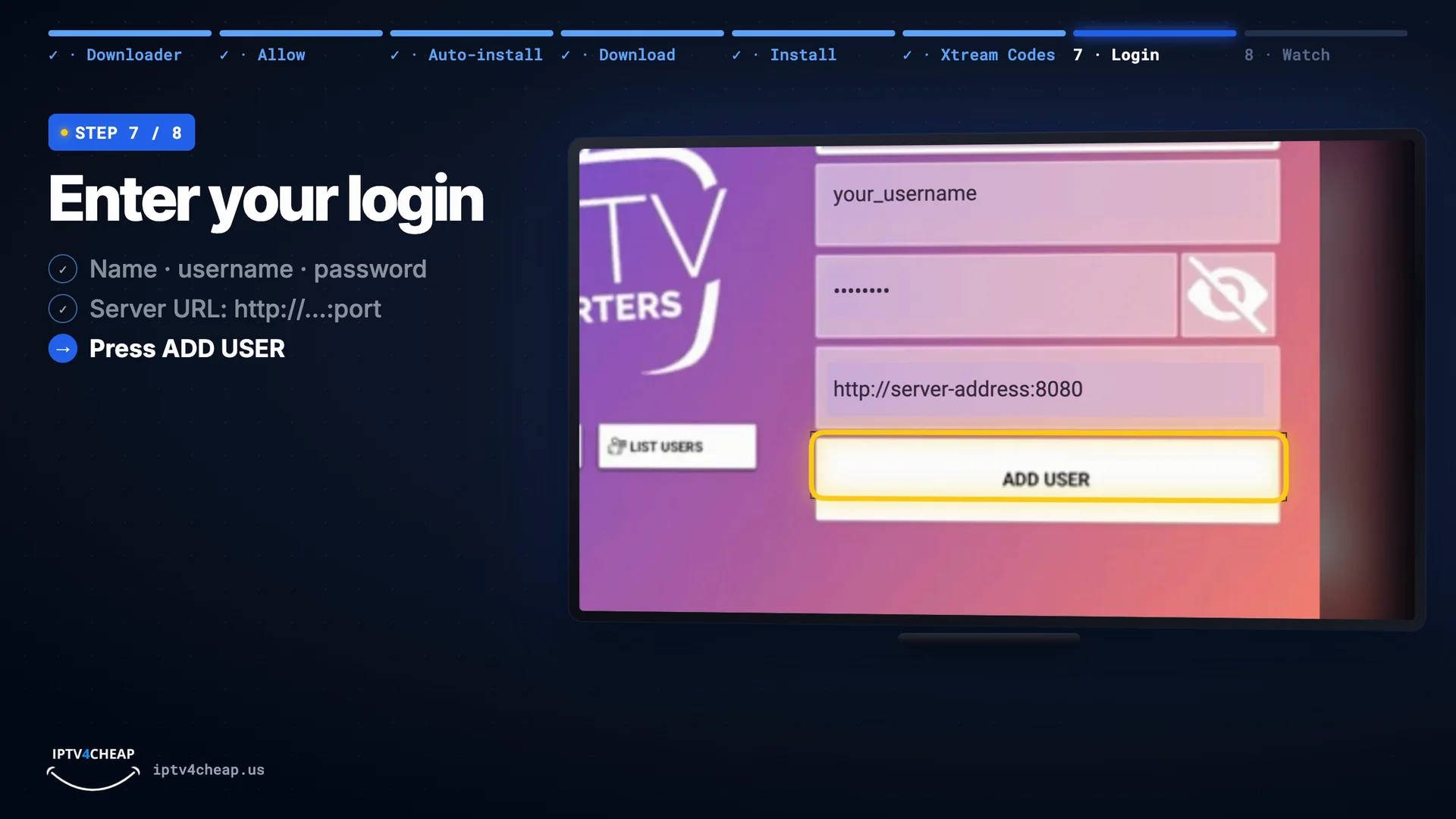
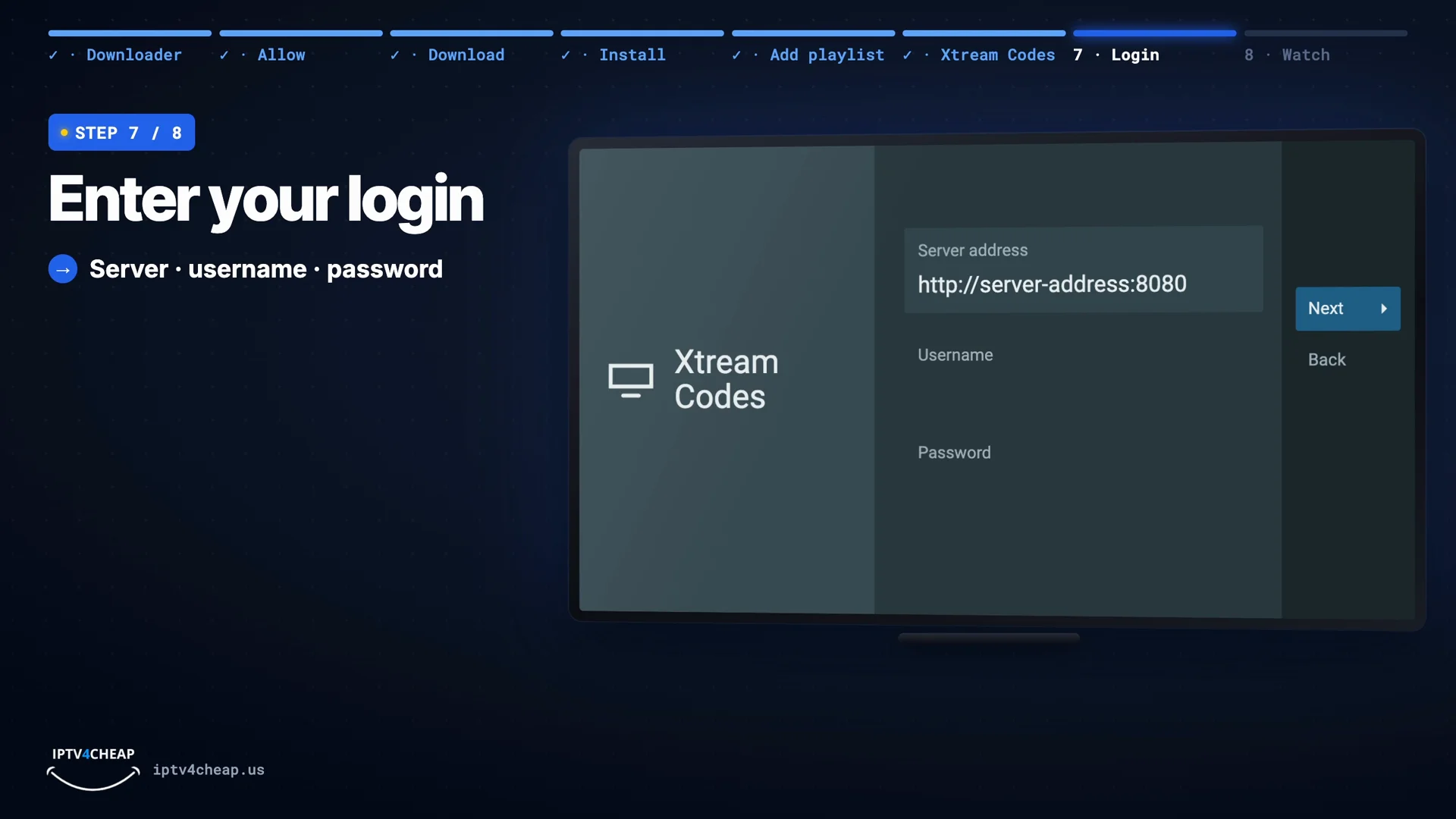
Log in: name, username, password, server URL. - Step 2
TiviMate on a Firestick
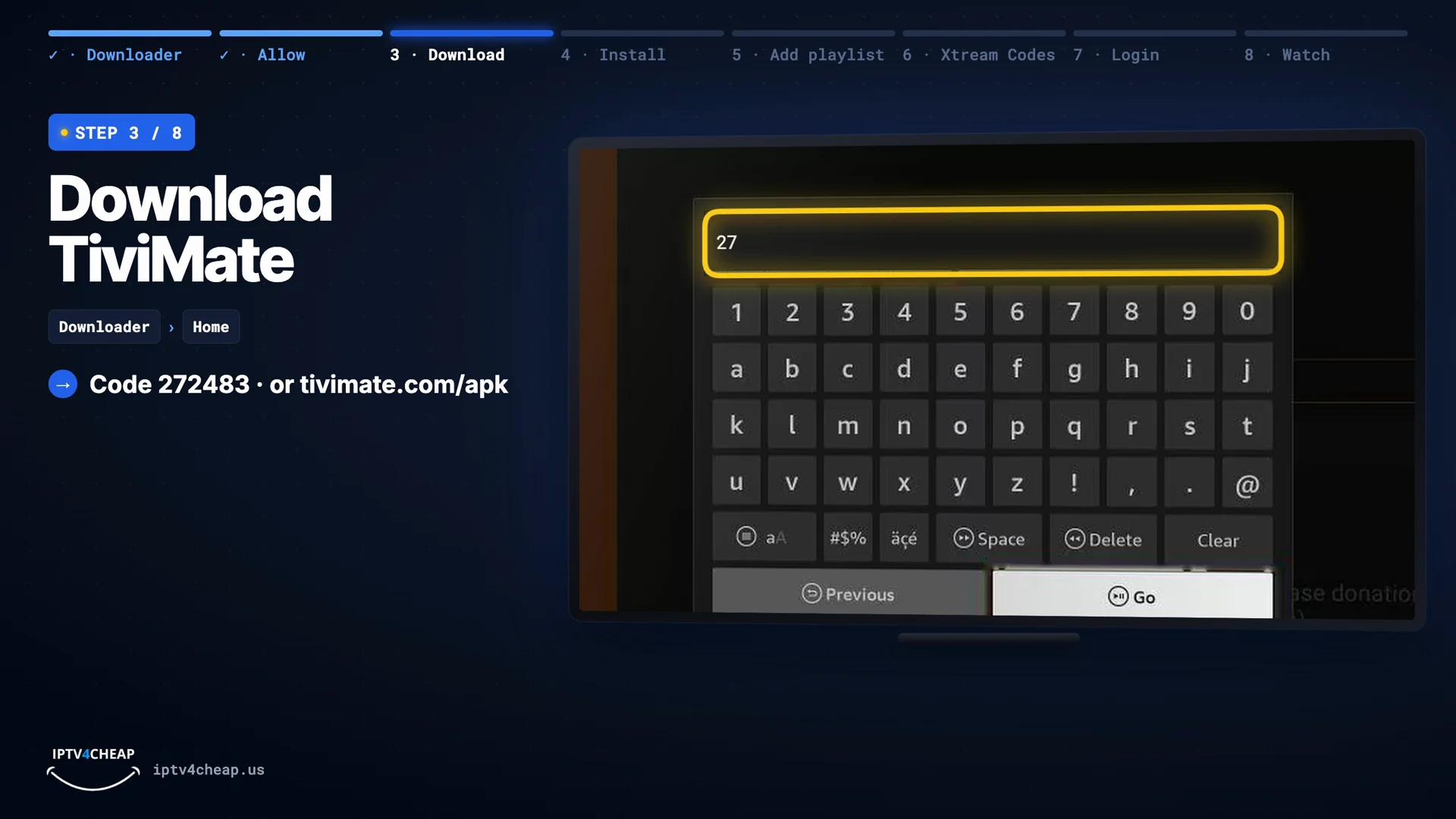
In Downloader type the code
272483(ortivimate.com/apk), install, then choose Add playlist → Xtream Codes and enter your server address, username and password. Every screen: TiviMate setup guide.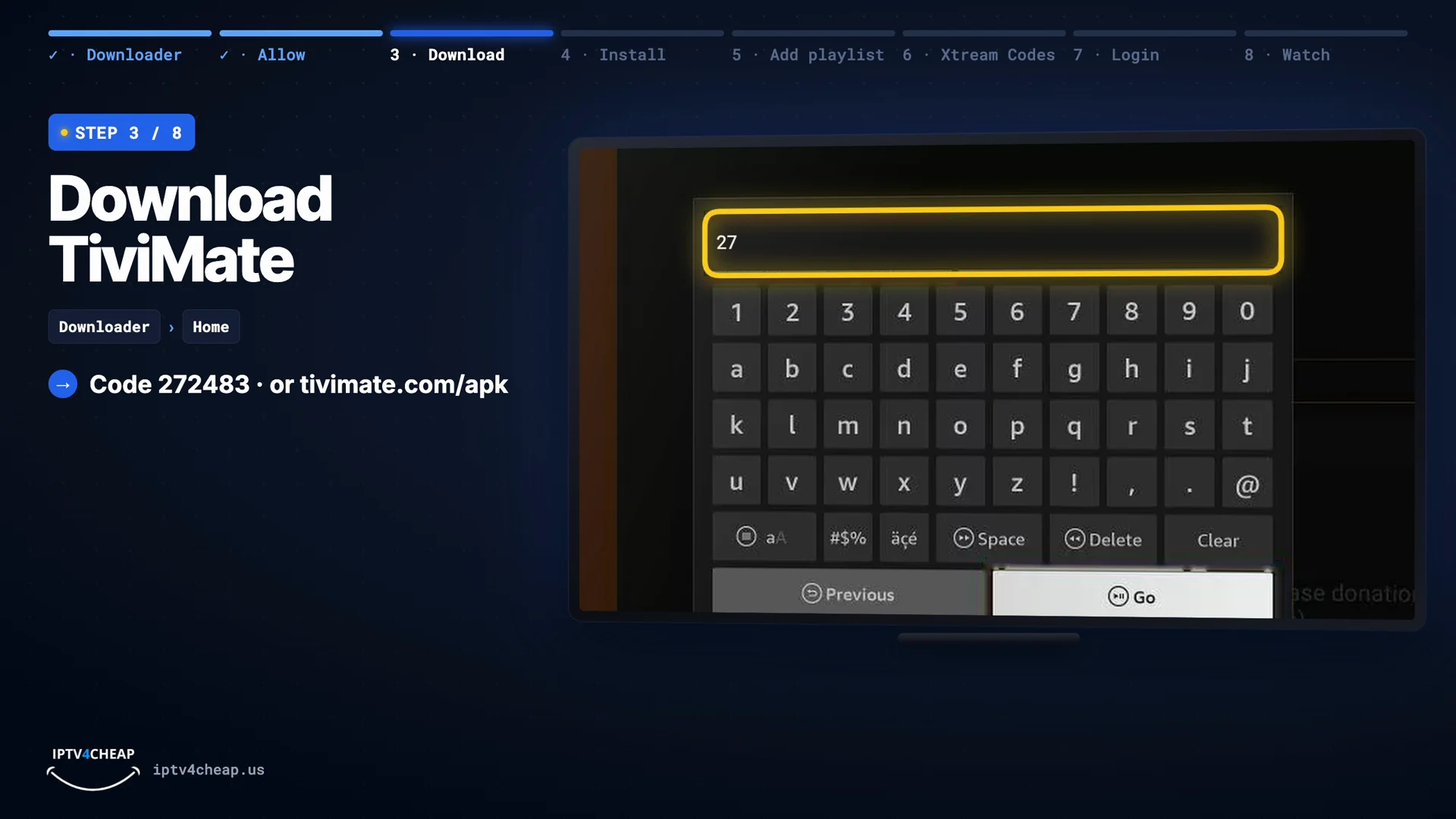
Downloader: code 272483, then Go. 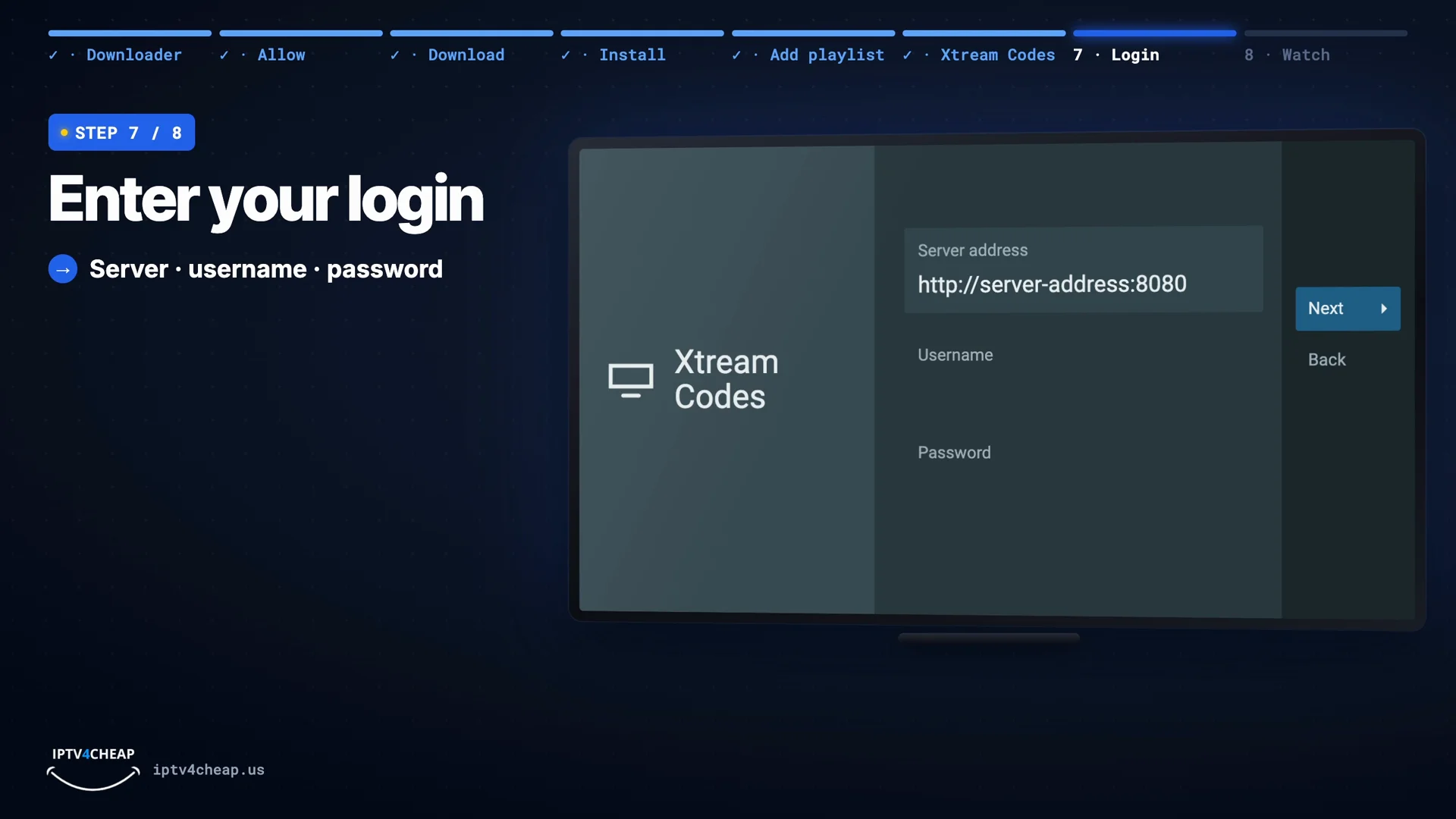
Xtream Codes: server address, username, password. - Step 3
Smarters Pro on an Android phone or tablet
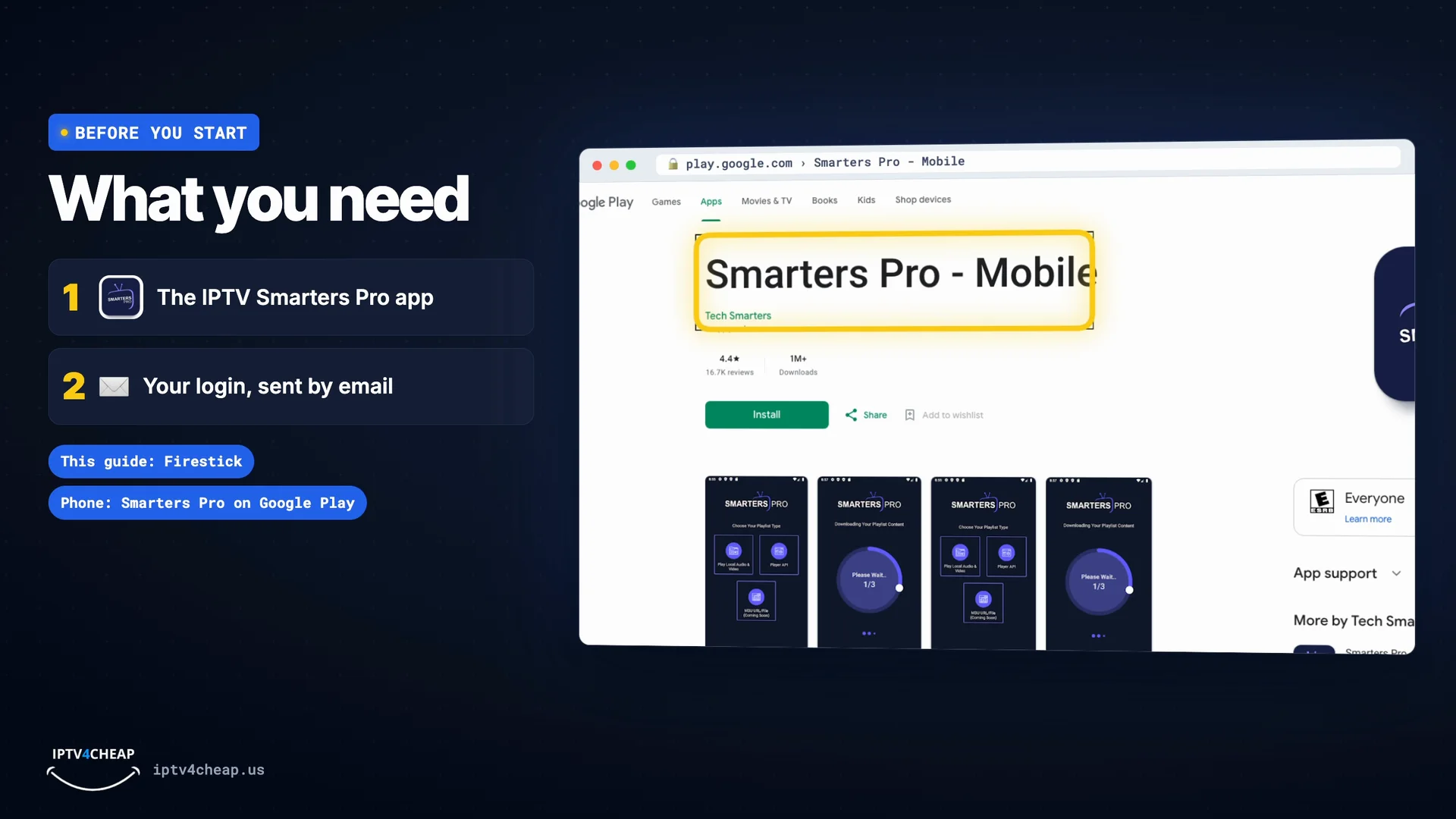
Open Google Play, install Smarters Pro - Mobile and log in with the Xtream Codes option. On iPhone and iPad, search Smarters Pro in the App Store. More devices: setup guide.
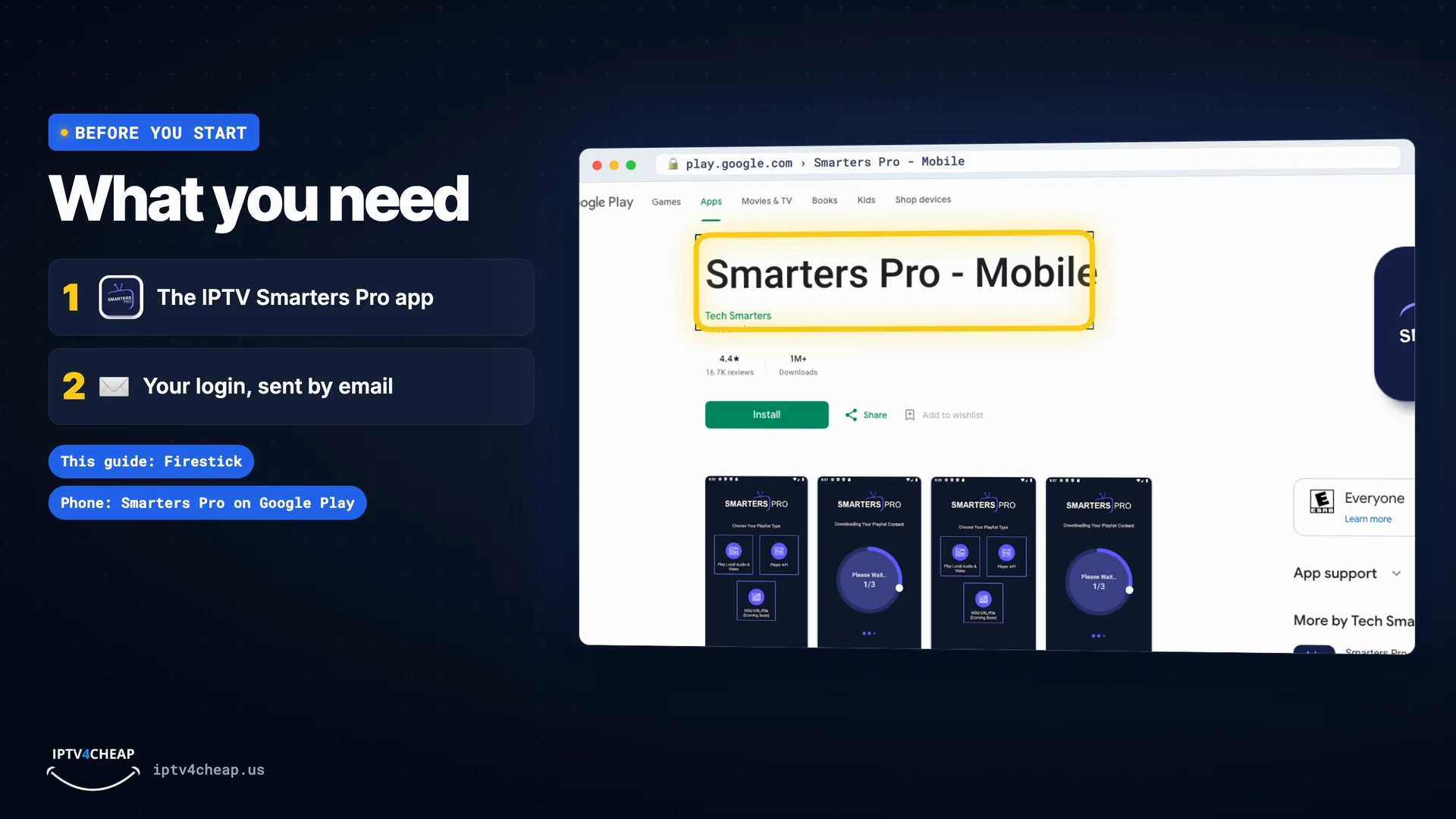
Smarters Pro - Mobile in Google Play.

Which one suits you?
Choose IPTV Smarters Pro if…
- You want the simplest setup
- You watch movies and series as well as live TV
- You use phones, tablets, Samsung or LG TVs
- You want everything free
Choose TiviMate if…
- You watch mostly live TV
- You want a guide that looks like cable
- You use a Fire TV or Android TV
- You may add Premium later for extras
How to choose any IPTV player
It runs on your device
Check the app is made for your TV, stick or phone. TiviMate, for example, is only for Android-based TV devices.
It takes your login type
Xtream Codes (server, username, password) gives you channels, guide, movies and series in one go. M3U links work almost everywhere.
It has a TV guide
A good guide shows what is on now and next and makes thousands of channels easy to browse with a remote.
It comes from the real developer
Install from the device's app store or the developer's own download, never from random links. A player never includes channels by itself.
One login works in every app
Your IPTV4CHEAP login is three things: a server address, a username and a password. Every player app on this page accepts them with its Xtream Codes option, and your email also has an M3U link for apps such as VLC. Your plan counts the screens playing at the same moment, so having Smarters Pro and TiviMate on the same Firestick costs nothing extra.
Step-by-step guides: IPTV Smarters Pro on Firestick, TiviMate setup, and the setup guide for smart TVs, phones and computers. New to all this? Start with what IPTV is and how it works.
IPTV players: questions people ask
What is the best IPTV player?
For most people, IPTV Smarters Pro: it is free, runs on the most devices, and shows live TV, the TV guide, movies and series in one app. TiviMate is the best choice if you mostly watch live TV on a Fire TV or Android TV and want a guide that feels like cable.
What is the best IPTV app for Firestick?
IPTV Smarters Pro for the easiest setup and free movies and series, or TiviMate for the best TV guide. Both install on any Fire OS Firestick with the Downloader app.
Do IPTV players come with channels?
No. A player is just the app that plays what your IPTV subscription provides. You add your login (server address, username and password) and the channels appear. Be wary of any app that promises free channels on its own.
Is IPTV Smarters Pro free?
Yes. IPTV Smarters Pro is free to download and use with live TV, the TV guide, movies and series.
Is TiviMate better than IPTV Smarters Pro?
For live TV on a Fire TV or Android TV, many people prefer TiviMate's guide. For everything else, Smarters Pro is easier and includes movies and series for free, while TiviMate needs Premium for those. You can install both and use the same login.
Which IPTV app should I use on a Samsung or LG TV?
Install IPTV Smarters Pro from the TV's own app store and sign in with your login. If the app is not offered on your model, plug in a Fire TV Stick and use it there.
Which IPTV app works on iPhone and iPad?
Smarters Player Lite (the App Store version of IPTV Smarters) and GSE Smart IPTV both accept an Xtream Codes login. TiviMate is not available on Apple devices.
Can I use my IPTV login in two apps?
Yes. The same login works in any player app. Your plan counts screens playing at the same time, not how many apps or devices it is installed on.
Try both apps with a free login
Name and email only, no card. Use the same login in IPTV Smarters Pro and TiviMate and keep the one you like.