IPTV for Fire TV Stick · USA
IPTV for Firestick: Set Up in 10 Minutes
The short answer
Any Fire TV running Fire OS can watch IPTV. Install the free Downloader app, use it to get IPTV Smarters Pro (the easiest) or TiviMate (the best TV guide), then type the login from your IPTV4CHEAP email. It takes about 10 minutes, and you can test everything free for 4 hours before you pay.
Works on Fire TV Stick, Lite, 4K, 4K Max and Cube · Free apps · No box to rent
Which Fire TV devices work with IPTV?
Everything that runs Fire OS works. One new model does not.
| Device | Works? | Best picture | Notes |
|---|---|---|---|
| Fire TV Stick Lite | Yes | HD | Fine for one TV in HD. Delete installers to save space. |
| Fire TV Stick (3rd gen) | Yes | HD | A solid everyday choice. |
| Fire TV Stick 4K | Yes | 4K | Best value for 4K channels. |
| Fire TV Stick 4K Max | Yes | 4K | Fastest stick and the best Wi-Fi. Our pick. |
| Fire TV Cube | Yes | 4K | The latest Cube has an Ethernet port, so no Wi-Fi freezing. |
| TVs with Fire TV built in | Yes | Up to 4K | Same steps as a stick. |
| Fire TV Stick 4K Select | No | - | Runs Vega OS, which cannot install apps from outside the Appstore. |
Not sure which one you have? On the Firestick go to Settings → My Fire TV → About; the model name is at the top.
Best IPTV app for Firestick: Smarters Pro or TiviMate?
| IPTV Smarters Pro | TiviMate | |
|---|---|---|
| Price | Free | Free, optional Premium sold by TiviMate |
| Setup | Easiest: one login screen | Easy: add a playlist, then log in |
| TV guide | Good | Best, feels like cable |
| Movies and series | Yes, free | Only with TiviMate Premium |
| Download size | About 84 MB | About 21 MB |
| How to get it on a Firestick | wp.iptv4cheap.com/smarters.apk | Code 272483 or tivimate.com/apk |
Start with IPTV Smarters Pro if you want the simplest setup and movies and series in the same app. Choose TiviMate if you mostly watch live TV and want a guide that looks like cable (its movies and series need TiviMate Premium). You can install both and use the same login in each. Our IPTV player comparison covers phones and smart TVs too.
Watch: IPTV on a Firestick in 3 minutes
The whole setup on a real Fire TV Stick. Tap a chapter to jump to a step, or follow the article below at your own pace.
How to set up IPTV on a Firestick, step by step
Every screen from the video, in order, with what to press. Tap a screen to see it full size.
- Before you start
What you need
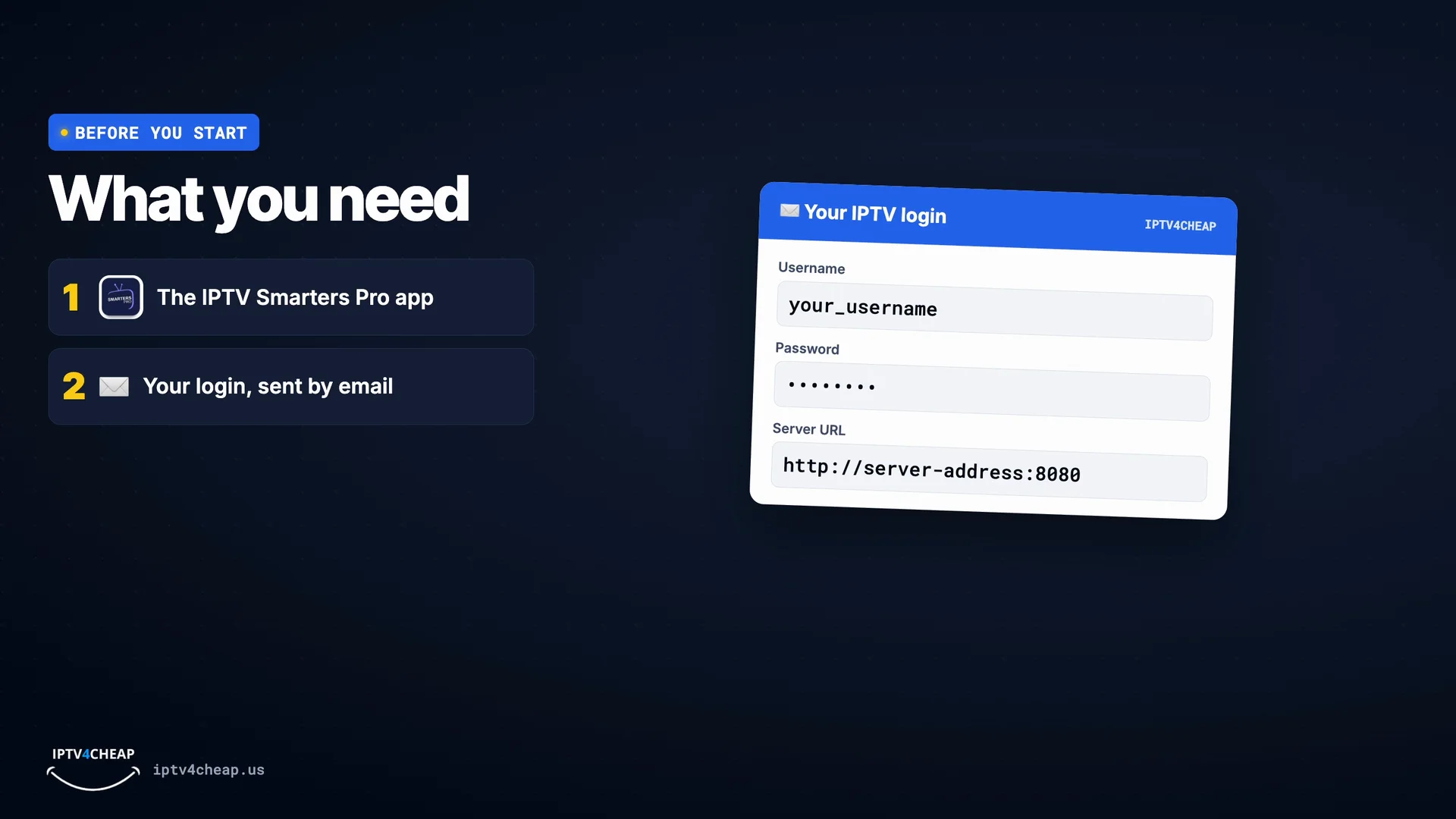
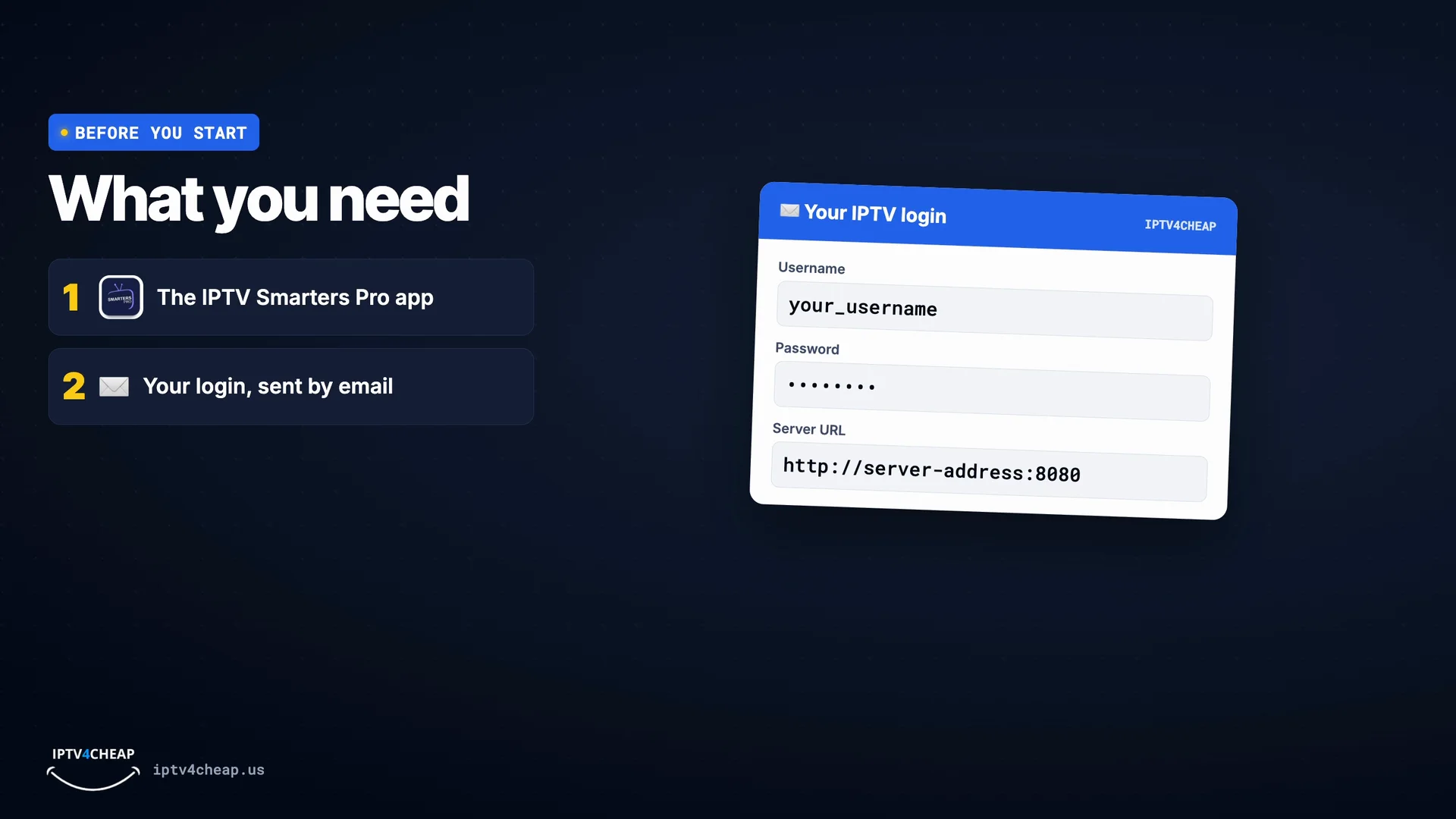
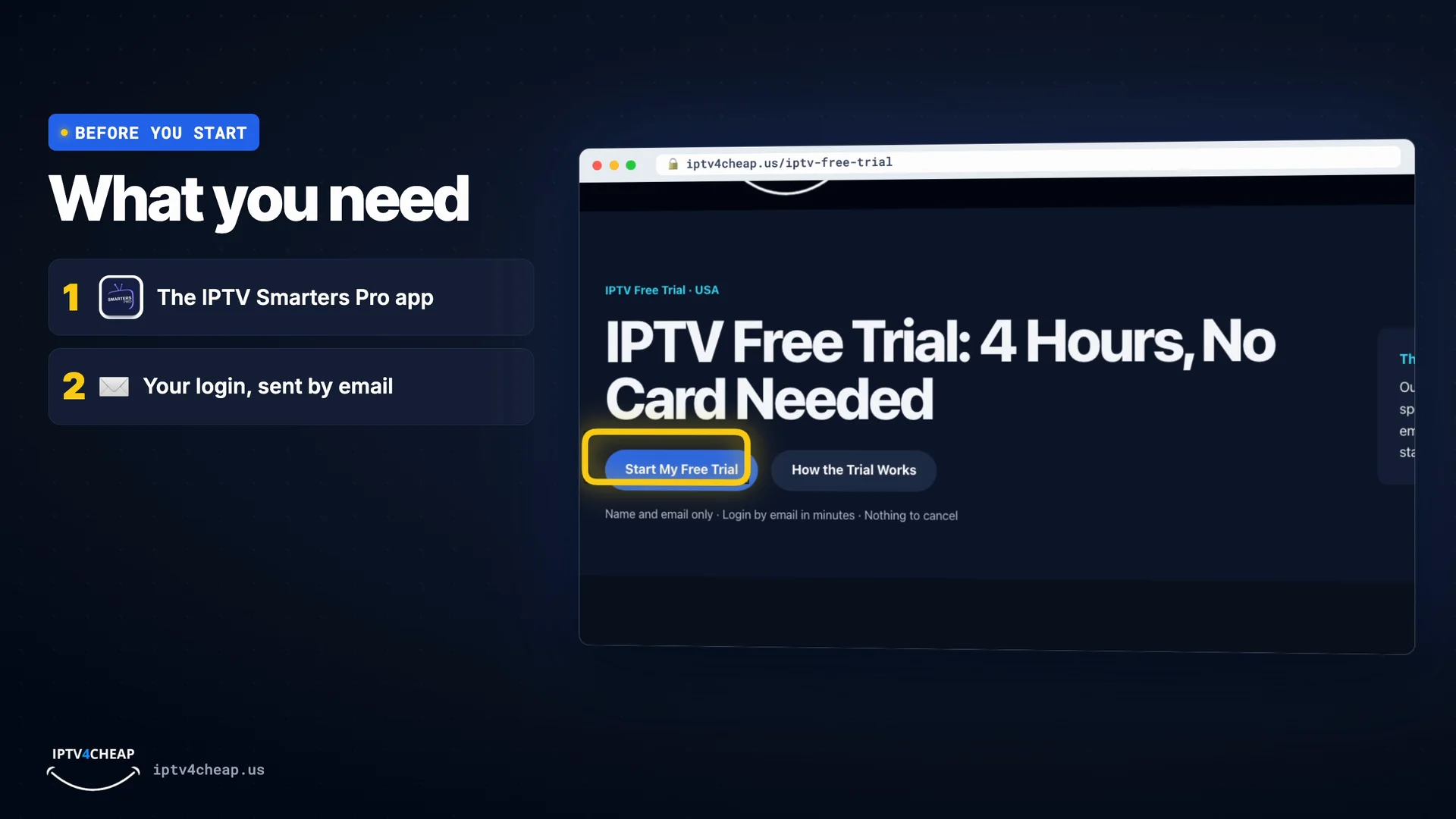
Two things: the free IPTV Smarters Pro app, and your login details. Your login arrives by email after you order, or after you start the free trial:
- Username and password
- Server URL, for example
http://server-address:8080
On a Firestick you install the app with a free helper called Downloader, below. On an Android phone, get Smarters Pro - Mobile from Google Play instead.
Your login: username, password and server URL. 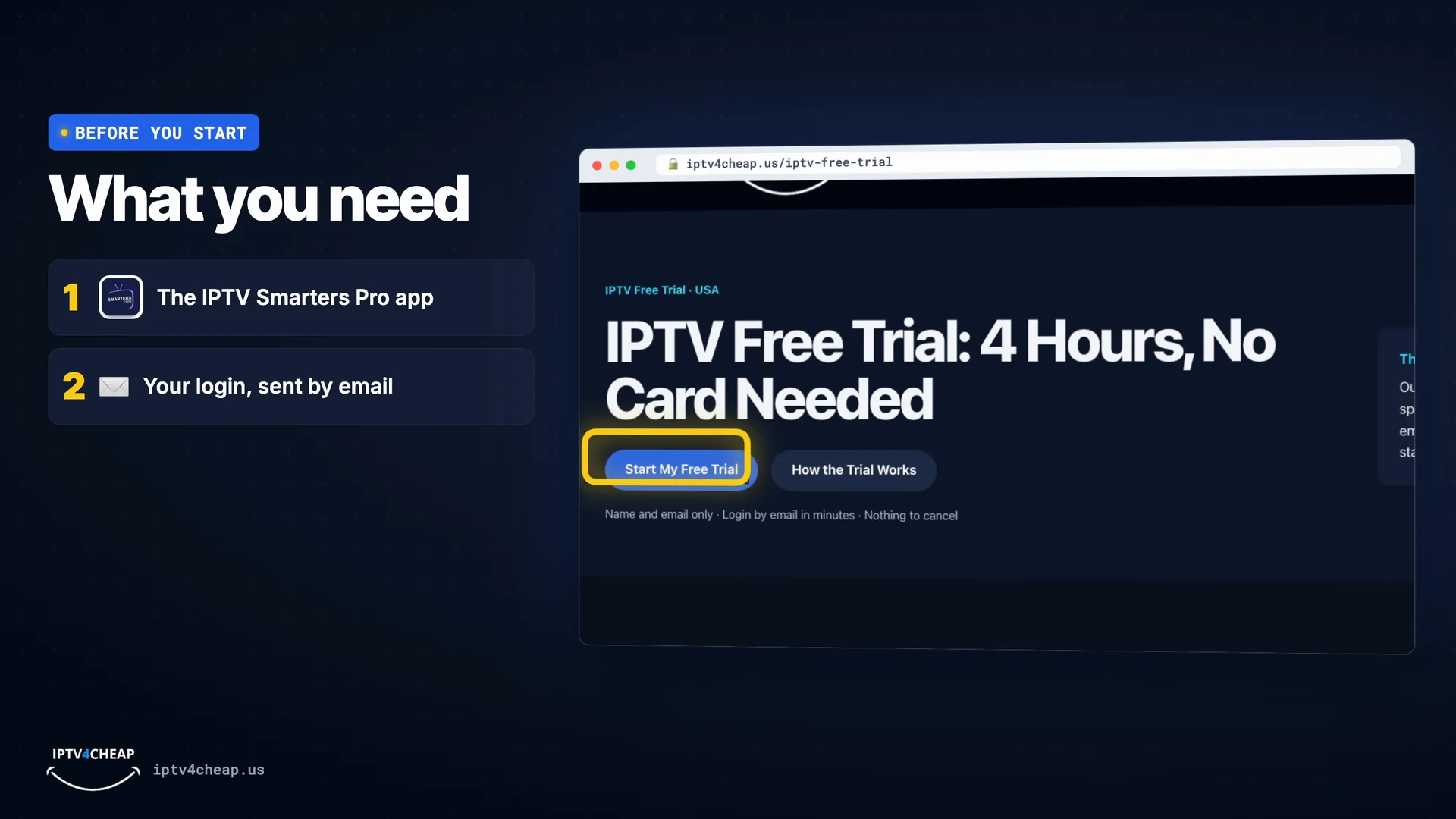
No login yet? The free trial gives you one in minutes. - Step 1
Install the Downloader app
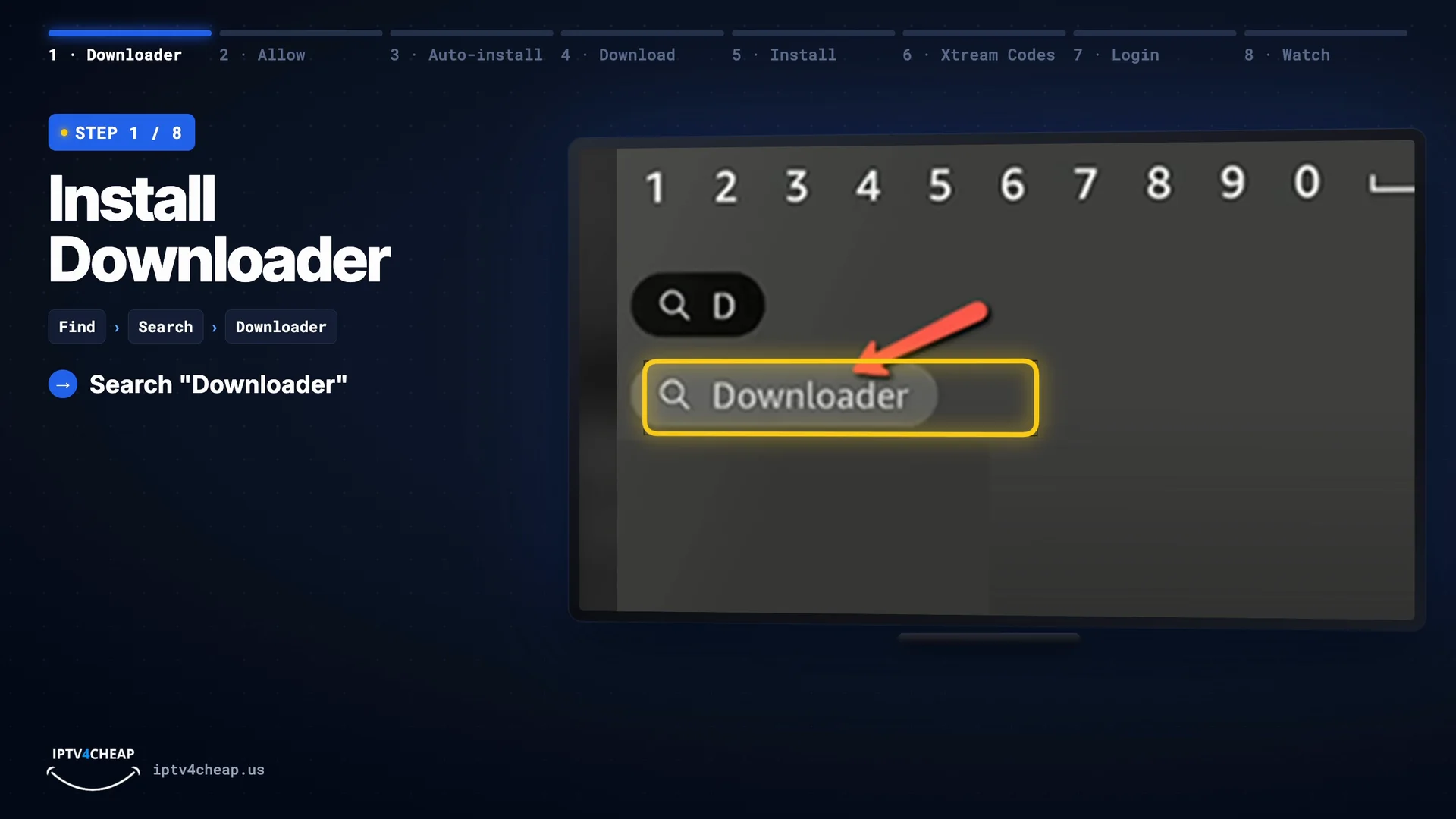
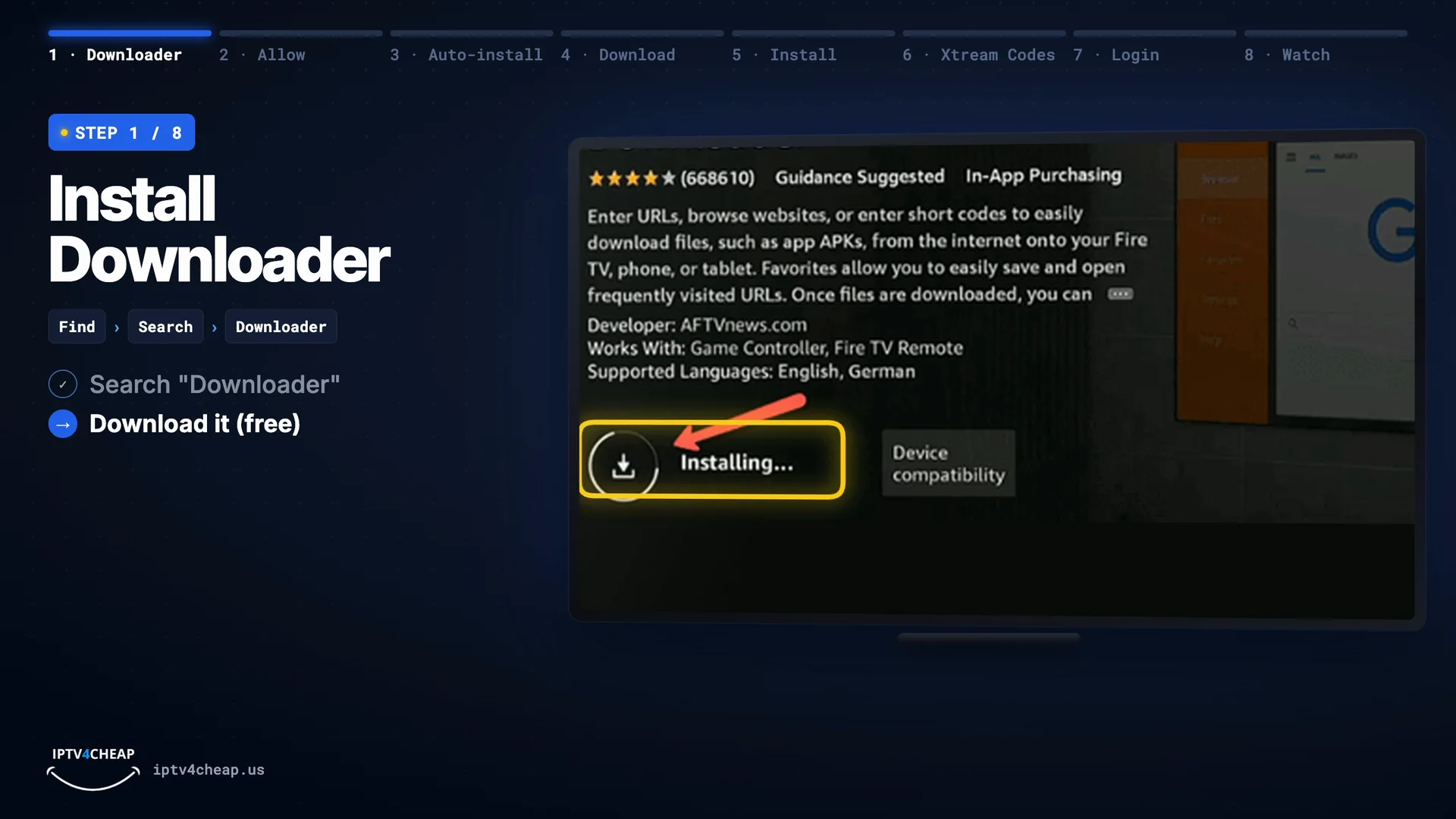
On the Fire TV home screen, go to Find › Search and type Downloader. Pick the orange Downloader app and press Download (or Get). It is free, and it is the standard way to add player apps to a Firestick.
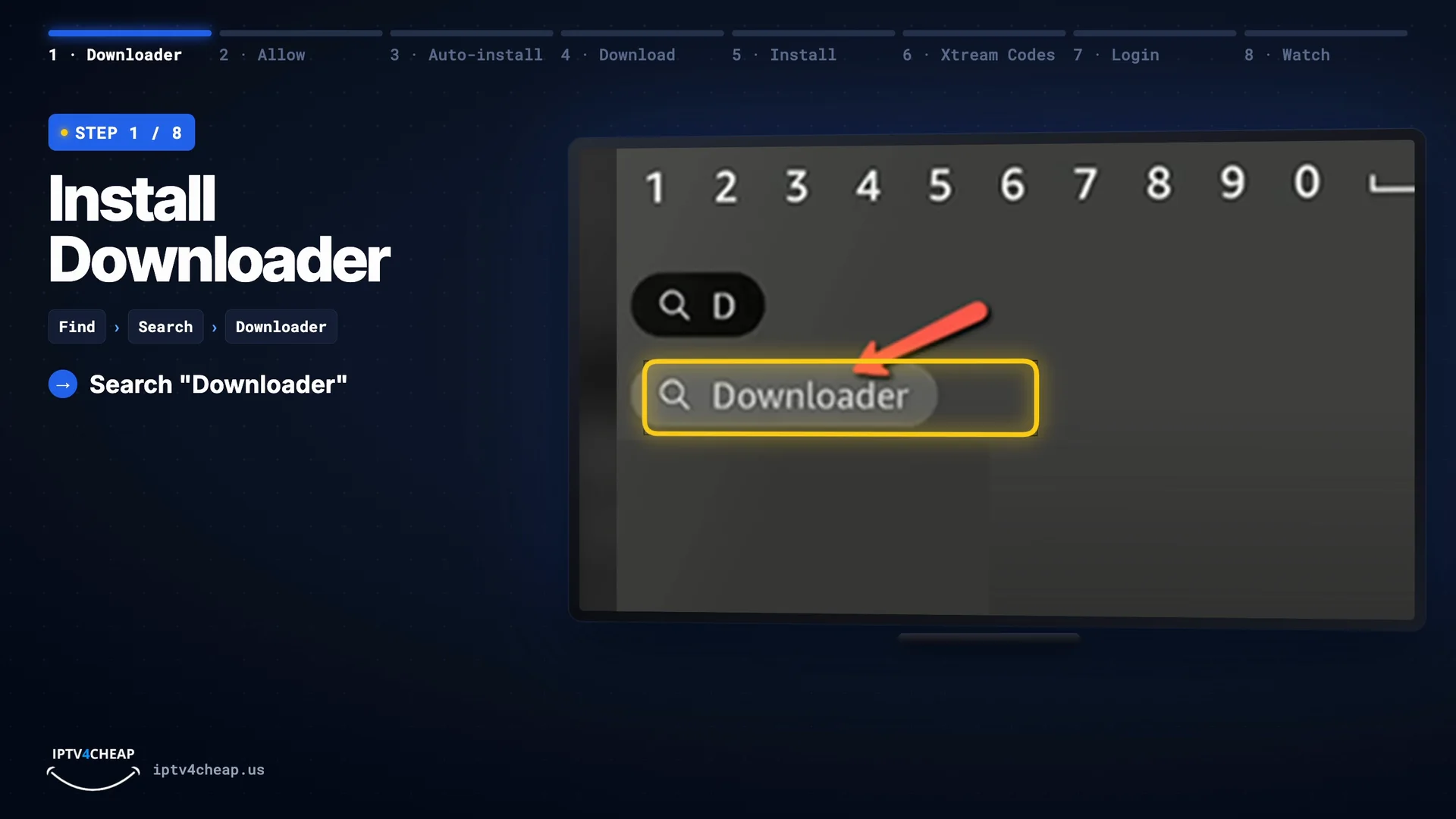
Find › Search, then type Downloader. 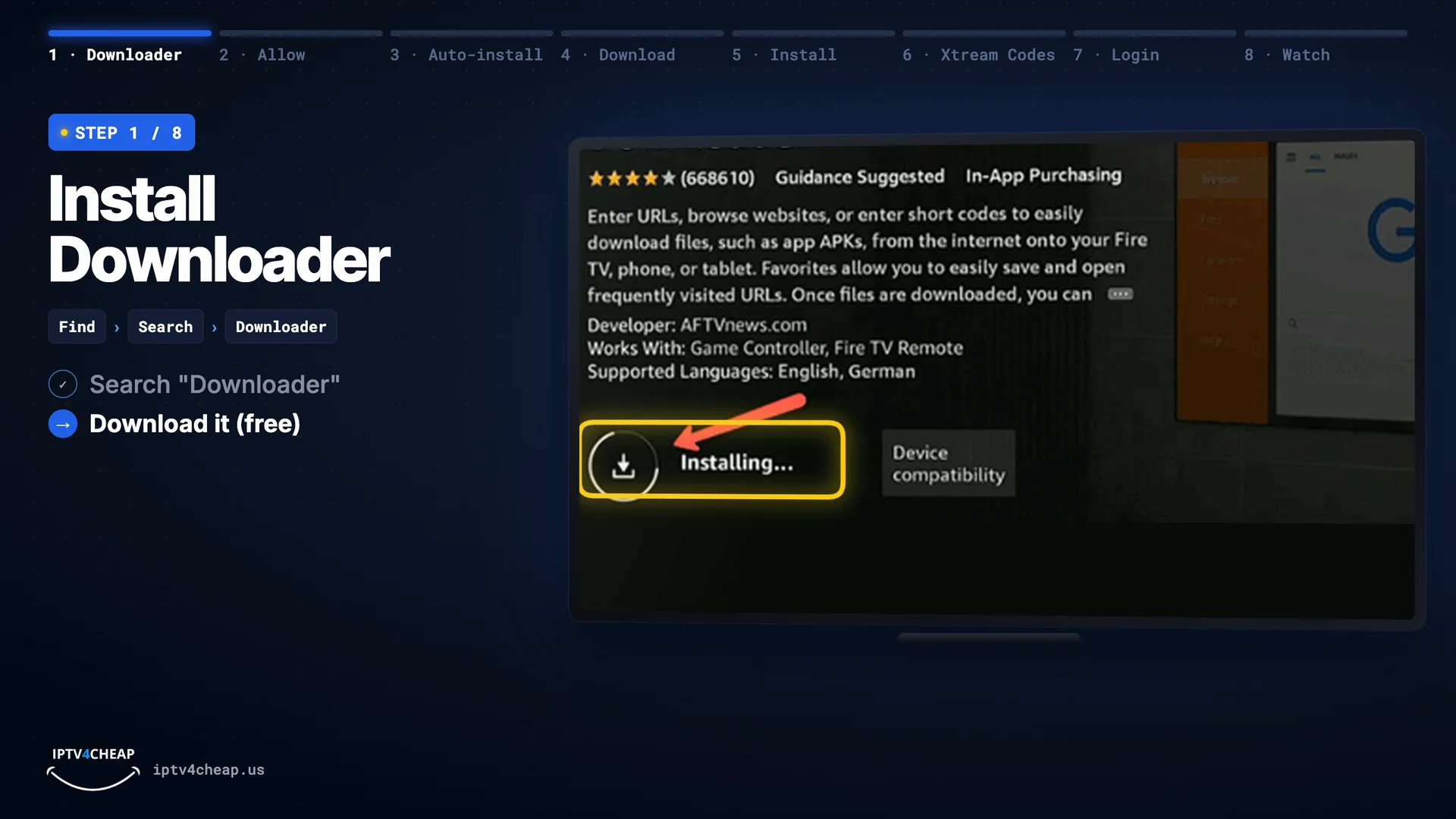
Press Download (or Get). - Step 2
Allow Downloader to install apps
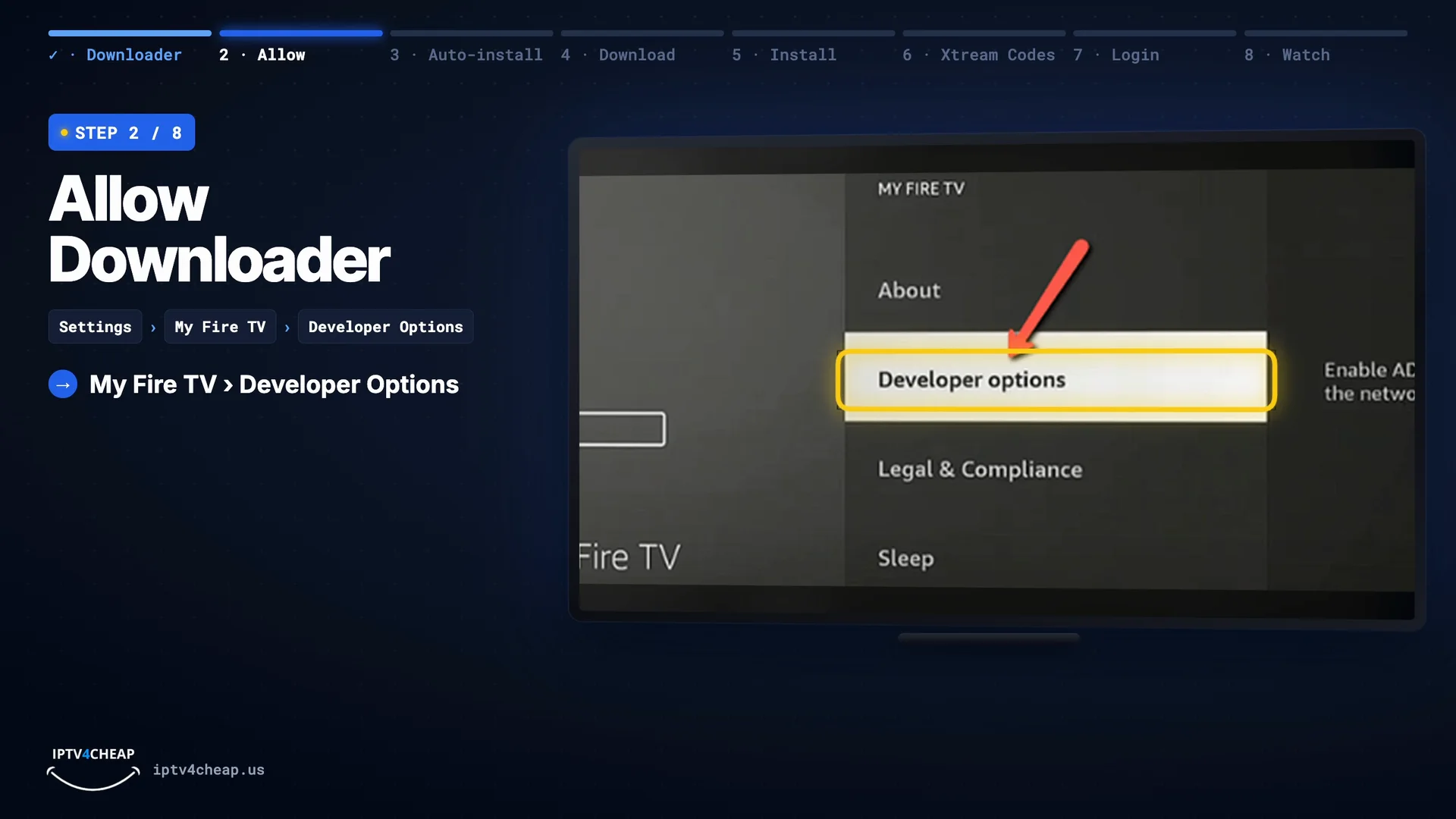
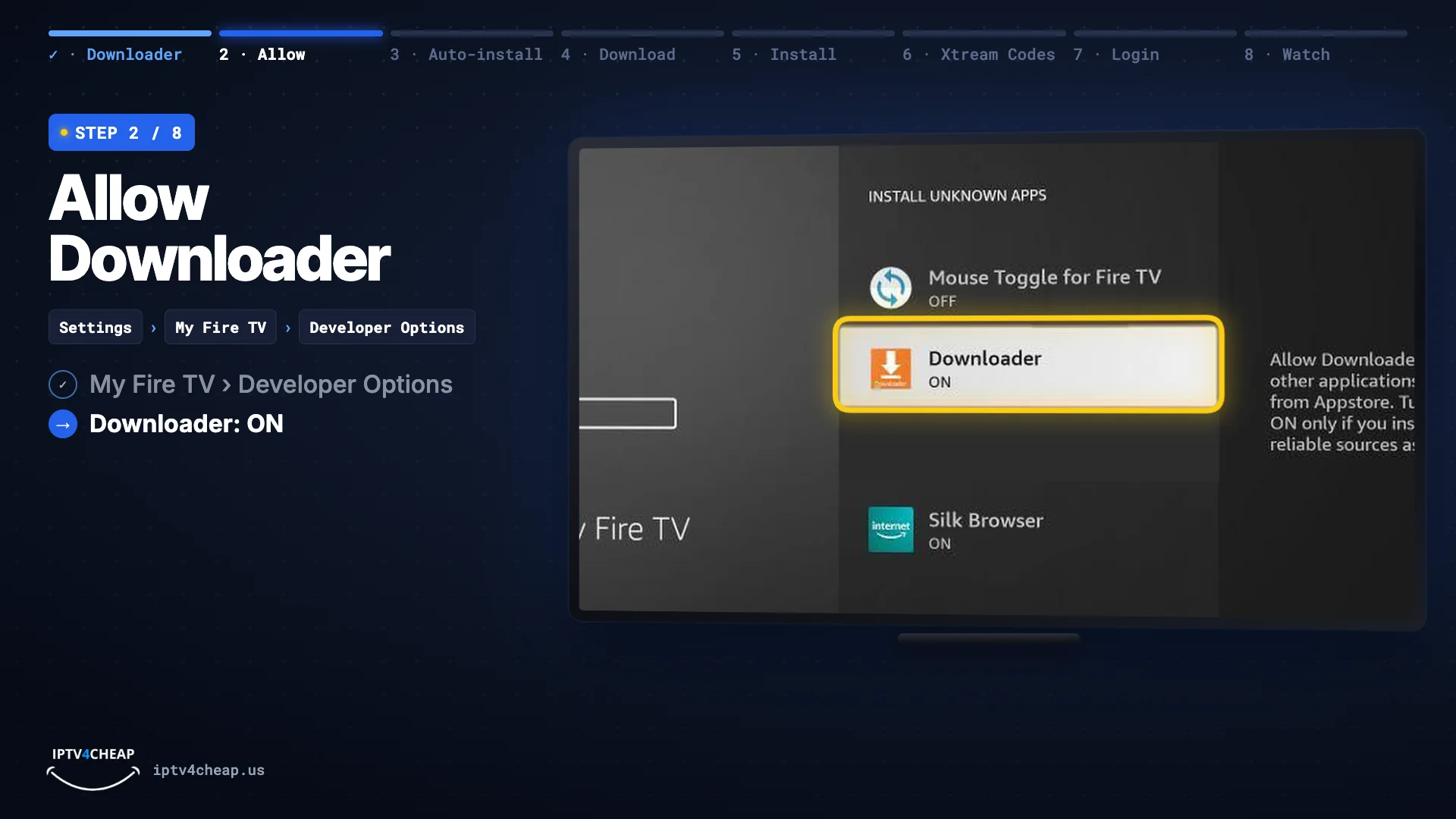
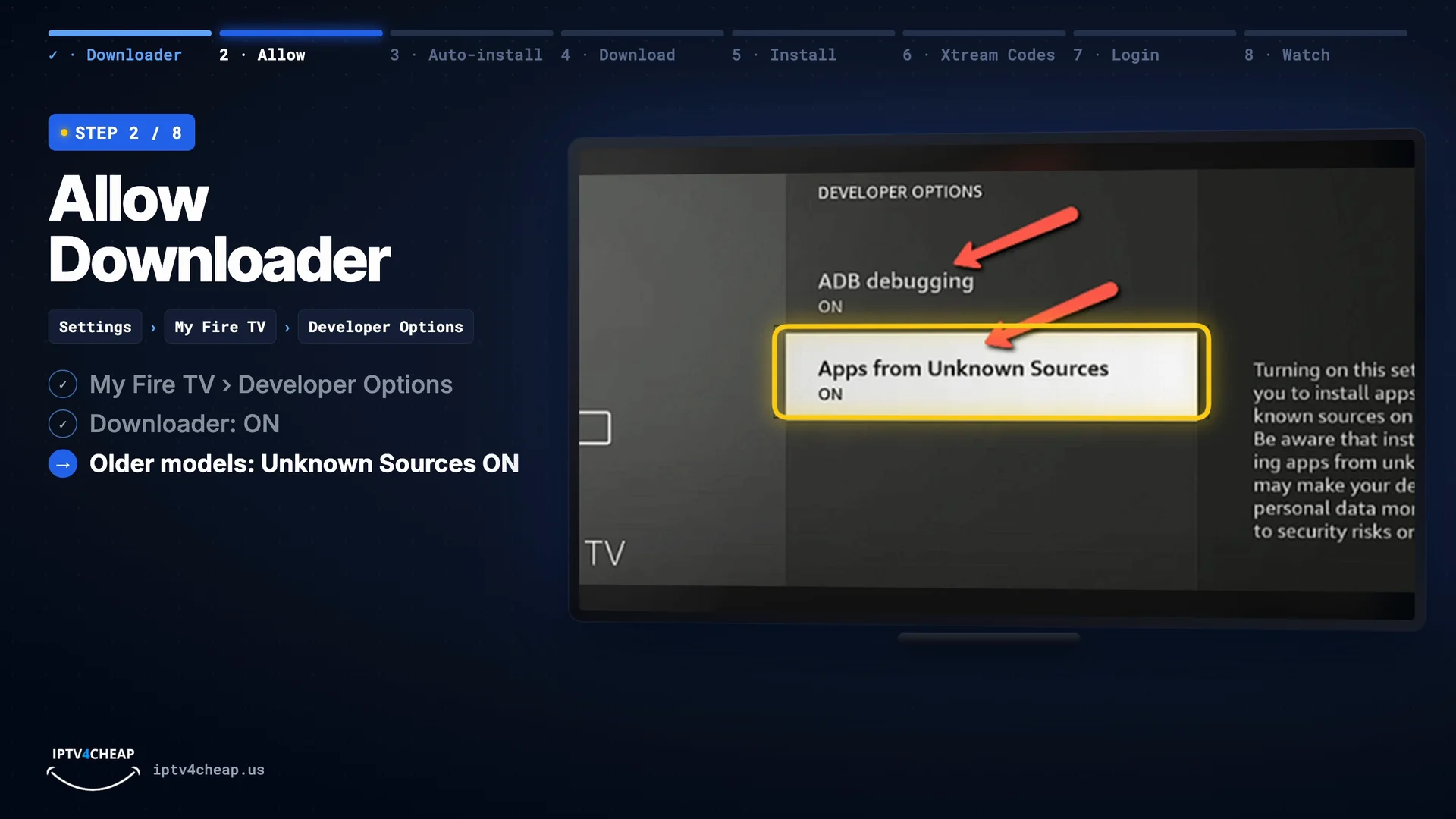
Open Settings › My Fire TV › Developer Options, choose Install unknown apps and switch Downloader to ON. On older models it is a single switch called Apps from Unknown Sources: turn it on. This only lets Downloader install files.
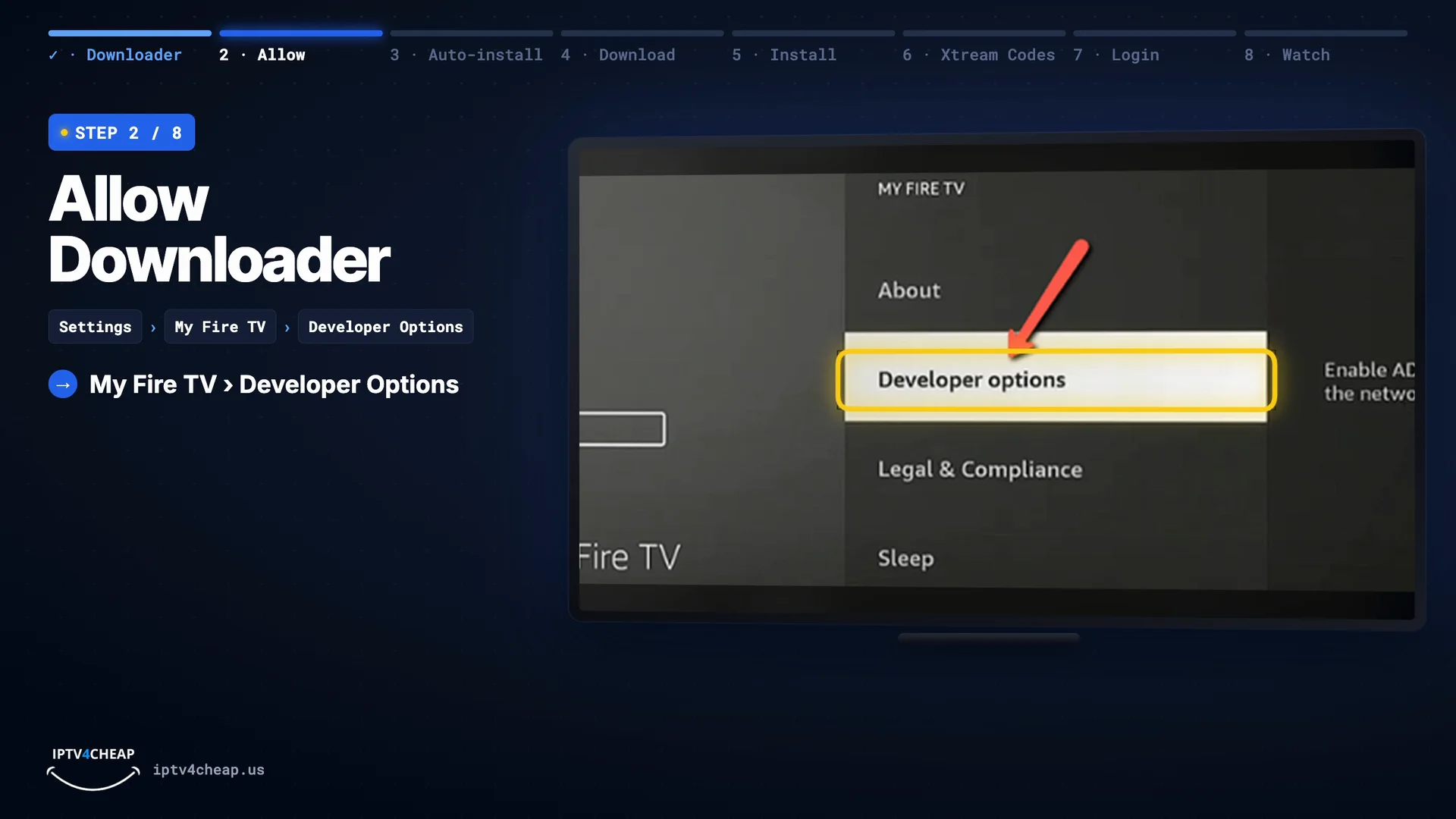
Settings › My Fire TV › Developer Options. 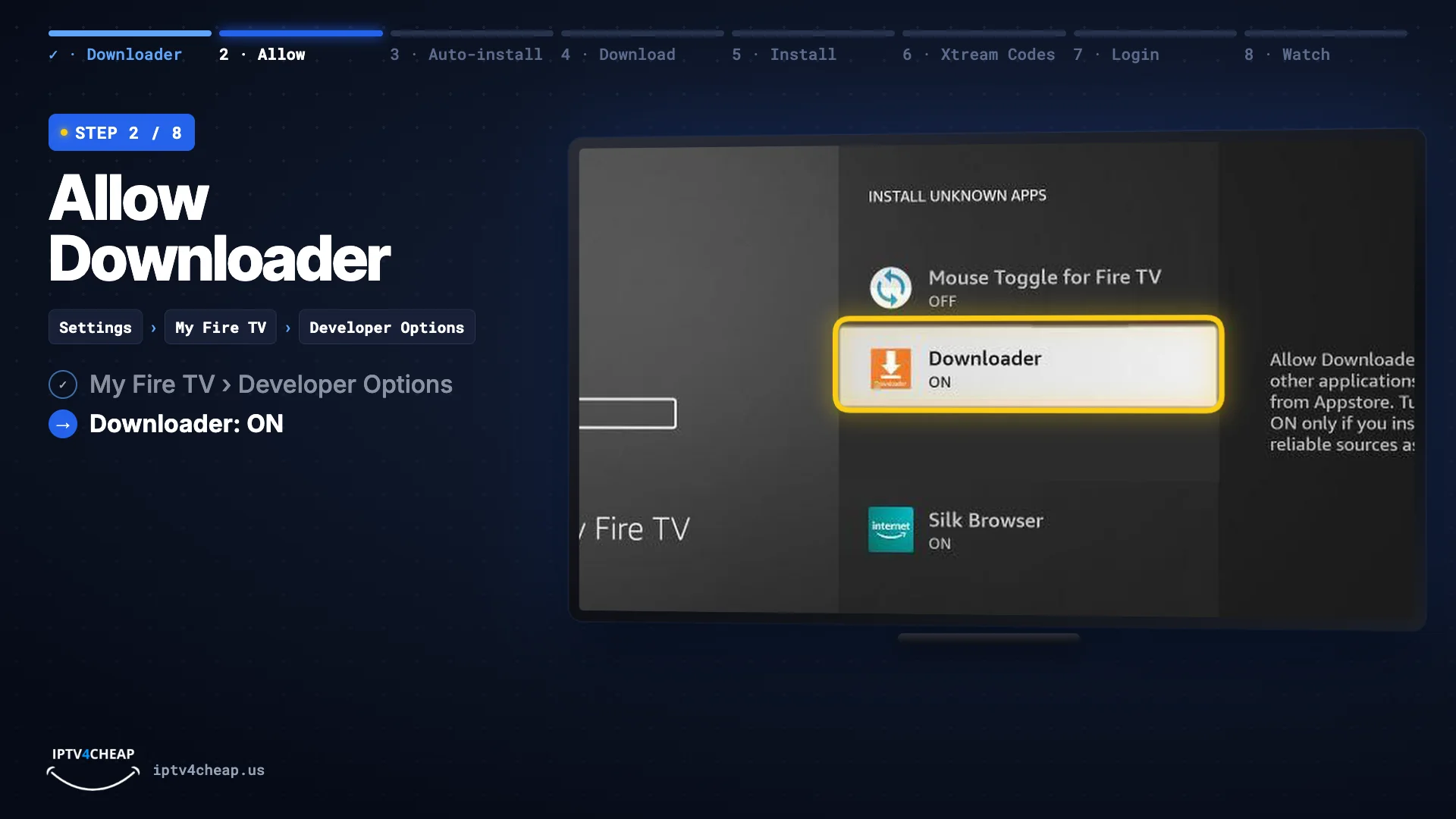
Install unknown apps: Downloader ON. 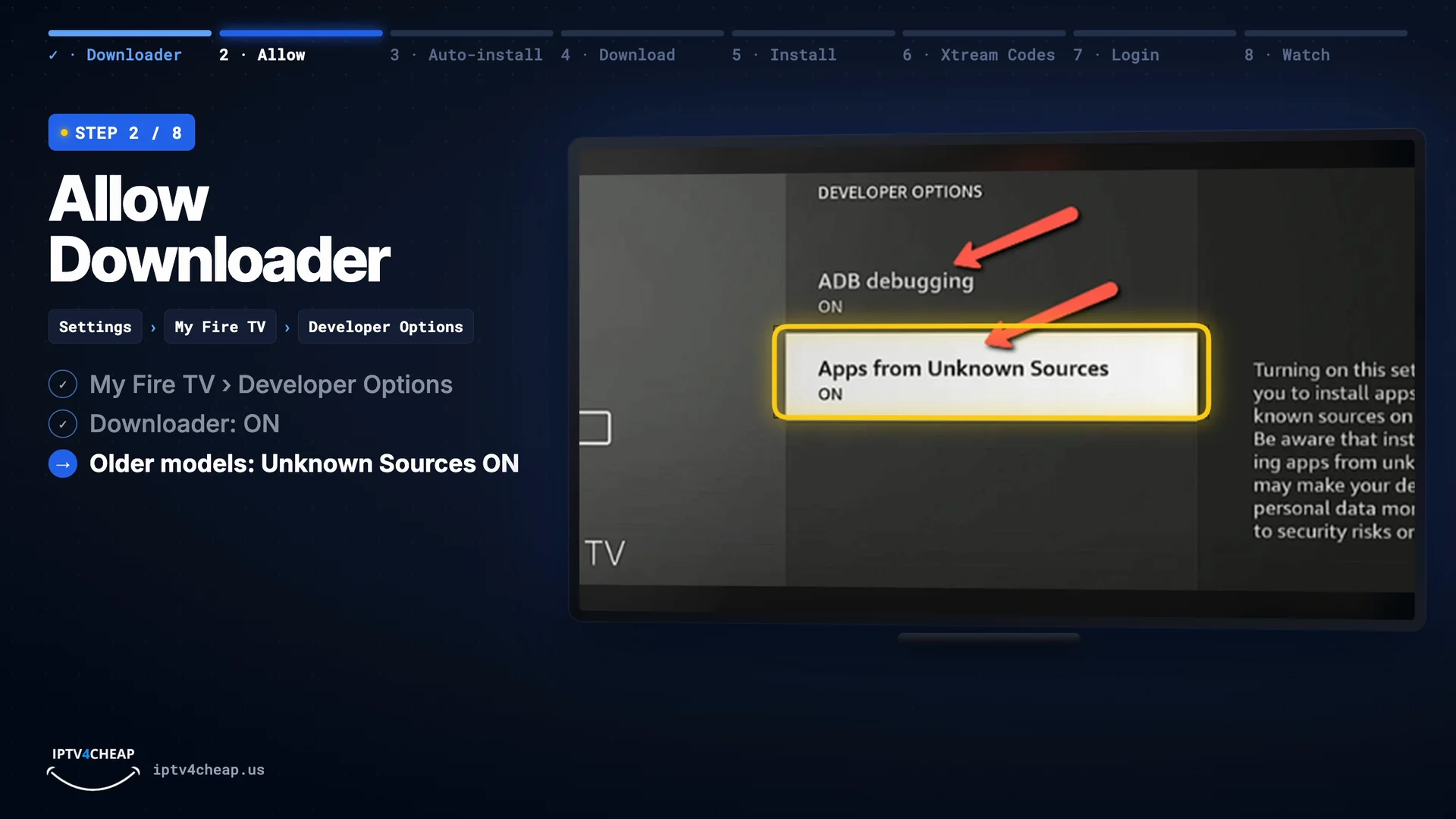
Older models: Apps from Unknown Sources ON. 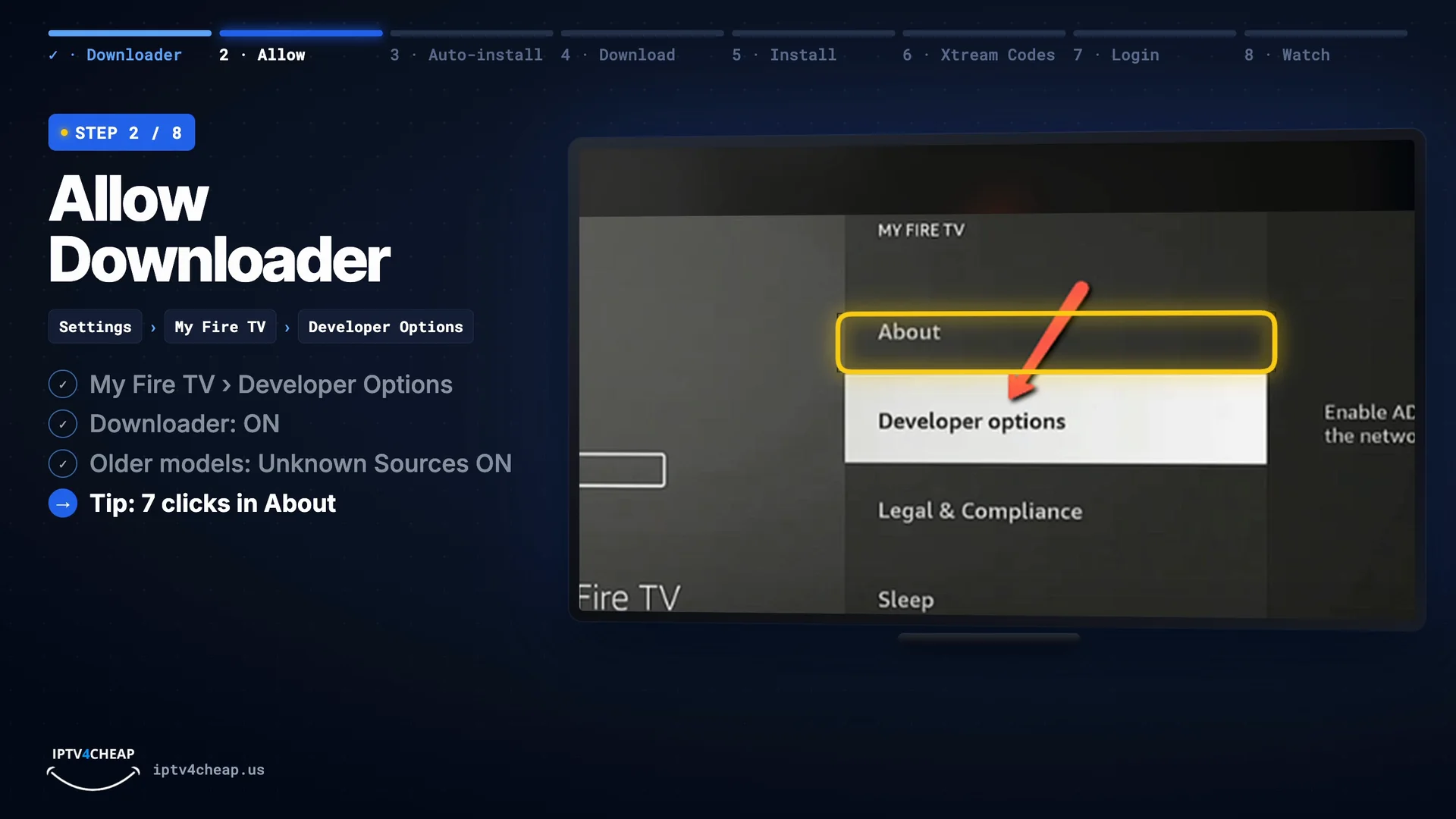
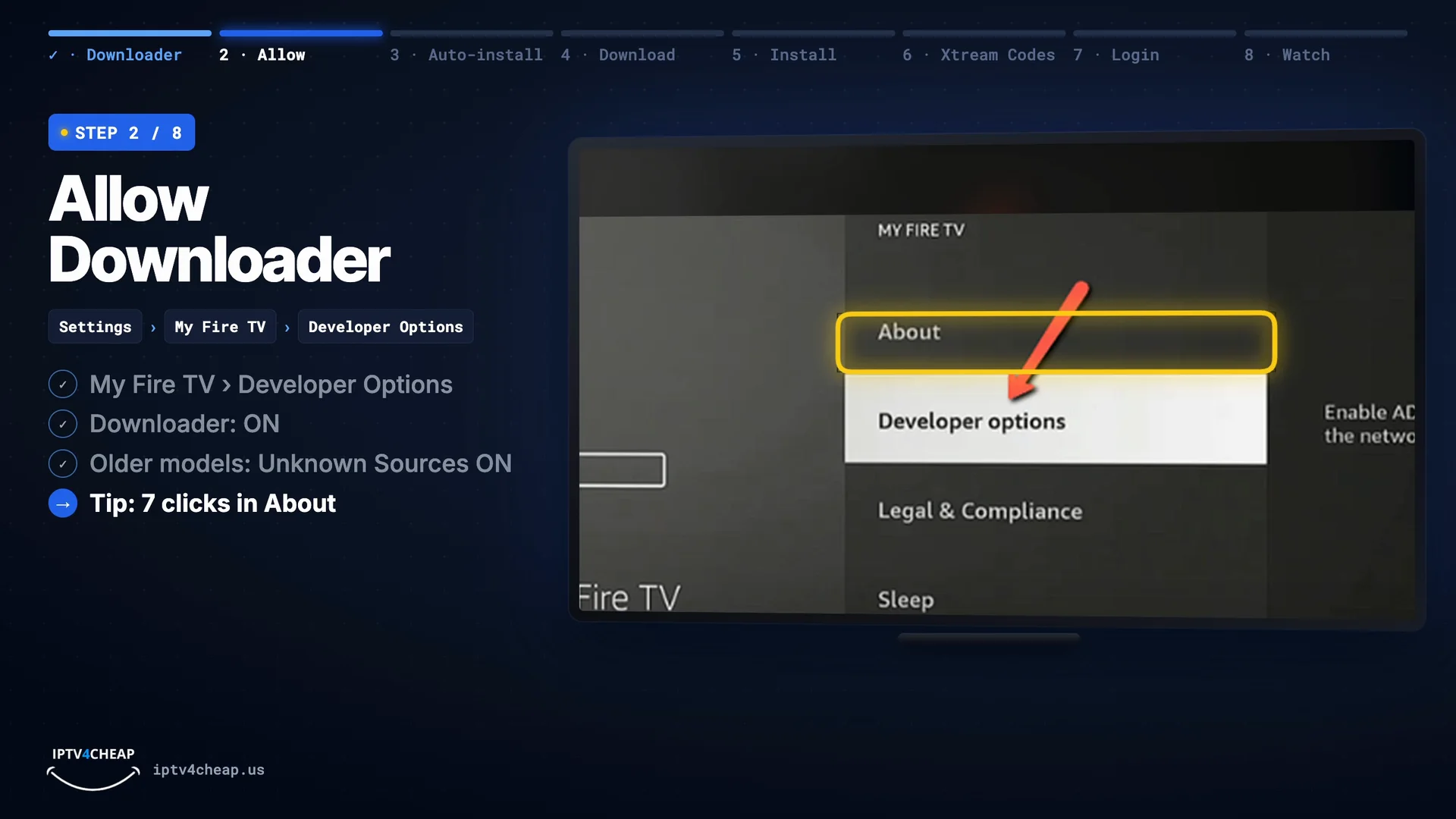
No Developer Options? Press Select 7 times on the name in About. Tip: No Developer Options? Go to Settings › My Fire TV › About, highlight your Fire TV's name and press Select seven times. The menu then appears.
- Step 3
Turn on APK Auto-Install
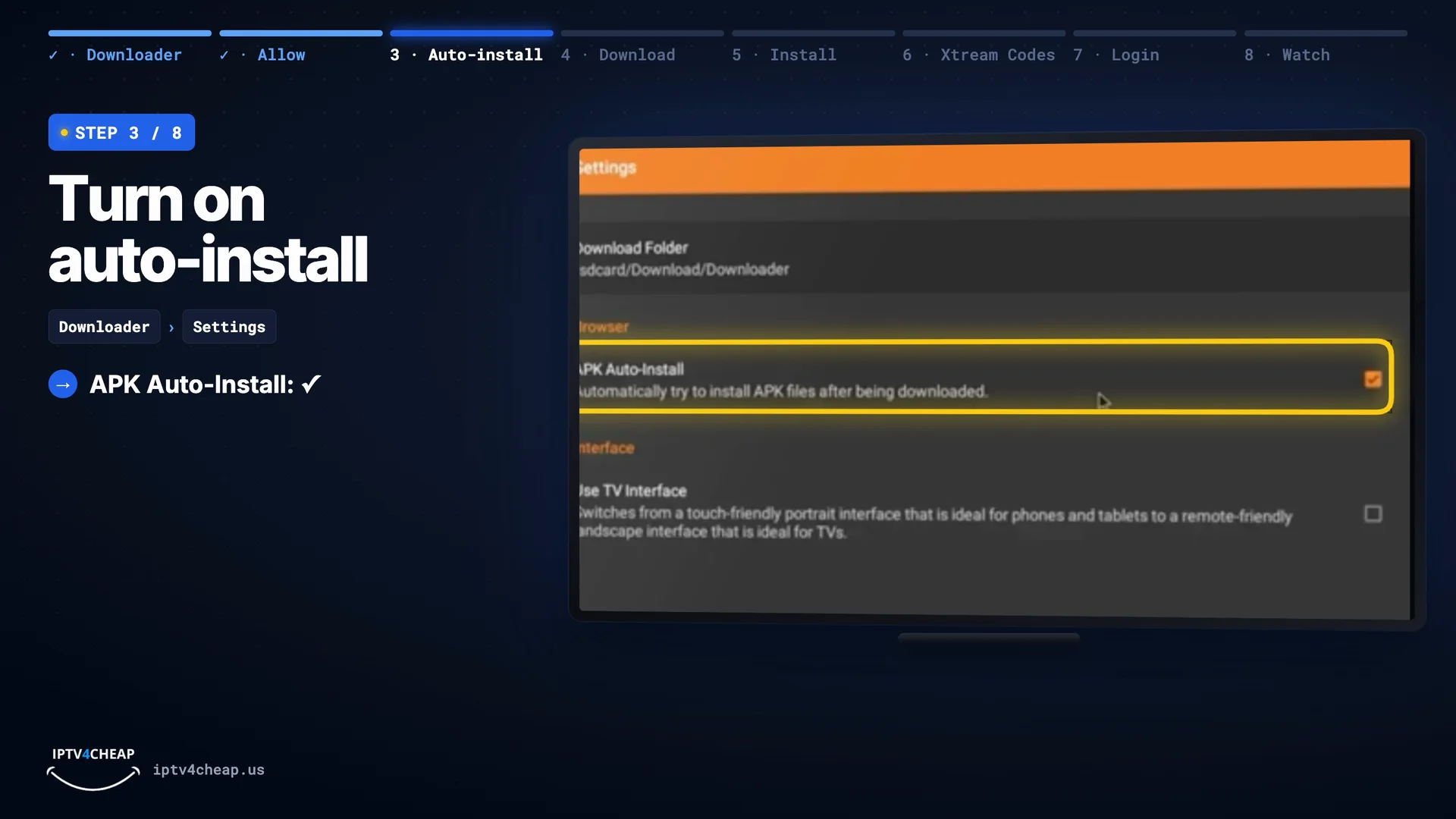
Open Downloader. In its Settings (left menu), tick APK Auto-Install. Now the app installs as soon as it has downloaded, so you do not have to look for the file afterwards.
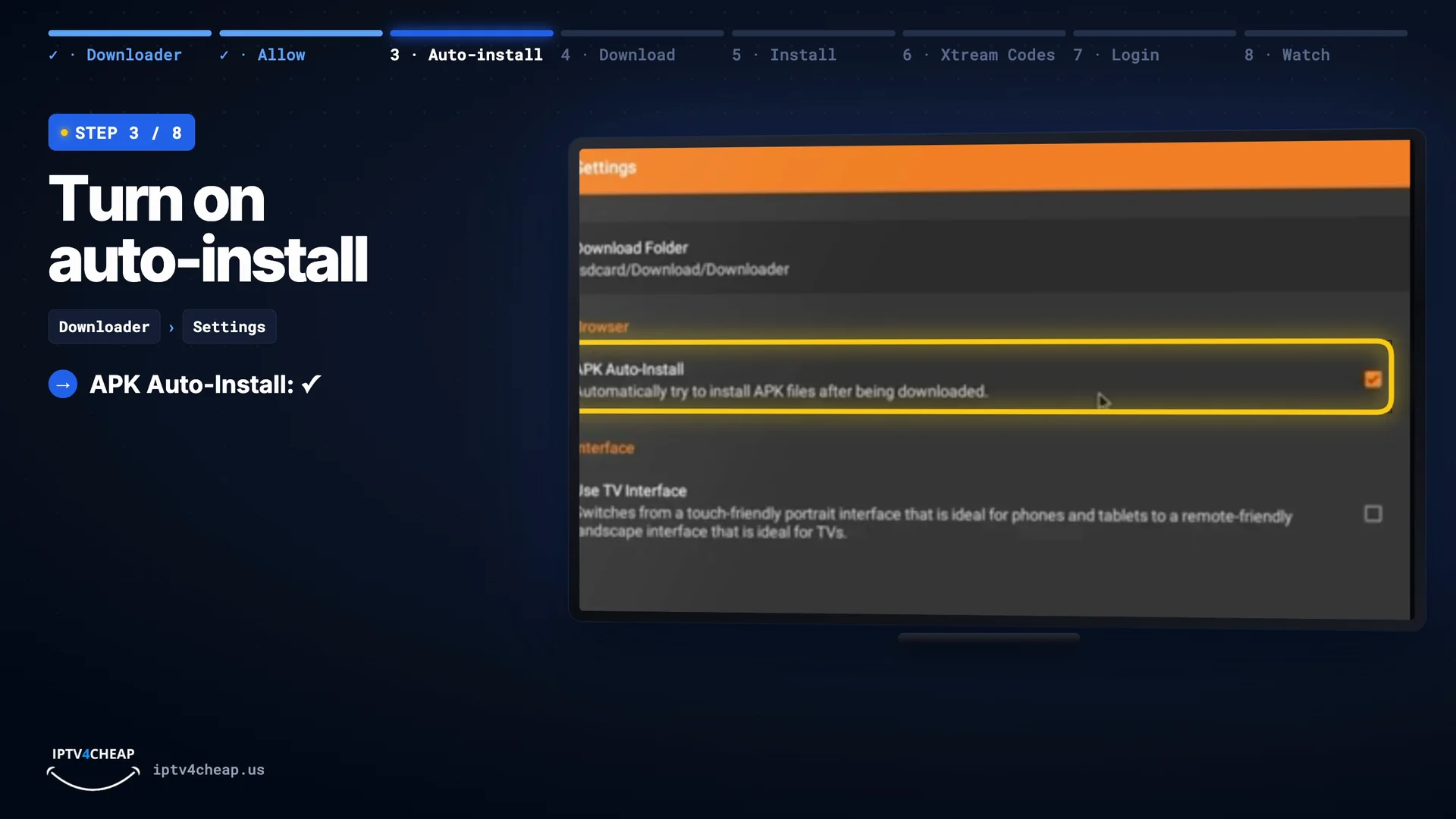
Downloader › Settings › APK Auto-Install ticked. - Step 4
Download IPTV Smarters Pro
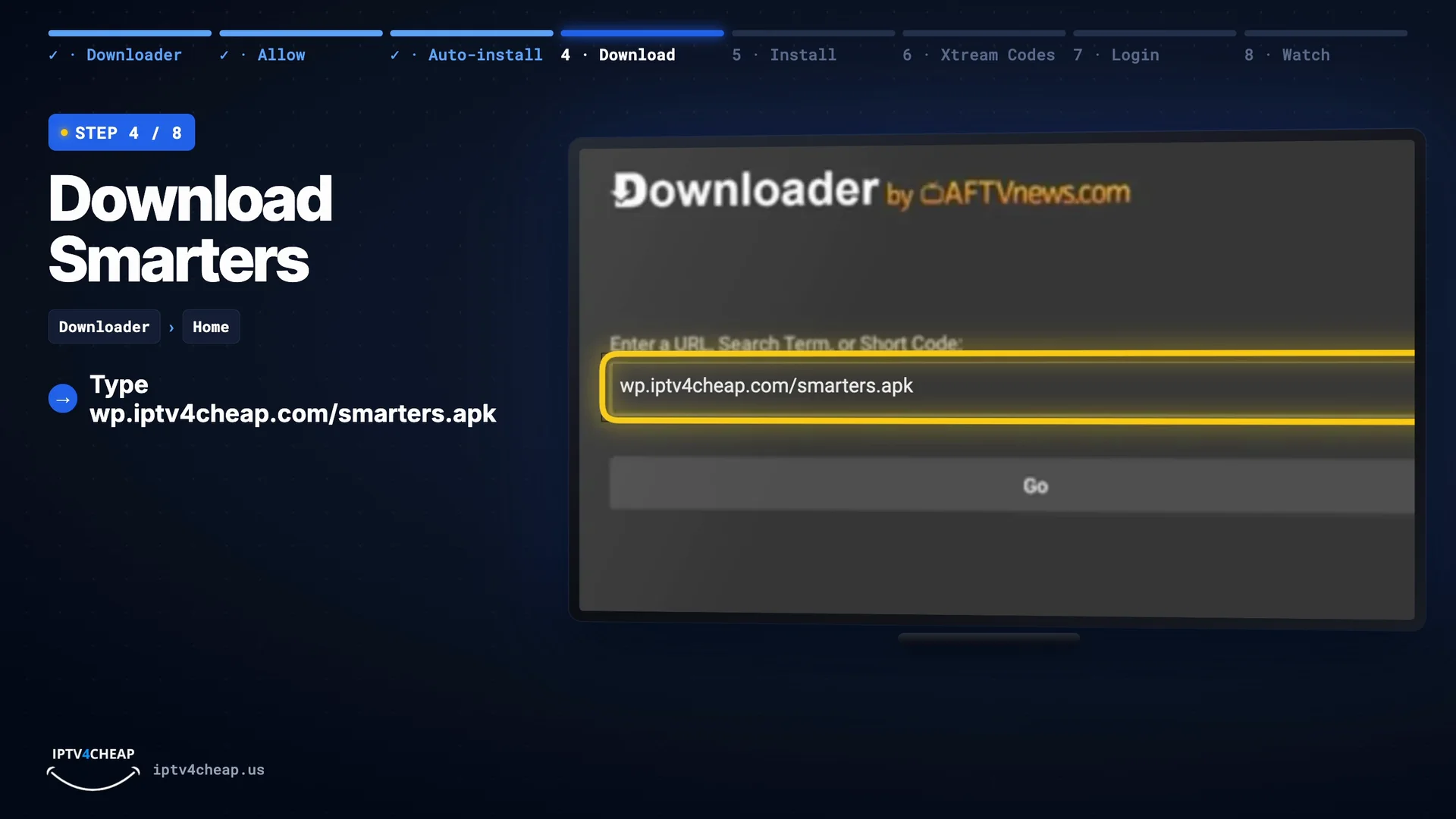
On Downloader's Home tab, select the address box and type
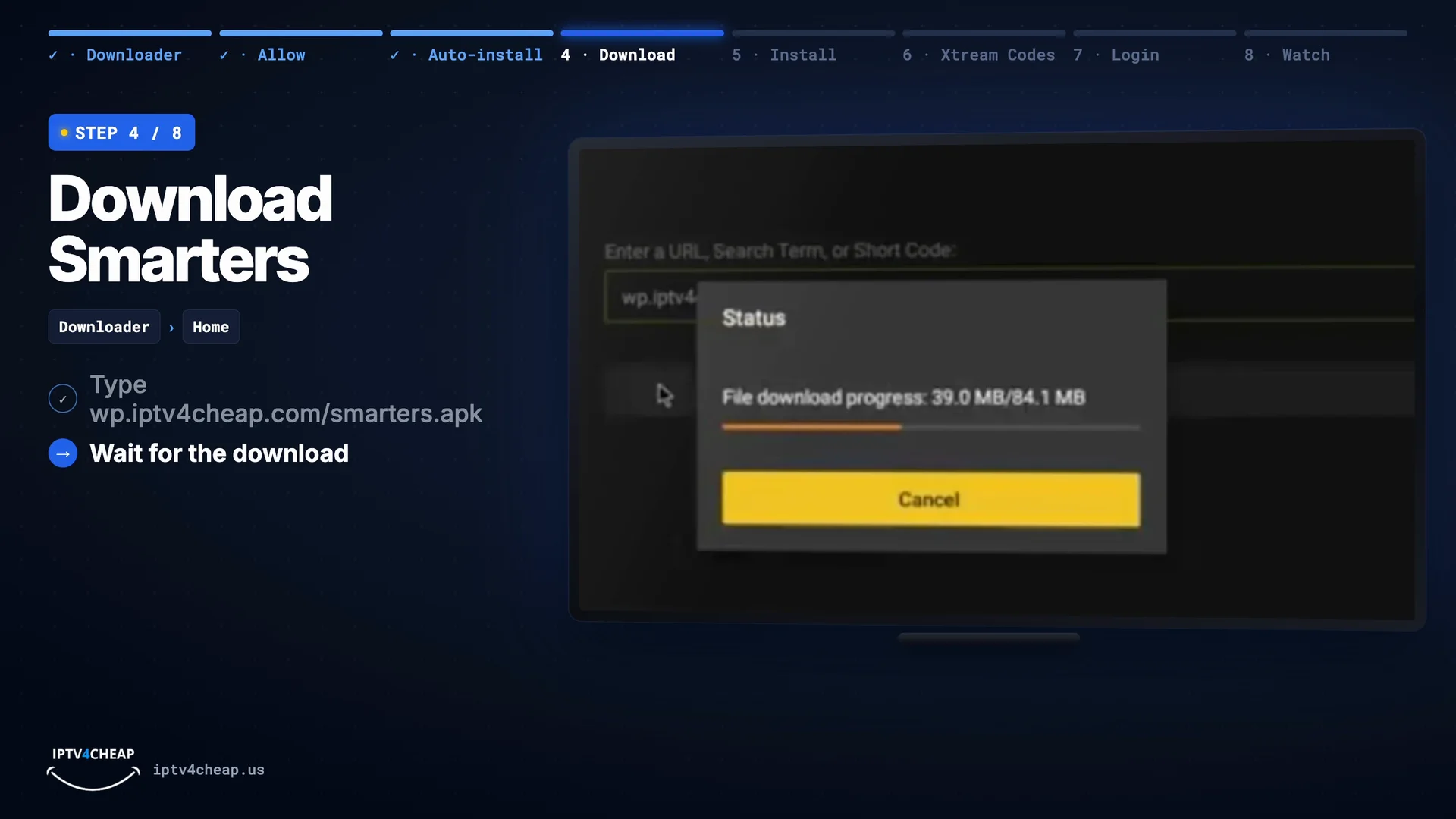
wp.iptv4cheap.com/smarters.apk, then press Go. No need to type https://. The file is about 84 MB, so the download takes about a minute.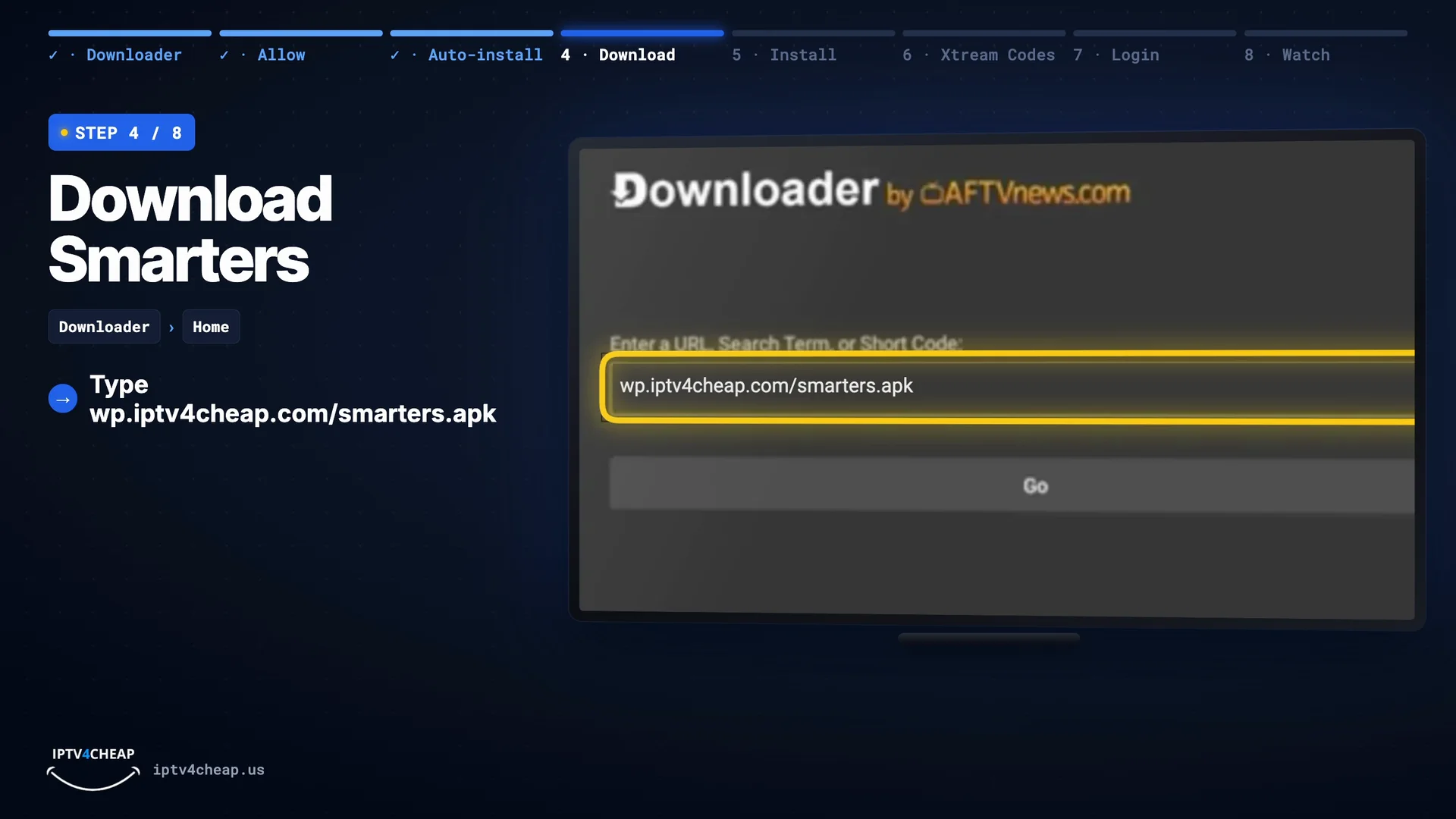
Type wp.iptv4cheap.com/smarters.apk, then Go. 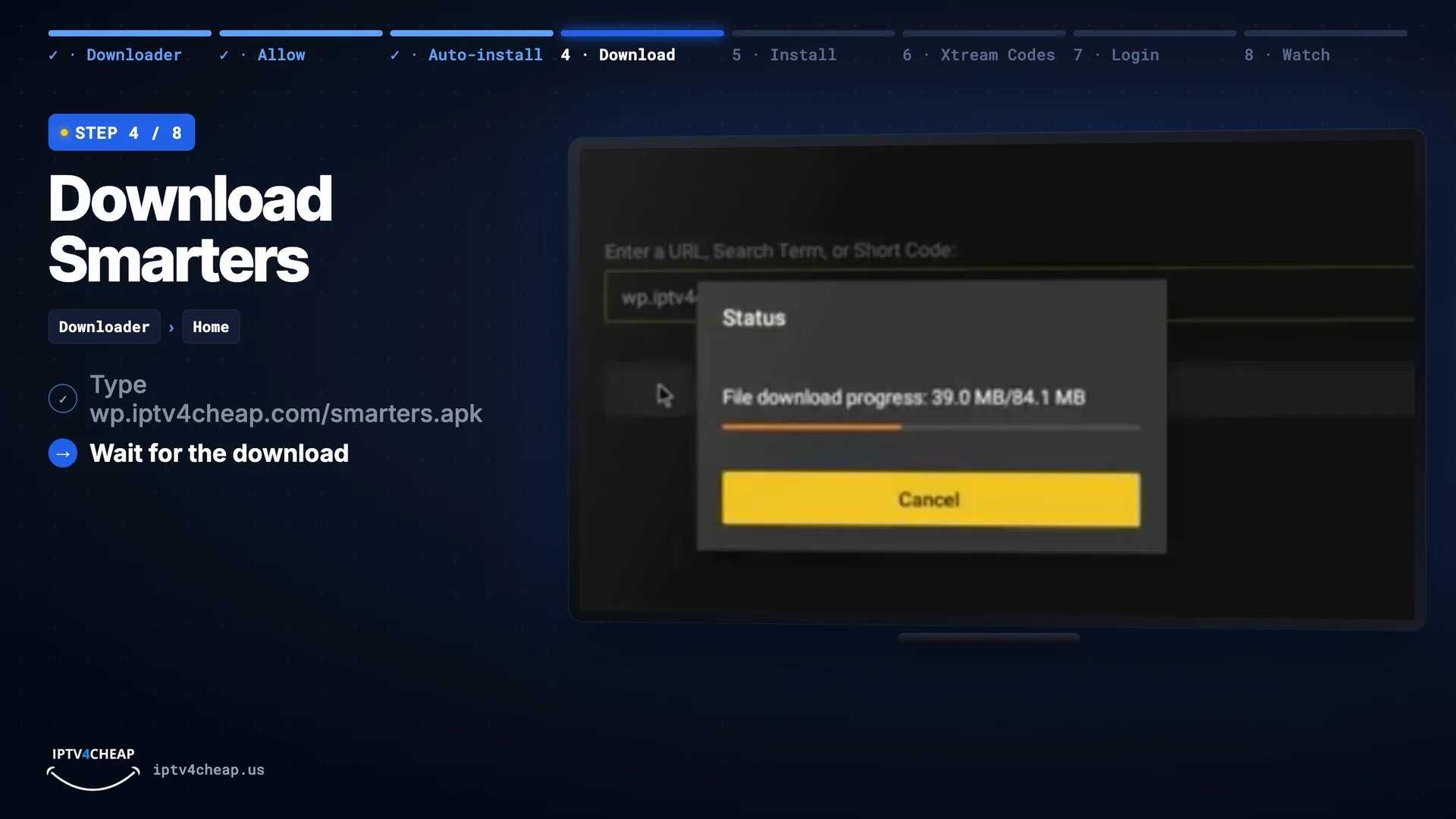
The download takes about a minute. Tip: Downloader shows a web page instead of a download? The address was mistyped. Check it letter by letter: iptv4cheap with a 4, and .apk at the end.
- Step 5
Install the app
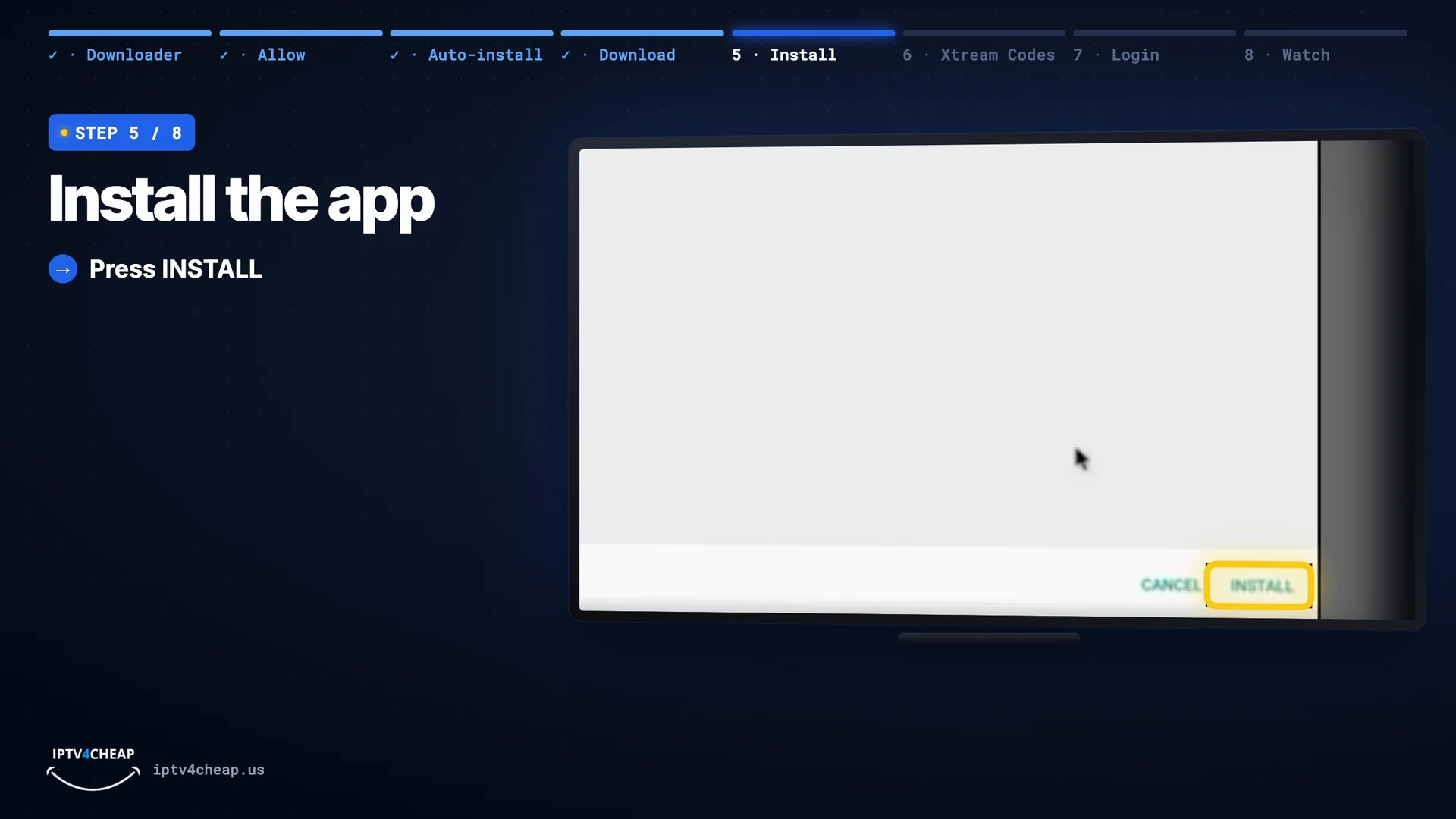
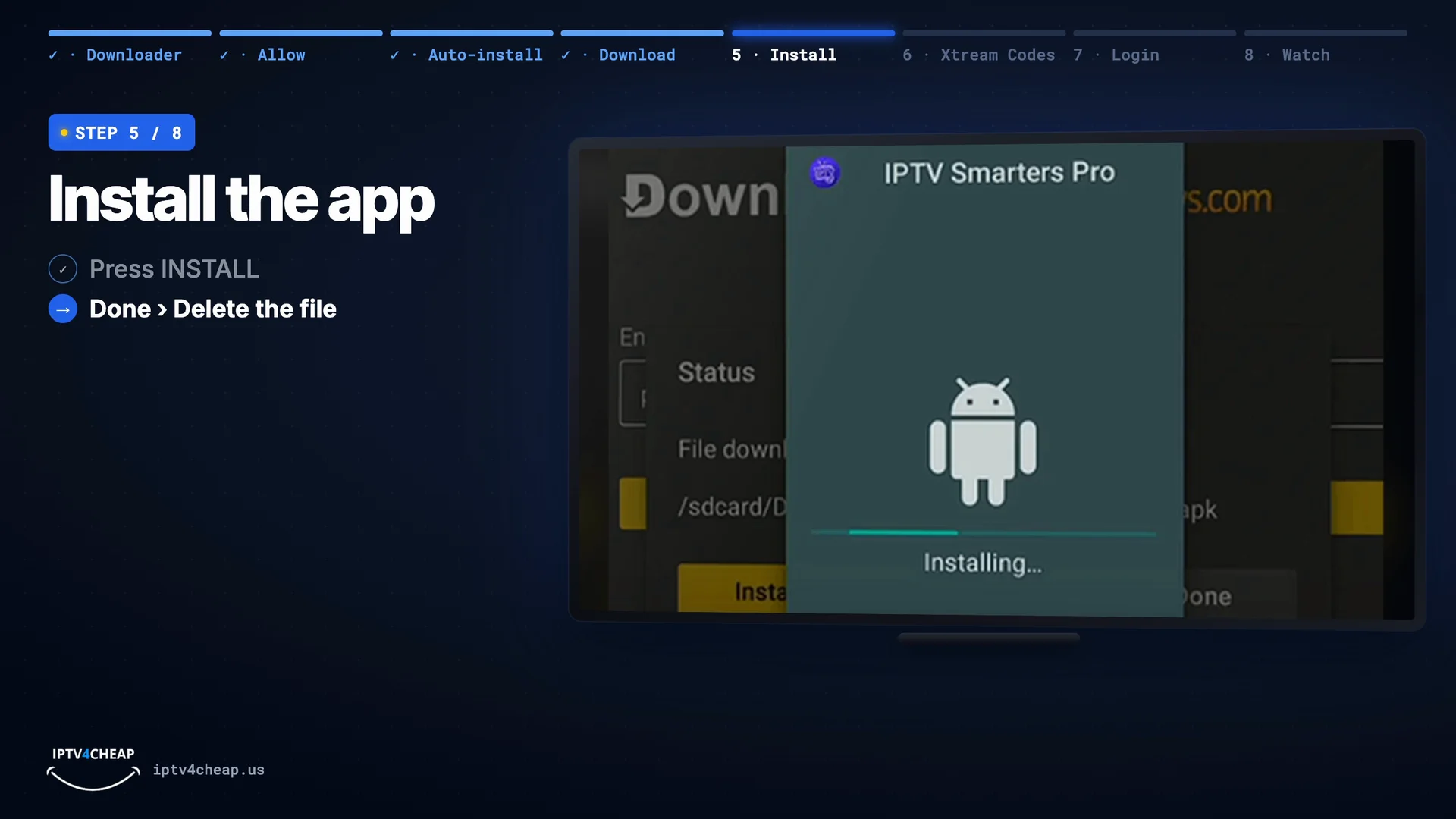
When the installer opens, press Install. Already had Smarters? It updates and keeps your logins. When it says installed, choose Done, then Delete in Downloader, to free up space on your Firestick.
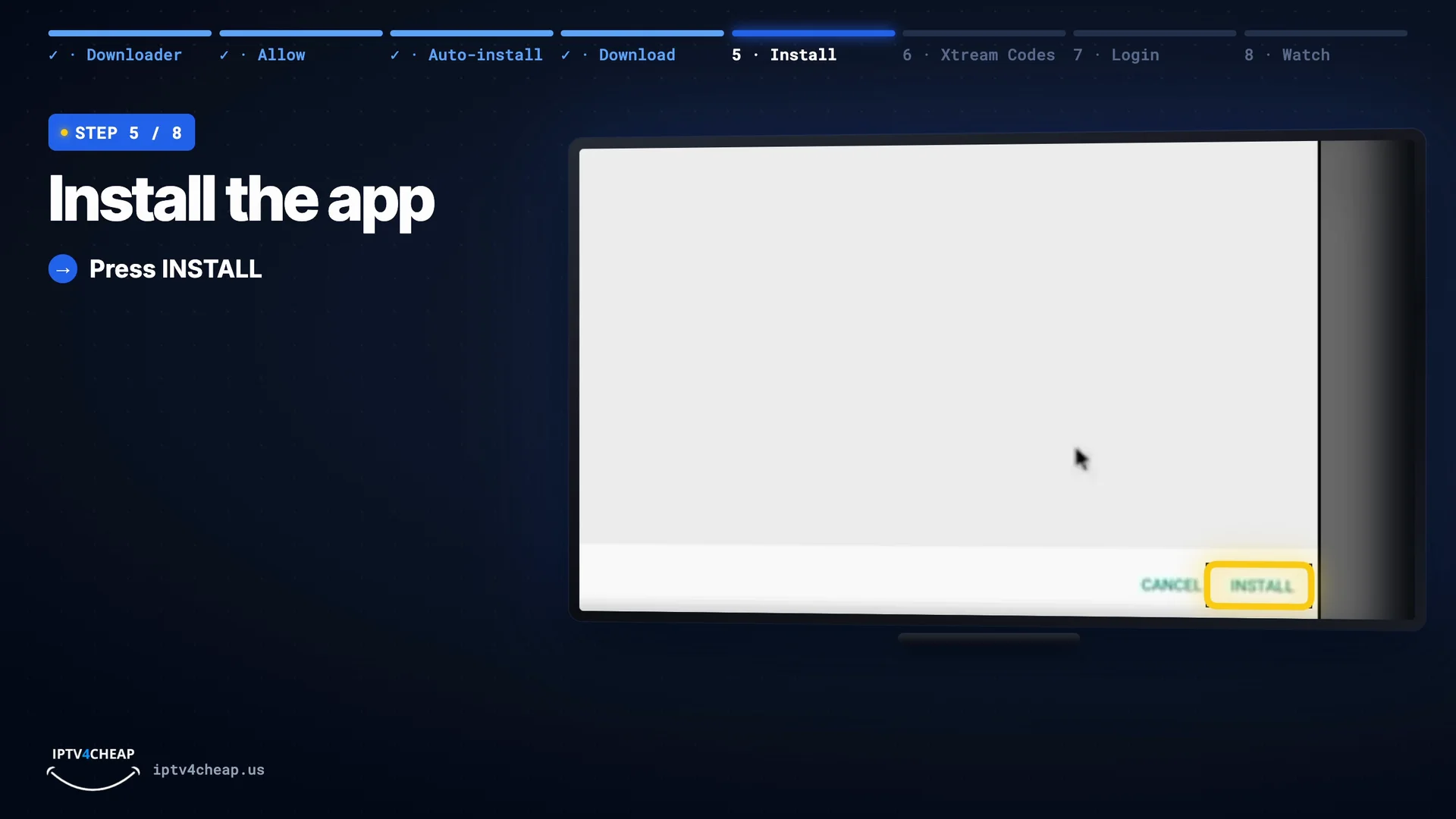
Press Install. 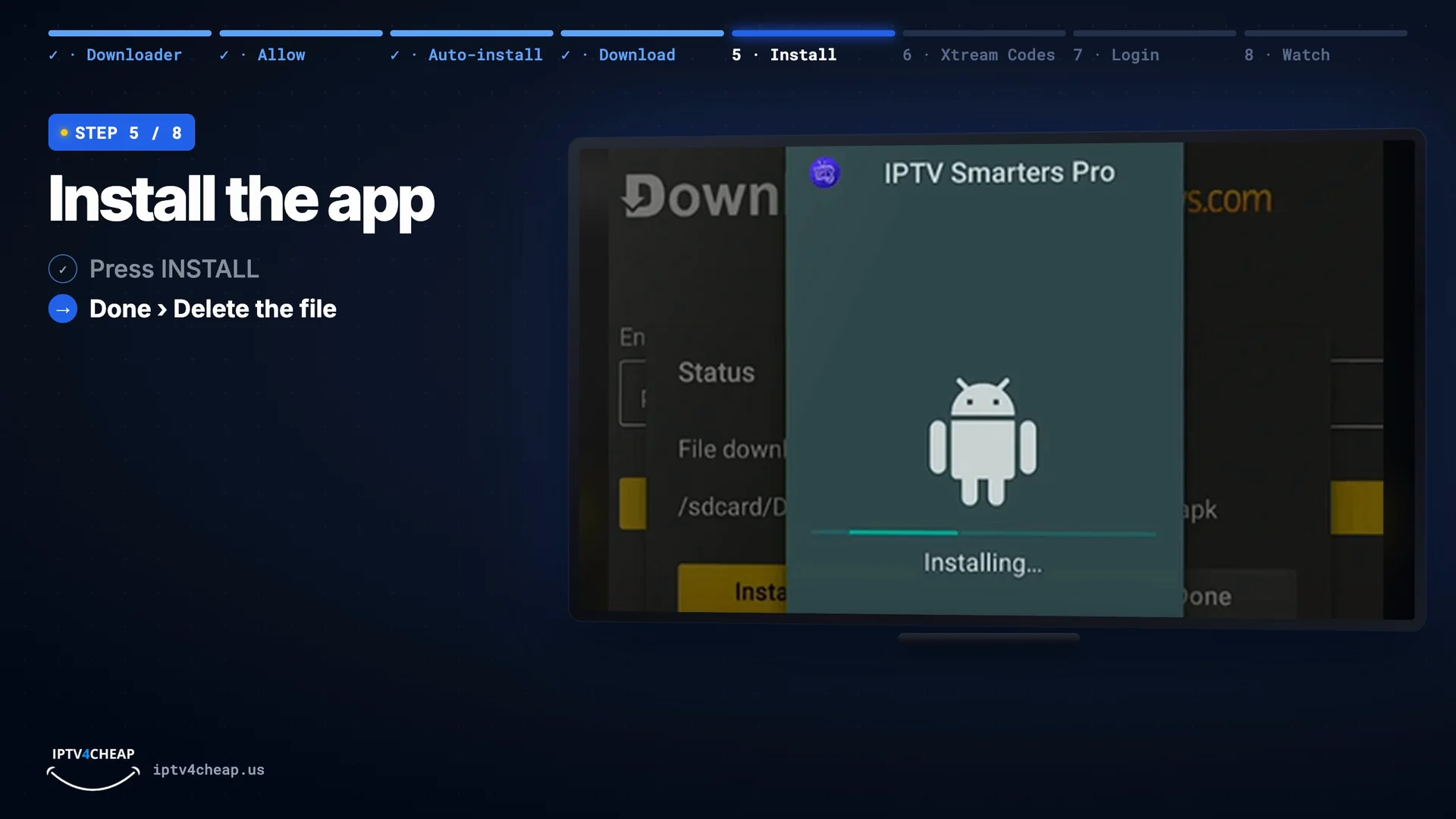
Installed: Done, then Delete the file. - Step 6
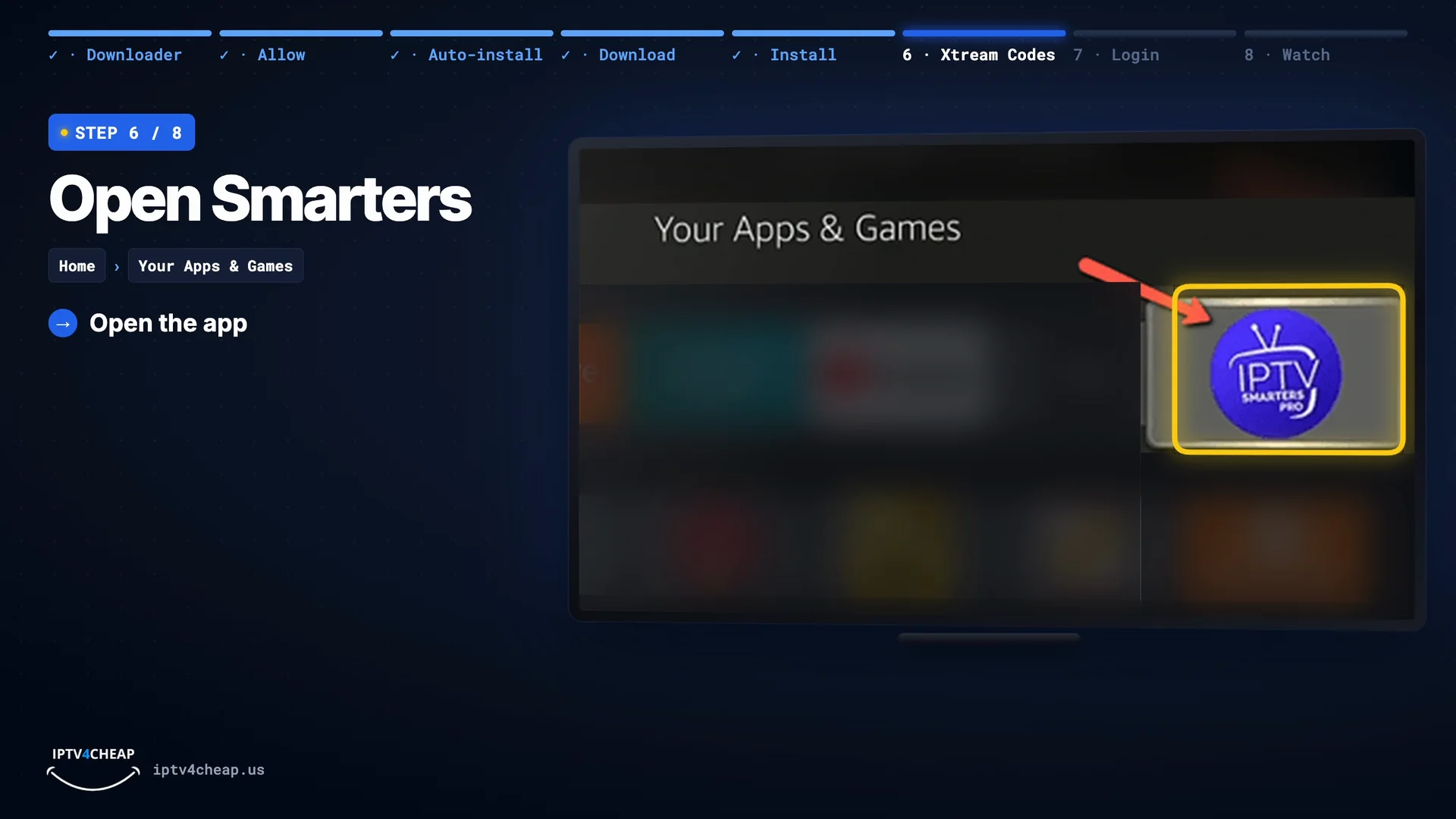
Open Smarters and choose Login with Xtream Codes API
Open IPTV Smarters Pro from Your Apps & Games. Accept the terms, then choose Login with Xtream Codes API. It loads live TV, the TV guide, movies and series in one go.
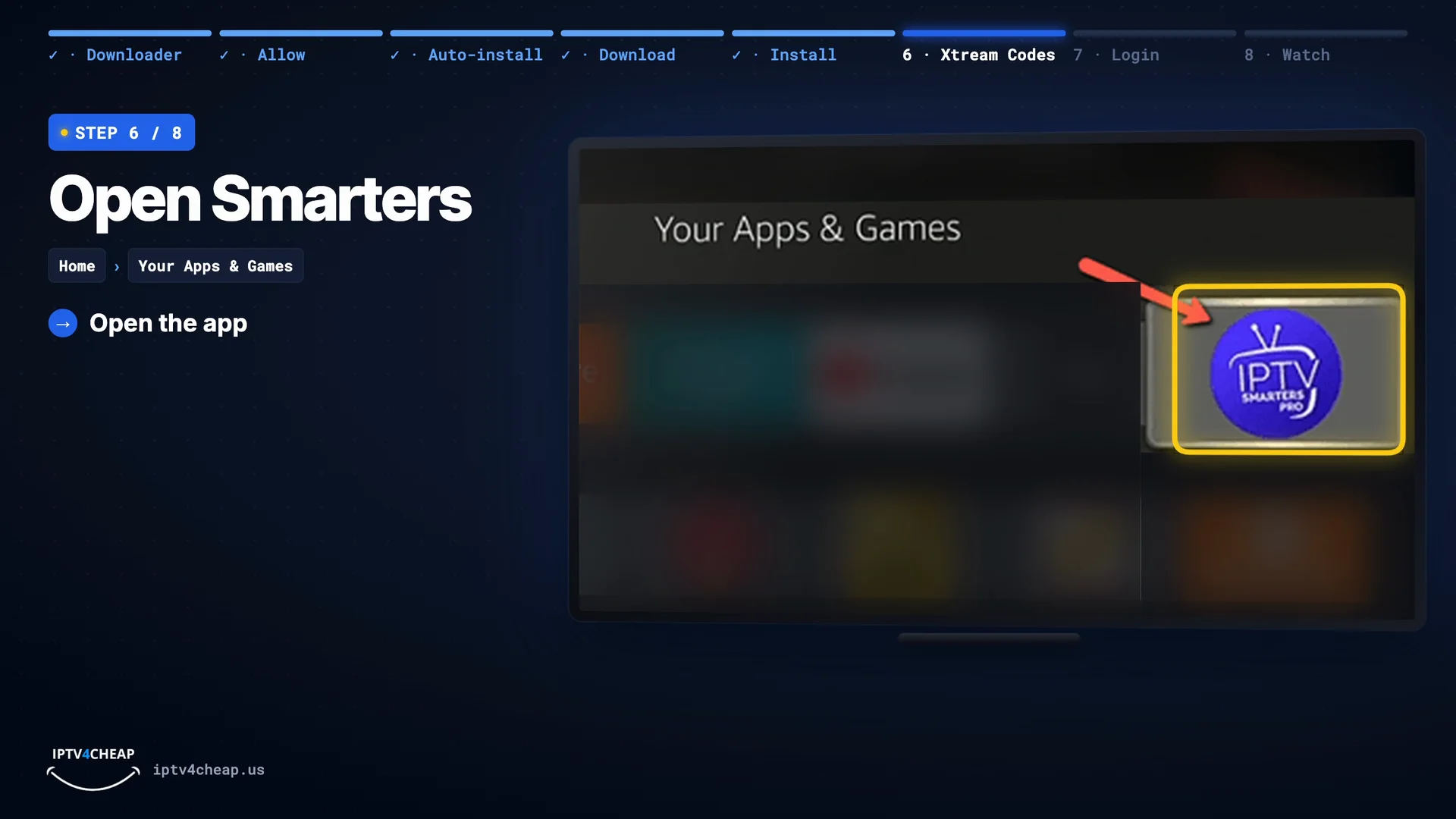
Open IPTV Smarters Pro from Your Apps & Games. 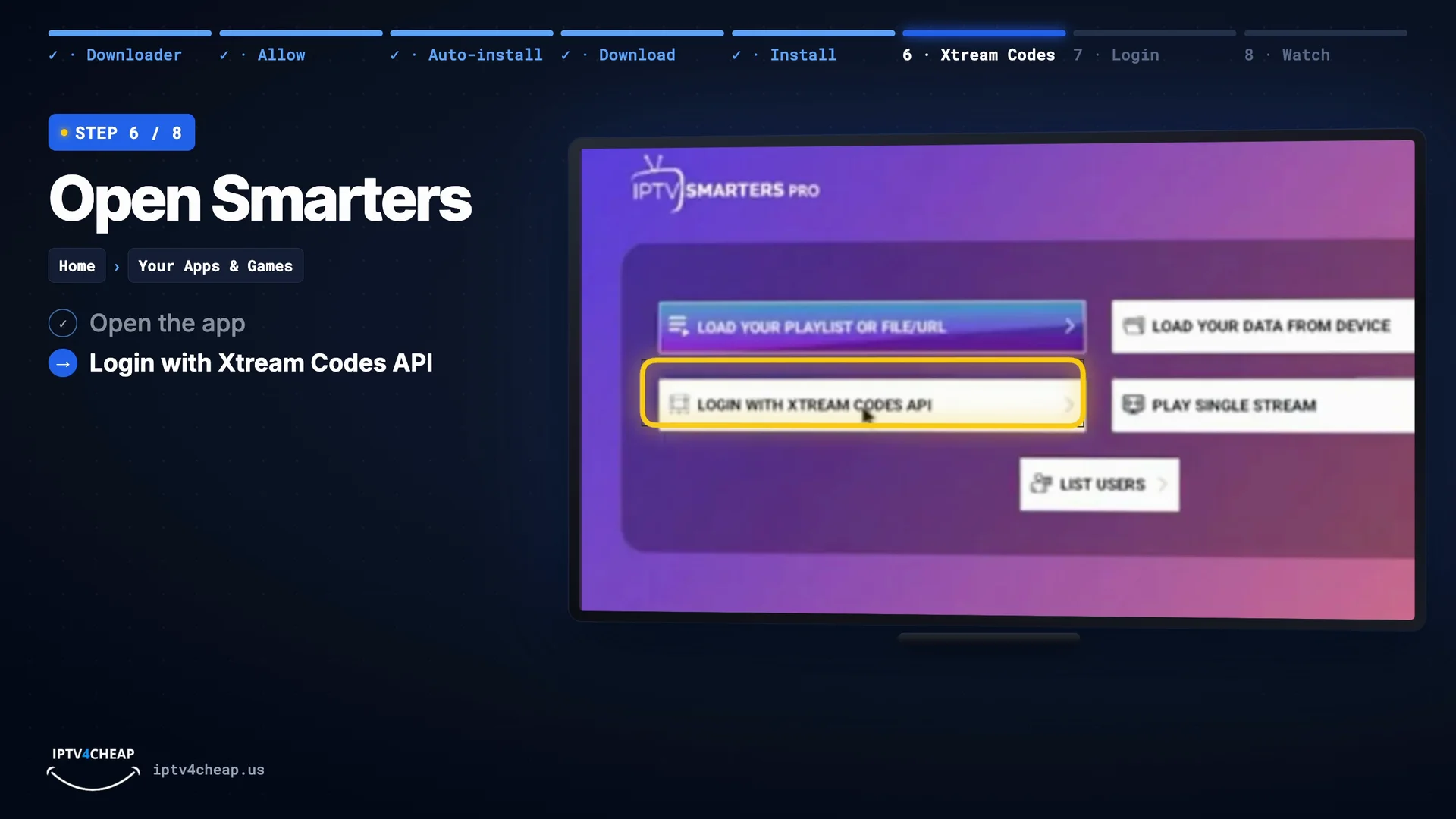
Choose Login with Xtream Codes API. Tip: To keep the app on your home row, hold Home › Apps, highlight IPTV Smarters Pro, press the menu (☰) button and choose Move.
- Step 7
Enter your login and press Add User
- Any name: a label for this login, for example IPTV4CHEAP.
- Username and password: from your email, with the same capital letters.
- Server URL: with http:// and the :port at the end, and no slash after it.
- Press ADD USER.
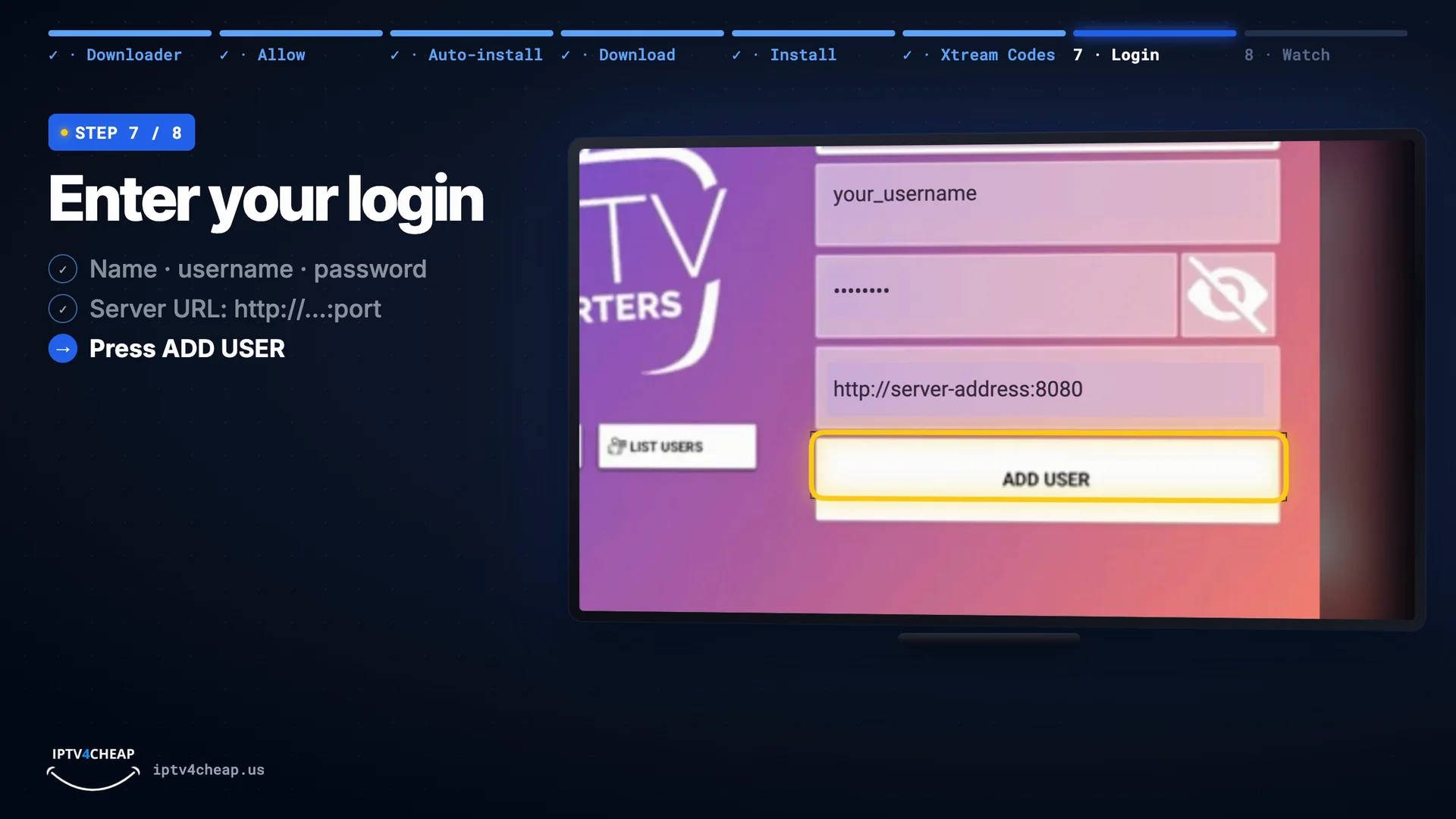
Name, username, password, server URL, then Add User. - Step 8
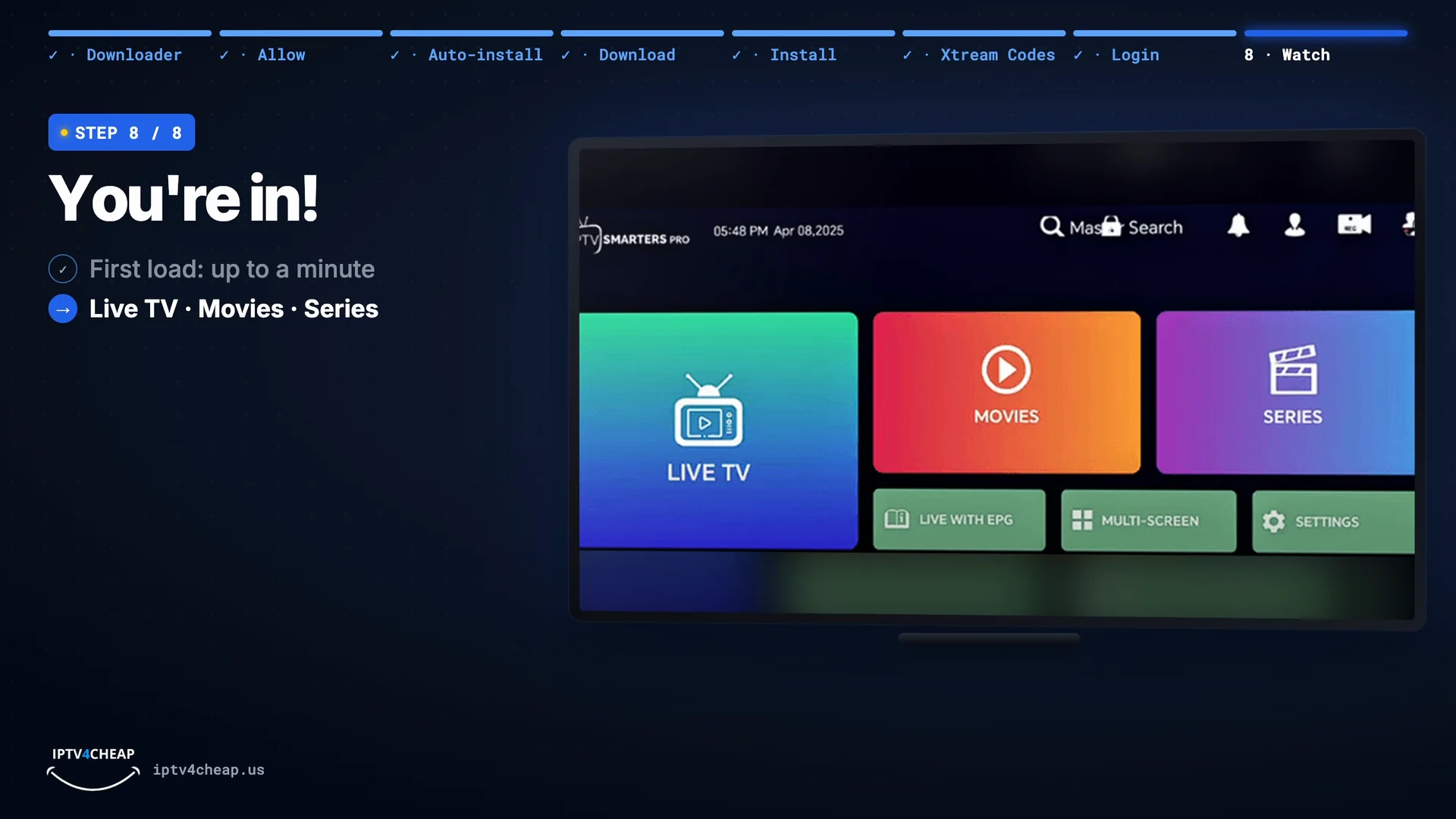
Watch live TV, movies and series
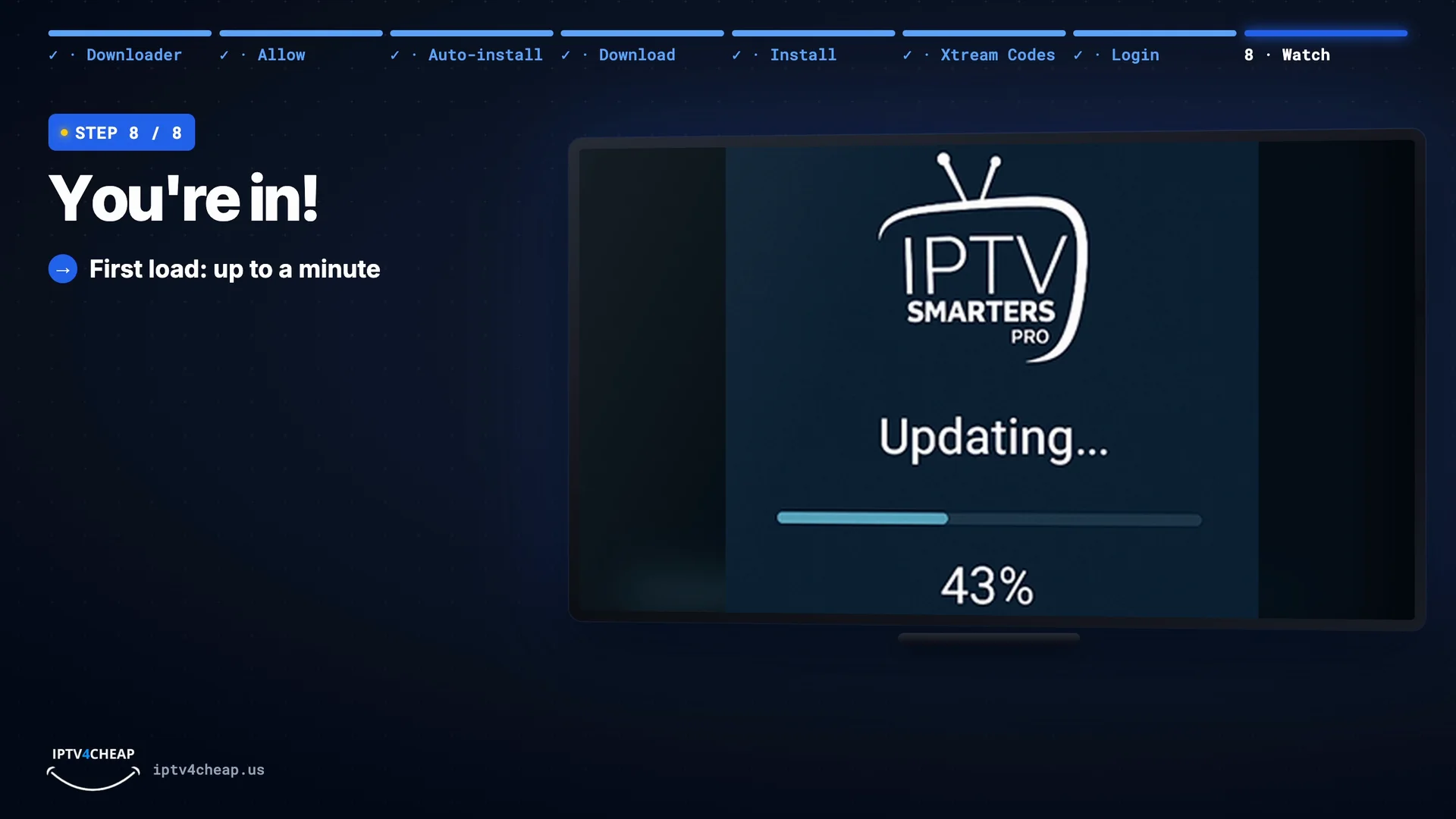
Smarters now loads your channels and TV guide. The first time it can take up to a minute, so let it finish. Then live TV, movies and series are right on your Firestick.
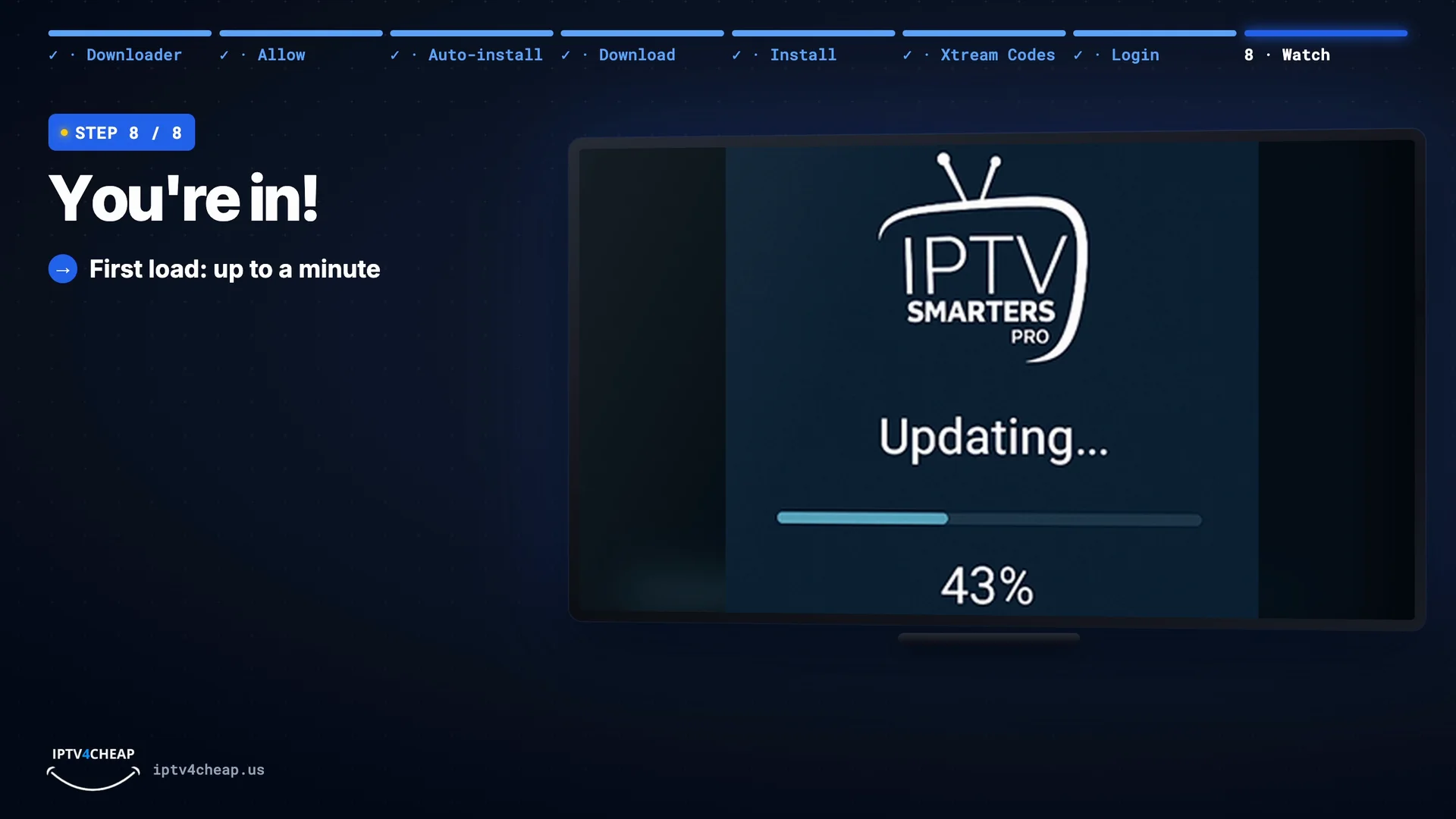
First load: up to a minute. 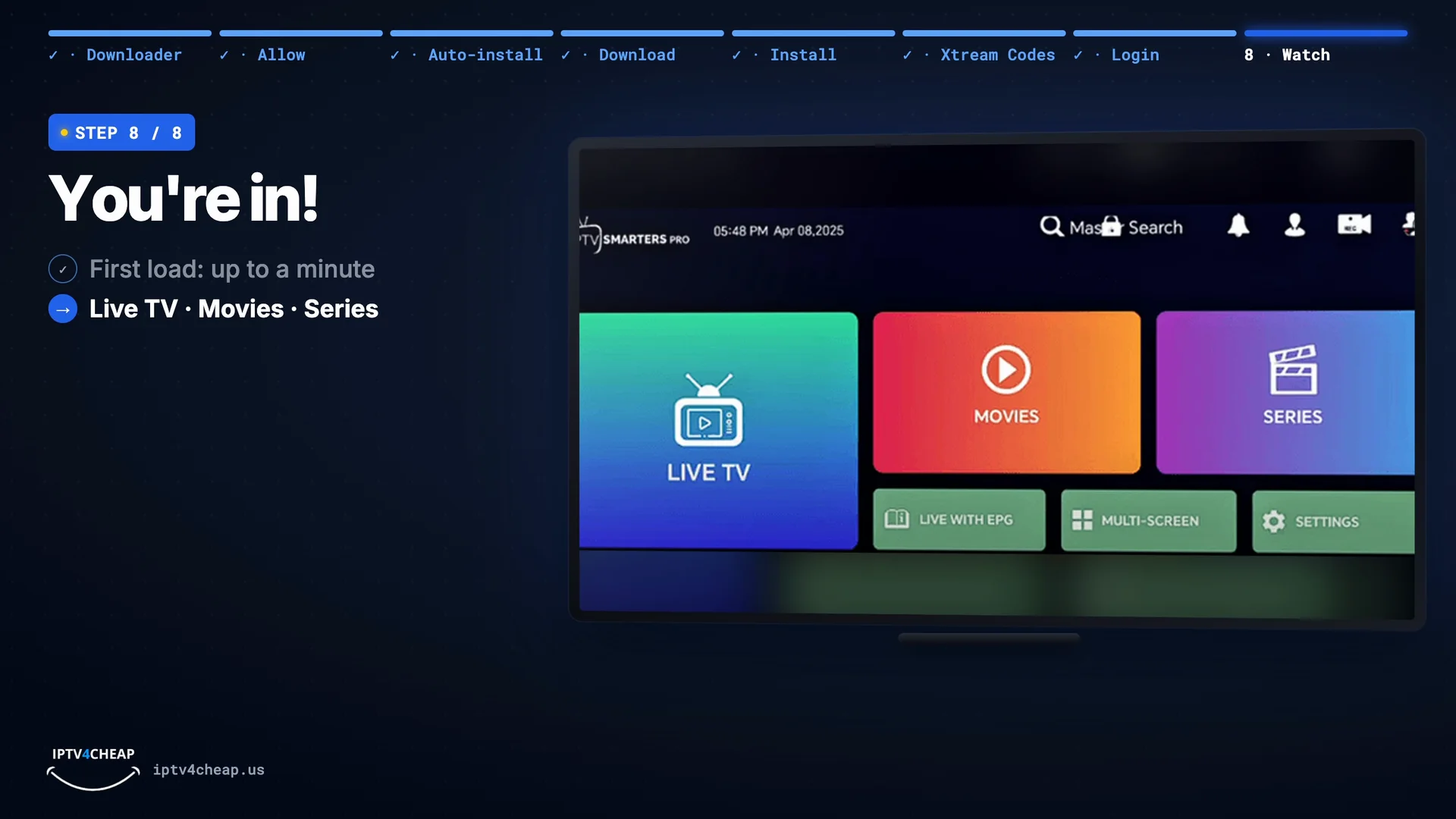
Live TV, movies and series. - If it doesn't work
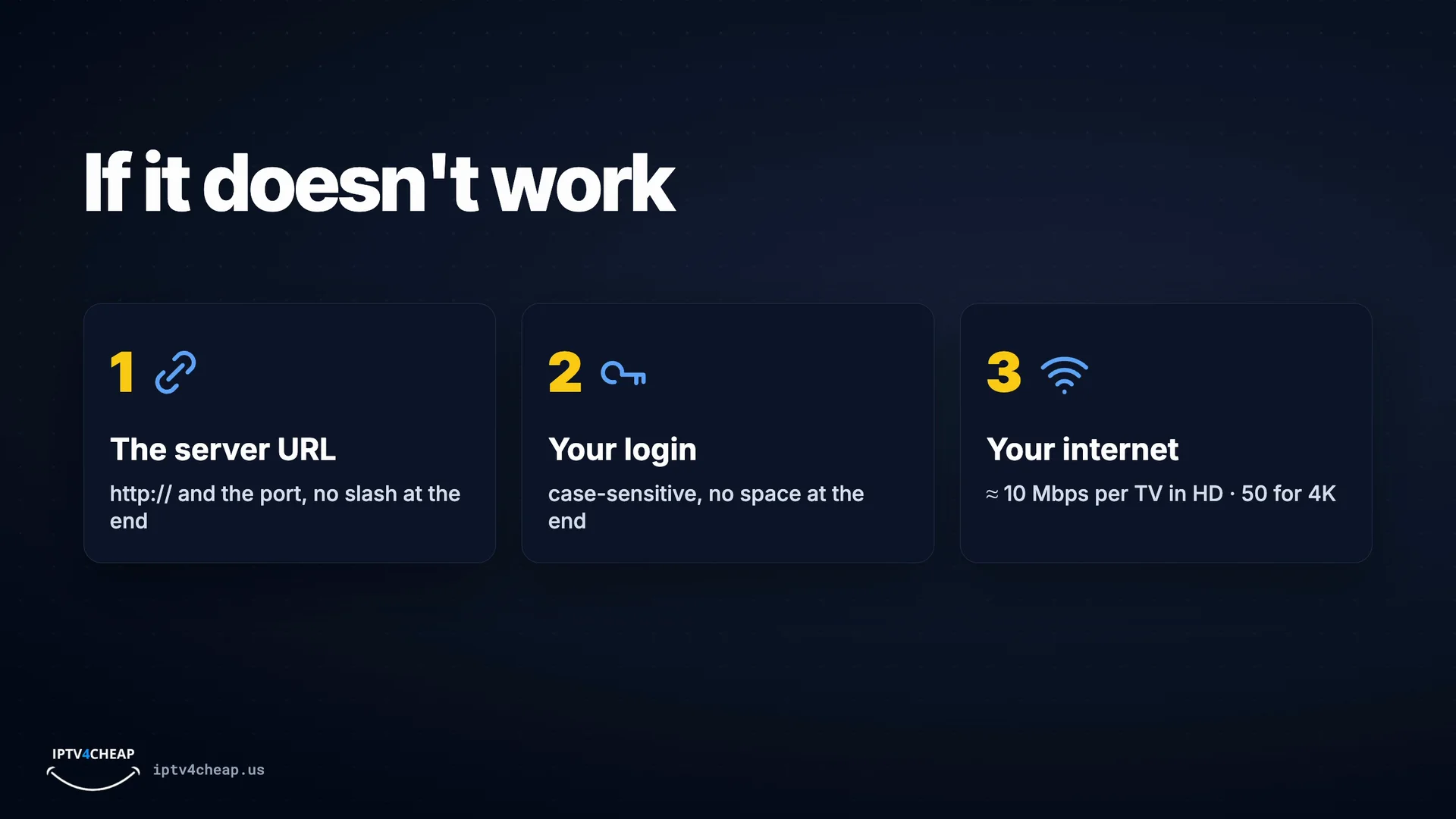
Three things to check
- The server URL: keep http:// and the port, with no slash at the end.
- Your login: capital letters matter, and there must be no space at the end.
- Your internet: about 10 Mbps per TV for HD and 50 Mbps for 4K. Restart the Firestick (hold Select and Play for five seconds).
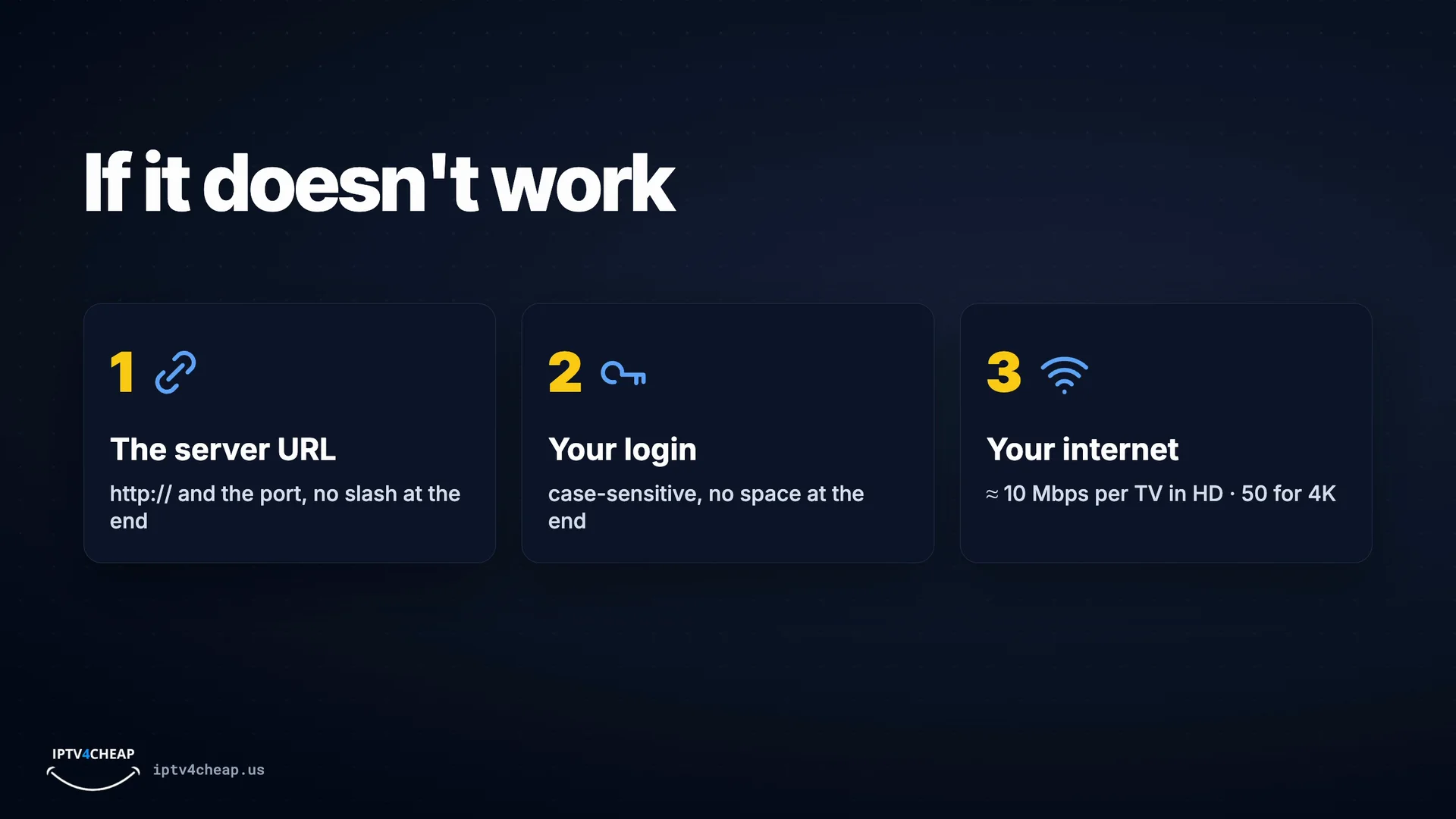
The three checks.


Prefer TiviMate? In Downloader type the code 272483 instead and follow the TiviMate setup guide. More fixes are in the Firestick install guide.
What makes IPTV run well on a Firestick
A steady connection
- Use the 5 GHz Wi-Fi band, not 2.4 GHz
- A USB Ethernet adapter ends most freezing
- About 10 Mbps per TV for HD, 50 Mbps for 4K
Free storage
- Delete installers in Downloader after installing
- Uninstall apps you never open
- Clear the app cache if channels start slowly
A quick restart
- Hold Select and Play for five seconds
- Do it after updates or if the menus feel slow
- Sticks left on for weeks benefit the most
The right model for 4K
- 4K needs a Stick 4K, 4K Max or Cube
- The TV and HDMI port must support 4K too
- The Lite and the standard stick show HD
IPTV plans for your Firesticks
One TV or Firestick per connection. Pick how many screens watch at the same time and how long you want. One TV starts at $13.99 for a month, and the 12-month plan is about $5.00 a month.
No payment details needed. Your login arrives by email.
1 month
Good for trying it out
Choose 1 month$13.99 for 1 month
Pay again only if you want to
3 months
Good for one sports season
Choose 3 months$31.99 for 3 months
$10.66 a month · you save 24%
6 months
Good for half a year of TV
Choose 6 months$47.99 for 6 months
$8.00 a month · you save 43%
12 months
Best value for watching every week
Choose 12 months$59.99 for 12 months
$5.00 a month · you save 64%
2 years
Lowest monthly price, 1 TV only
Choose 2 years$107 for 2 years
$4.46 a month · you save 68%
Lifetime
Pay once. No renewals and no monthly bills, ever. Same channels, sports and movies, with free updates.
Choose Lifetime for 1 TV$299 one payment for 1 TV
Every plan includes
- 25,000+ live channels
- 66,000+ movies & series
- HD, 4K & HEVC quality
- All sports & PPV included
- Zero-buffering · 99.9% uptime
- Instant channel switching
- Works on Firestick, Smart TV, phone & PC
- Free channel & VOD updates
- Anti-freeze during live events
- 24/7 human support
One login on every Firestick in the house
Your plan covers a number of screens playing at the same time, not a list of named devices. Install the app on each Firestick, type the same login, and any of them can watch as long as no more than your plan's number are playing at once. A phone that only watches when the TV is off does not need its own connection.
Watching on several TVs at once? Our IPTV on multiple devices guide helps you choose between 2, 3, 4 and 5 TVs. Prefer to pay once? See lifetime IPTV.
Firestick IPTV problems and quick fixes
Downloader shows a web page, not a download
The address was mistyped. Retype wp.iptv4cheap.com/smarters.apk exactly: no www, no spaces, .apk at the end.
The Install button is greyed out
Downloader is not allowed to install apps yet. Go back to Settings → My Fire TV → Developer Options → Install unknown apps and switch Downloader on.
"App not installed"
Storage is full. Delete old installers in Downloader and uninstall apps you do not use, then install again.
Channels freeze in the evening
Switch to 5 GHz Wi-Fi or a USB Ethernet adapter, restart the stick, and try the other player in the app's settings.
Still stuck? Message support with a photo of your TV screen and we will walk you through it.
IPTV on Firestick: questions people ask
What is the best IPTV for Firestick?
The one that plays smoothly on your own Firestick in the evening, offers a free trial without a card, and lets you reach support before you pay. Our service works on every Fire OS Firestick with IPTV Smarters Pro or TiviMate, and you can test it free for 4 hours.
What is the best IPTV app for Firestick?
IPTV Smarters Pro is the easiest to set up and includes live TV, movies and series in one app. TiviMate has the best TV guide and feels most like cable. Both are free to start and both work with the same IPTV4CHEAP login.
Which Fire TV devices work with IPTV?
Every Fire TV that runs Fire OS: Fire TV Stick Lite, Fire TV Stick, Fire TV Stick 4K, Fire TV Stick 4K Max and Fire TV Cube, plus TVs with Fire TV built in. The Fire TV Stick 4K Select runs Amazon's newer Vega OS, which cannot install apps from outside the Appstore.
How long does it take to set up IPTV on a Firestick?
About 10 minutes the first time: two minutes for the settings, a minute or two for the app download, and a minute to type your login.
Do I need to pay for the IPTV app?
No. IPTV Smarters Pro is free. TiviMate is free to install and use, and offers an optional Premium upgrade sold by TiviMate, not by us.
Can I use one IPTV subscription on two Firesticks?
Yes, with a plan for 2 TVs or more. Each connection covers one screen playing at a time, so two Firesticks watching at once need a 2-TV plan.
Is a Fire TV Stick Lite enough for IPTV?
Yes for HD. It cannot show 4K, and its storage fills up faster, so delete the app installer after installing. For 4K, choose the Fire TV Stick 4K or 4K Max.
Why does IPTV freeze on my Firestick?
Usually Wi-Fi, not the service. Move to the 5 GHz band, plug in a USB Ethernet adapter, restart the stick (hold Select and Play for five seconds) and close apps running in the background.
Can I try IPTV on my Firestick before buying?
Yes. Start the free 4-hour trial with your name and email, install the app while the email arrives, then sign in. The 4 hours start at your first sign-in.
Try it on your Firestick tonight, free
Name and email only, no card. Install the app while your login email arrives, and the 4 hours start when you first sign in.